Commands
Fillet Surface to Rail Curve
 Fillet Surface to Rail Curve
The FilletSrfToRail command creates a surface blending between a surface and a curve referencing the curvature of another surface.
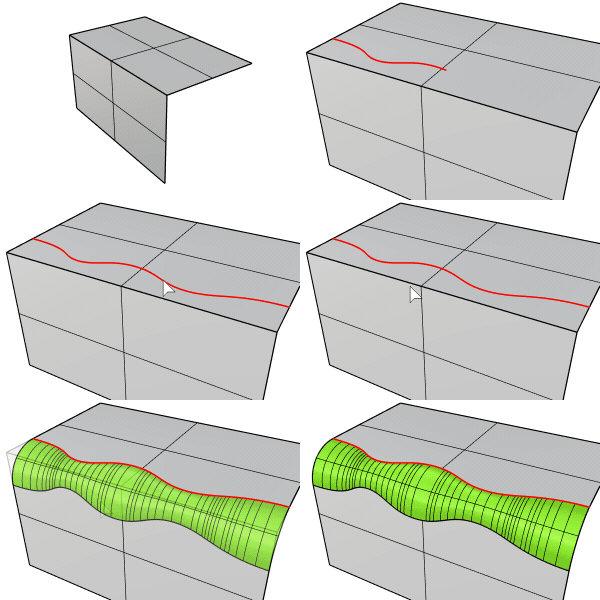
Steps
- Select a curve.
- Select the surface near the curve.
- Select another surface.
Options
Blend Type
- Arc: Creates a fillet surface with arc sections and tangent (G1) to the input surfaces.
.png)
- Deformable: Add more control points to the filet sections for adjusting tangency and bulge.
.gif)
- Deformable degree: Sets the degree of fillet sections from 3 to 5.
- Tangent: Moves the second points on both ends in the tangent direction.
- Bulge (For degree 4 and 5): Moves the point(s) in the middle to make the fillet sections sharper or flattrer.
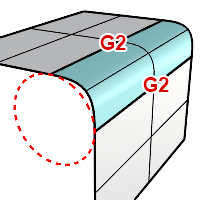
- G2 Blend: Creates a blend surface connecting to the input surfaces with curvature (G2) continuity.
- Trim: Uses the output surface to trim the input surfaces when possible. History is supported when the Trim checkbox is disabled.
.gif)
For more information, please refer to the Rhino documentation.