Commands
Named Pendant
 Named Pendant
The Named Pendant command in RhinoArtisan allows users to create personalized pendants featuring a custom name. Upon activating the command, a pendant with a default name appears in the viewport, which can be customized using the Pendant Panel.
.png)
Features and Parameters of the Named Pendant Command:
Pendant Panel :
- Name: Define the name to display on the pendant.
- Font: Select the font type for the text.
- Font Style: Choose the style of the font, such as bold or italic.
- Letter Spacing Mode:
- Automatic: Adjusts the spacing between letters automatically.
- Manual: Enables control over letter spacing using the Spacing parameter.
- Pendant Style:
- Only Letter: Creates the pendant using only the letters.
- Letter with Plate (Rectangular): Adds a rectangular plate behind the letters.
- Letter with Plate (Offset): Adds a plate with an offset boundary around the letters.
- Relief:
- Emboss: Places the letters raised on top of a plate.
- Engraving: Carves the letters into the plate by removing material.
- Height: Adjusts the size of the letters.
- Thickness: Sets the thickness of the letters.
- Connection: Manages the connections between accents and letters or the dot and stem of the letter “i.”
- Plate Offset: Controls the distance between the letters and the plate’s edge.
- Plate Thickness: Adjusts the thickness of the plate.
O-Rings Panel :
This panel allows customization of the rings used to attach a chain to the pendant:
- Number of O-Rings: Choose between none, one, or two rings.
- Positioning:
- Automatic: Positions the rings based on the design.
- Manual: Enables precise control over the rings’ placement.
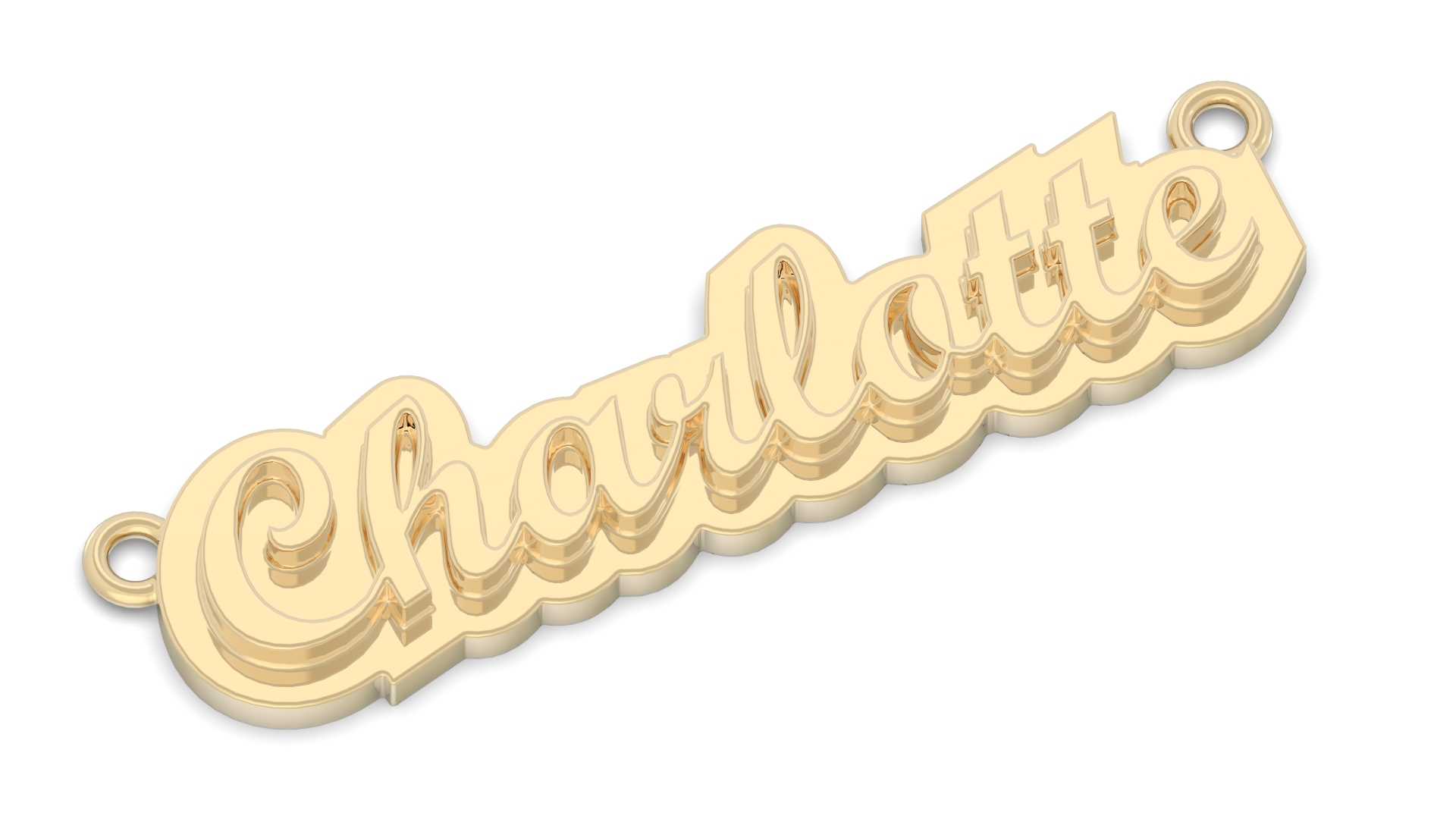
The Named Pendant command provides flexibility in design, enabling users to create unique pendants tailored to individual preferences.