Commands
Cull Degenerate Mesh Faces
 Cull Degenerate Mesh Faces
The CullDegenerateMeshFaces command removes degenerated mesh faces and edges. Degenerated faces are those with zero area, and degenerated edges have a length of zero. This command is essential for cleaning up meshes by eliminating unnecessary or problematic elements that could cause issues in modeling or 3D printing.
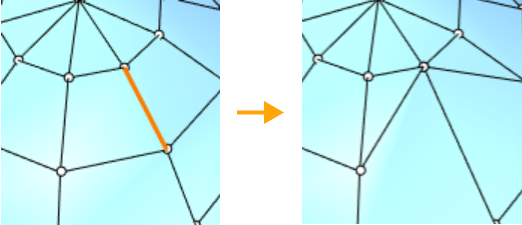
A mesh edge is degenerated.
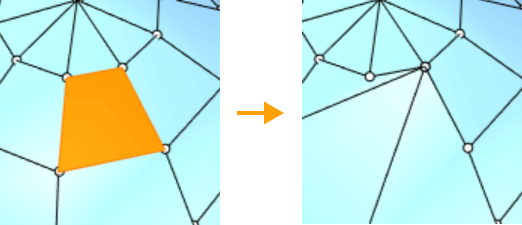
A mesh face is degenerated.
Steps to Use
- Select the mesh that you wish to clean up.
- Run the CullDegenerateMeshFaces command to remove the degenerated faces and edges.
What Gets Removed
- Degenerated mesh faces: Faces with an area of zero (i.e., collapsed to a point).
- Degenerated mesh edges: Edges with a length of zero.
- Orphaned vertices: If any vertices are left unattached after removal, they will also be deleted.
Applications
- Mesh Repair: Clean up meshes that contain degenerated elements, ensuring the model is better structured for further operations.
- STL/SLA Printing: Useful for preparing meshes for 3D printing by removing problematic elements that could cause slow printing or errors during the process.