Commands
Soft Transform
 Soft Transform
The SoftTransform command changes moving behavior of mesh and SubD vertices based on different radial falloff shapes.
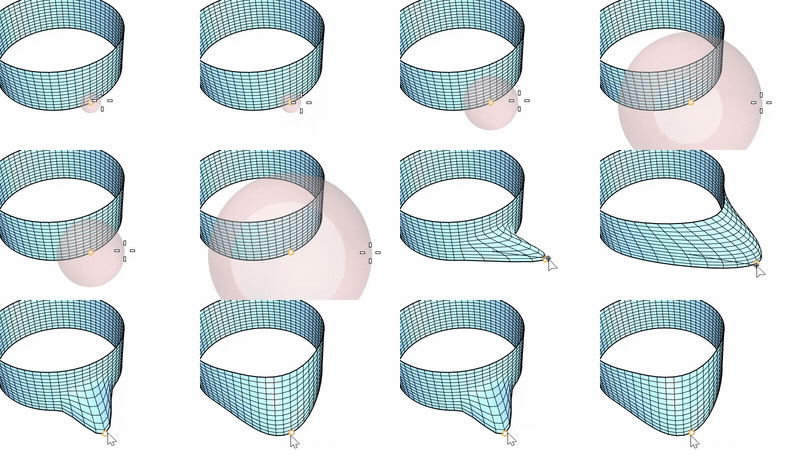
Soft transform works with SubD/mesh vertices, edges, faces, and control points.
Mouse dragging, Gumball, and transform commands (Move, Scale, Rotate…) work with soft transform.
Locked SubD vertices, edges, and faces will stay still.
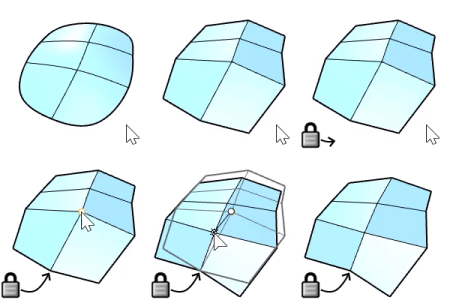
Command-line options
Enable (Yes/No)
Turns on/off soft transform for SubD and mesh vertices.
Radius
Defines the falloff range.
Pre-select SubD/mesh sub-objects to define the falloff range with a visual indicator.
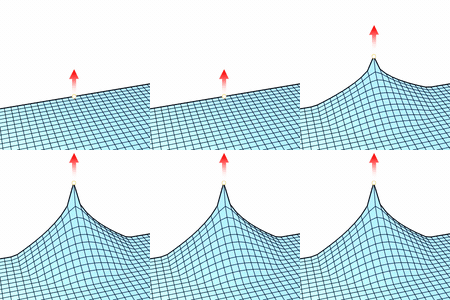
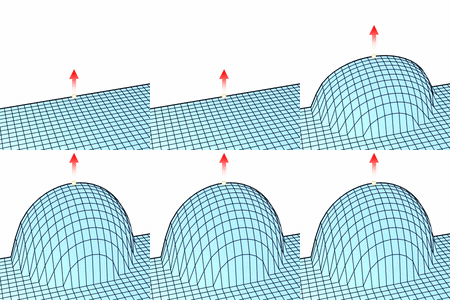
Shape (Smooth /Linear/ Round/ Sharp)
Changes the radial falloff style.
 |  |
|---|---|
| Linear | Smooth |
 |  |
| Sharp | Round |
For more information, please refer to the Rhino documentation.