Slide
 Slide
Slide
The Slide command moves selected vertices (or vertices of selected edges) along adjacent edges.
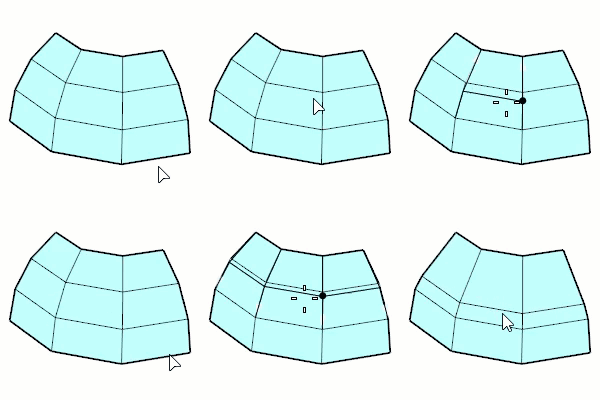
Input:
- Mesh/SubD edge or edge loop
- Mesh/SubD vertex
Steps
-
Select mesh/SubD edges, edge loops, or vertices.
-
Move the mouse cursor and click.
Or, type a value and press Enter.
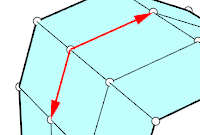
The arrows point out the positive direction that is used for value input.
Command options
Edge selection mode
(Default): Click selects a single edge. Double-click selects an edge loop.
Ctrl+click deselects a single edge. Ctrl+double-click deselects an edge loop.
EdgeLoop: Click an edge to select an edge loop.
The clicked edge displays a brighter highlight than the other edges in the loop.
Ctrl+click the same edge to deselect the loop.
OffsetMode
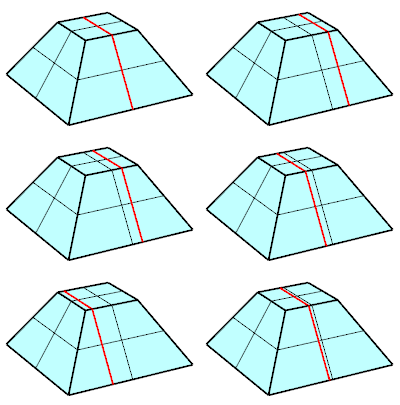
Proportional: The amount is proportional to each crossing edge length. The input number should be between 0 and 1.0.
 |
|---|
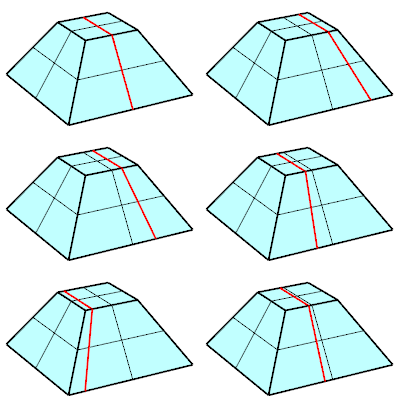
Absolute: The amount is same for all edges. The input number is a distance in the model unit.
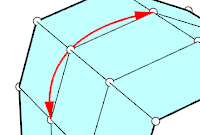
Smoothness (0 - 1.0)
0 moves vertices linearly along the edges towards the next vertices. 1.0 moves vertices in the most curved path towards the next vertices.
 |  |
|---|---|
| 0 | 1.0 |
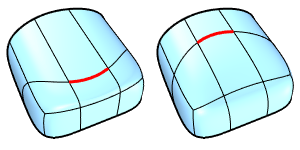
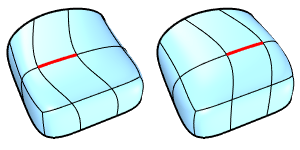
Direction=Across/Along
Moves edges in the side direction (Across), or in the edge direction (Along).
 |  |
|---|---|
| Across | Along |