Productivity
Setting Up the Assistant
The Assistant talks to hosted models through OpenRouter, a single gateway to Anthropic, OpenAI, xAI, DeepSeek, Mistral and the rest. One key, every model.
You pay OpenRouter for what you use — RhinoArtisan adds nothing on top and takes no commission. There is no separate Assistant subscription.
1. Connect your OpenRouter key
Create an OpenRouter account, add credit, create a key and paste it into Options → Artisan → Integrations, in the OpenRouter group’s API Key field. The whole process, with screenshots, is in Accounts and API keys: it takes a couple of minutes and covers every AI tool at once.
2. Choose the model
The Assistant’s models are in Options → Artisan → Assistant, in the Models group; see Assistant options.
- AI model — the model behind this panel. It defaults to Claude Opus 4.8 — frontier quality at a fraction of the top tier’s cost.
- Router, Vision and Reasoning models — specialists for reading each message, looking at pictures and planning multi-step builds. Their defaults follow the AI model (a small, fast model for the router), so you can leave them alone.
Flow Studio AI keeps its own model in Integrations, tuned independently because writing scripts and working on a design are different jobs.
Leave the defaults alone unless you have a reason: a cheaper model for routine work, a different provider for a company policy, or a specific vendor your organisation has approved. The full list, and how to choose, is in Choosing models.
On the same page, Costs sets an optional daily spending limit, and Company standards holds the rules your company always follows — see Company standards.
3. Open and dock the panel
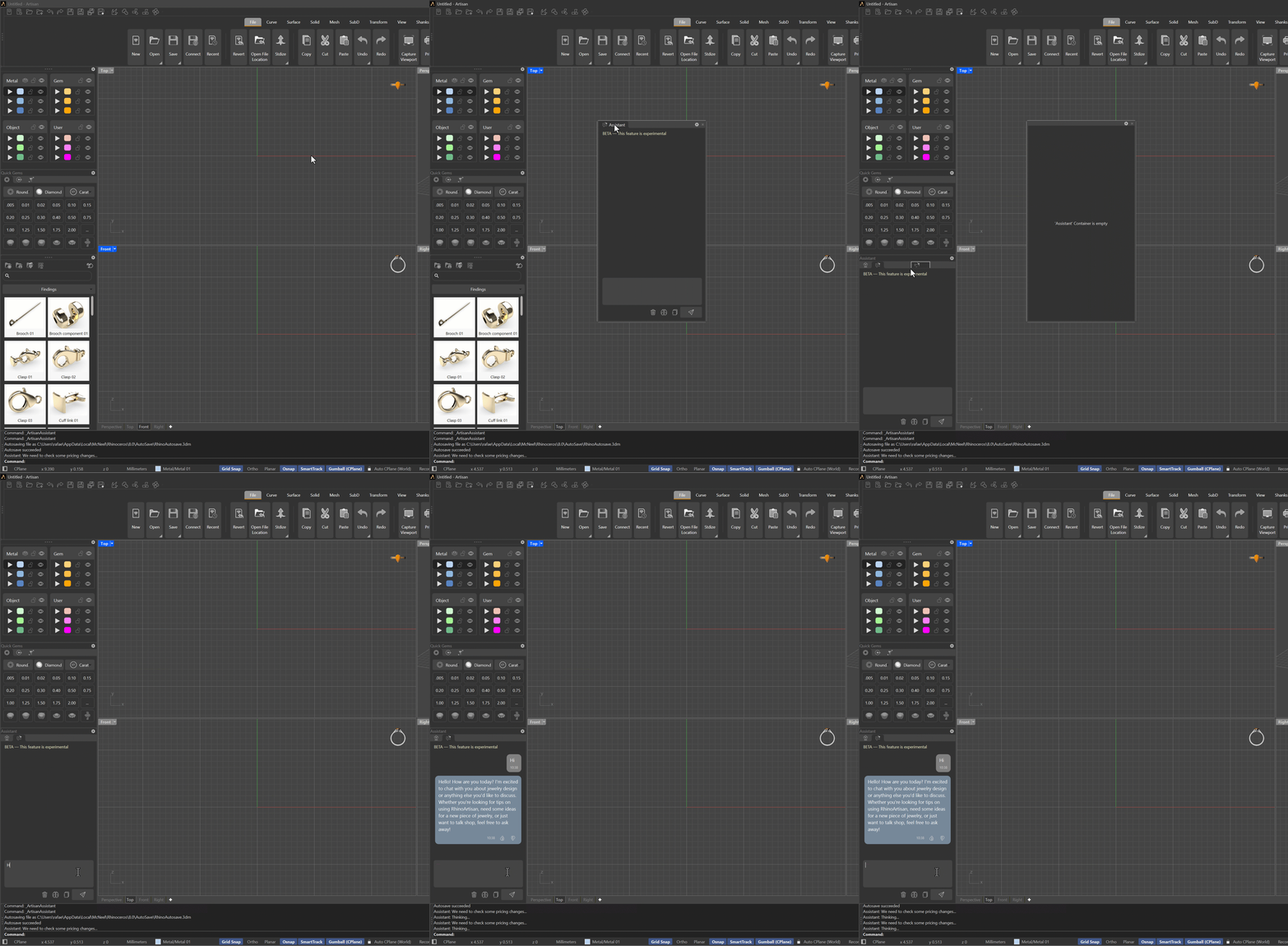
Open File tab → Assistant, or run ArtisanAssistant.
.png)
The panel can be docked anywhere, but keep it out of the standard right-side panel stack — sharing that space makes both harder to use while modelling.
.png)
A good spot is next to the Curator panel: drag the Assistant tab by its title and drop it into the Curator area, and Rhino anchors it there.
4. Check it works
Type Hi! and press Send. A reply within a couple of seconds means the key,
the model and the connection are all in order.
If instead you get an error, check in this order: the key is pasted in full, the OpenRouter account has credit, and the machine can reach the internet through any corporate proxy or firewall.