Rendering
Realtime Render
 Realtime Render
Realtime Render opens your design in an interactive 3D viewer, immediately. There is no render queue and no waiting for passes: the scene is exported to a lightweight 3D model and displayed in a hardware-accelerated WebGL viewer that you can spin, zoom and orbit as fast as you can move the mouse.
It is not trying to compete with Render Studio on image quality. It is solving a different problem: seeing the piece now, and letting somebody else see it too.
Run it with ArtisanRealtimeRender, or from the Realtime Render button in
the ribbon — it is in both the File and the Rendering tabs.
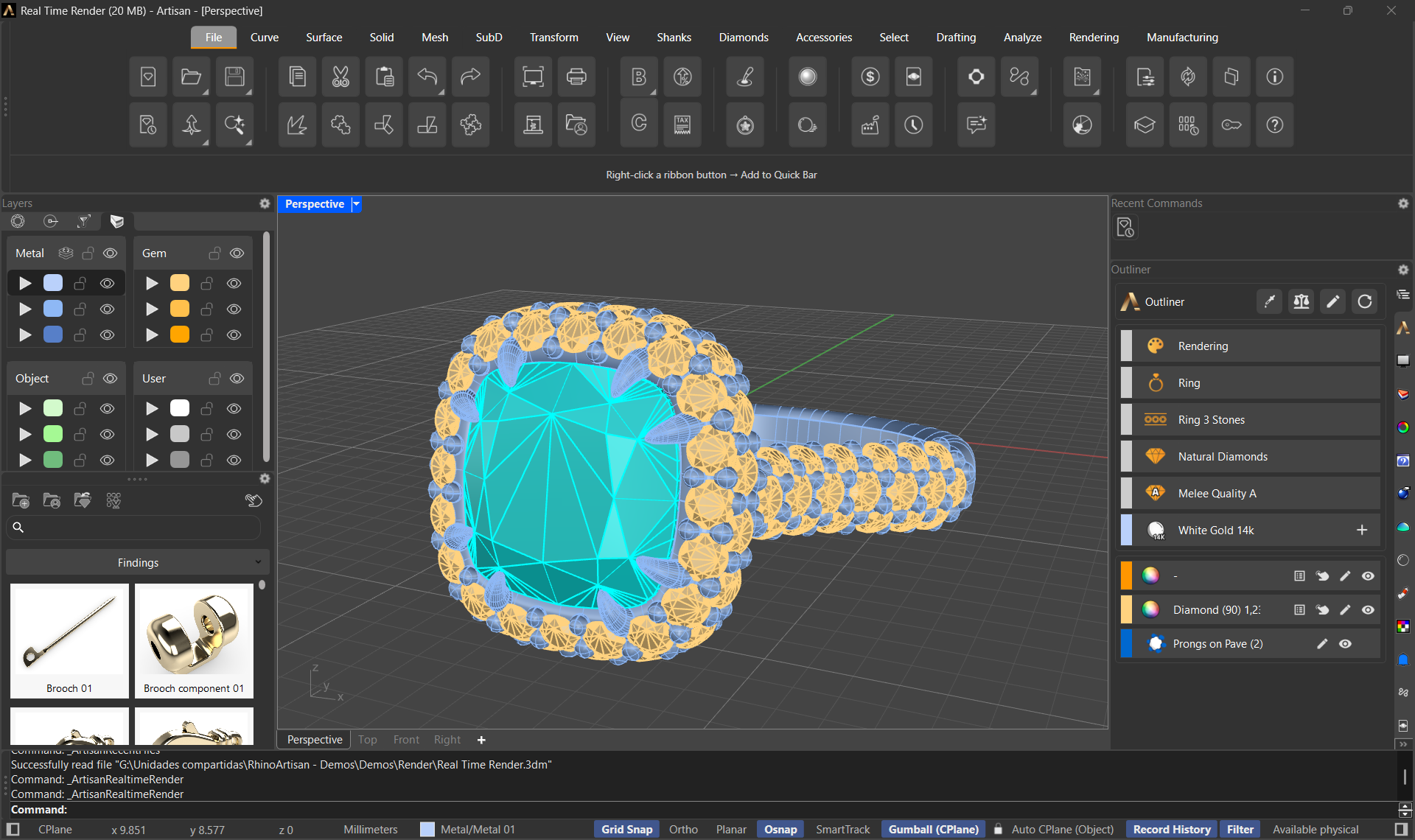
The design in RhinoArtisan — one click on Realtime Render and this is the model you will see dressed in every capture below
The window
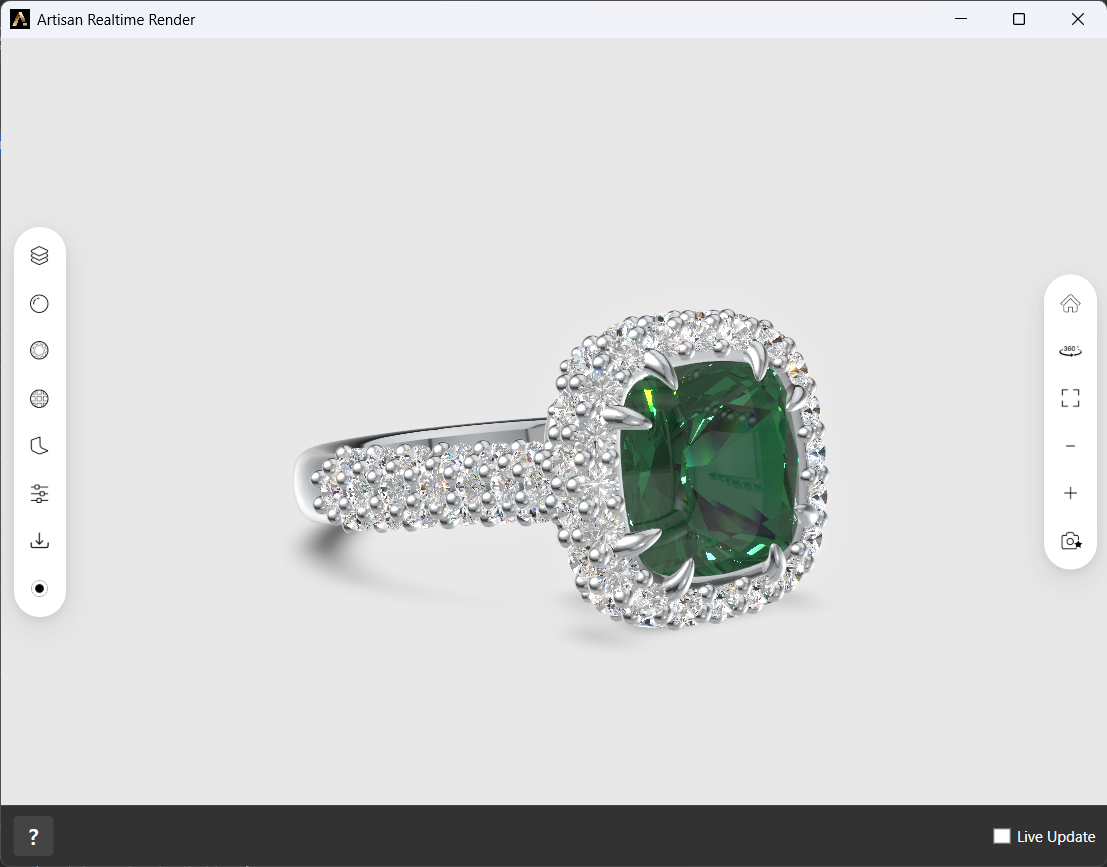
The viewer as it opens: the piece on a clean stage, tool panels on the left, camera controls on the right
- A separate window with the piece loaded, ready to be turned around — orbit, pan and zoom with the mouse.
- Live Update — a checkbox (off by default) that keeps the viewer in sync with the Rhino document. Turn it on and the viewer follows your edits as you make them; leave it off and the model stays as it was when you opened it.
- Refresh — pushes the current state of the document to the viewer once, on demand.
Opening the window always shows the document you are actually working on, so you never present a client a piece from the previous file.
Dressing the piece
The viewer is not just a spinner — it is a quick dressing room. Click a part to select it (Shift-click adds to the selection), then open one of the panels on the left toolbar and apply a material.
Metals
Every document metal in six finishes: Polished, Brushed, Florentine, Hammered, Rough and Sandblast — white, yellow and rose golds, sterling silvers, platinum, titanium and the numbered gold alloys, each one a click away.
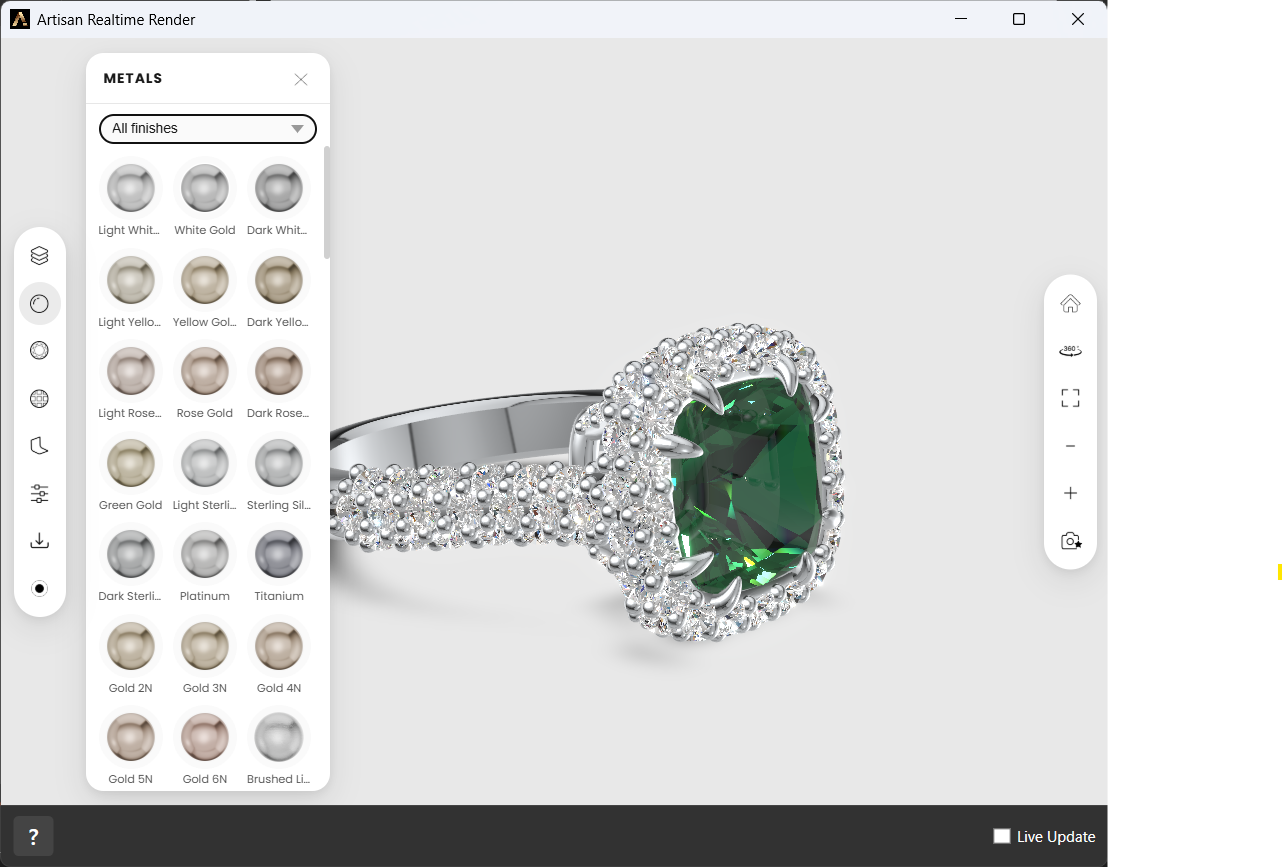
The Metals panel — filter by finish, click a swatch to apply it to the selected parts
Gemstones
The full gem palette, transparent and opaque: diamond, ruby, sapphire, emerald, amethyst, citrine, quartz and the rest — so the center stone can go from emerald to sapphire while the client is looking at it.
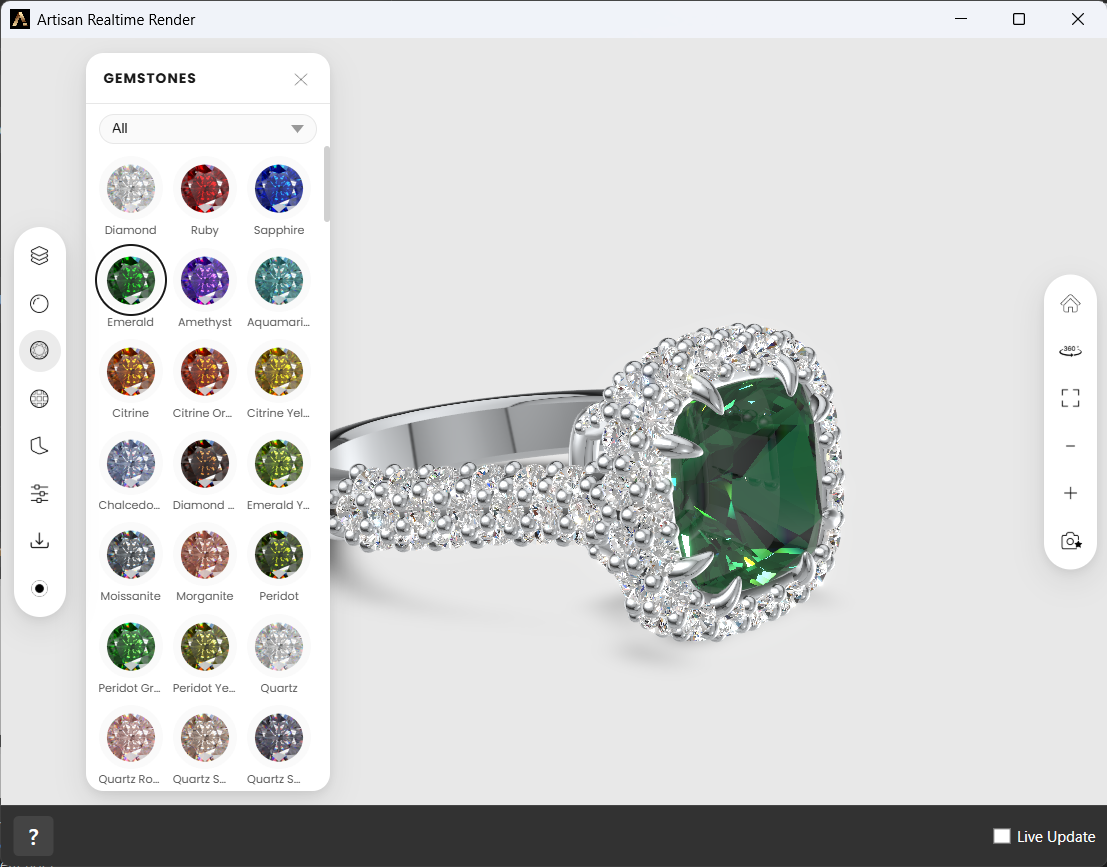
The Gemstones panel, with the emerald applied to the center stone
Other
The materials that are neither metal nor gem: Pearl in its white, golden, Tahitian and Akoya varieties, Enamel in a full range of colors, plus Ceramic and Leather.
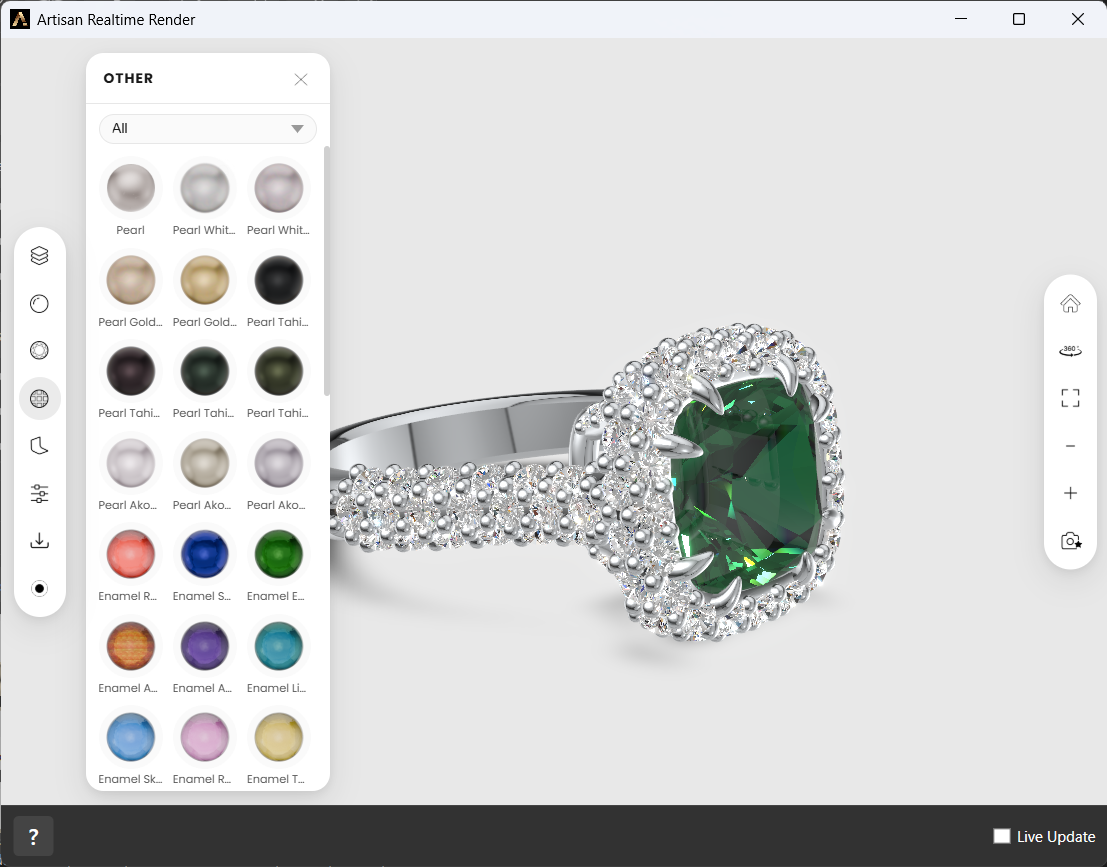
Pearls and enamels in the Other panel
Backgrounds
A palette of preset backgrounds — neutral greys and whites for evaluating the piece, blacks for drama, soft tints to match where it will be shown — and, on top of the panel, two color selectors: pick the Top and Bottom colors yourself and the gradient between them is previewed live and applied instantly. The background is part of the captured image, so pick it before you shoot.
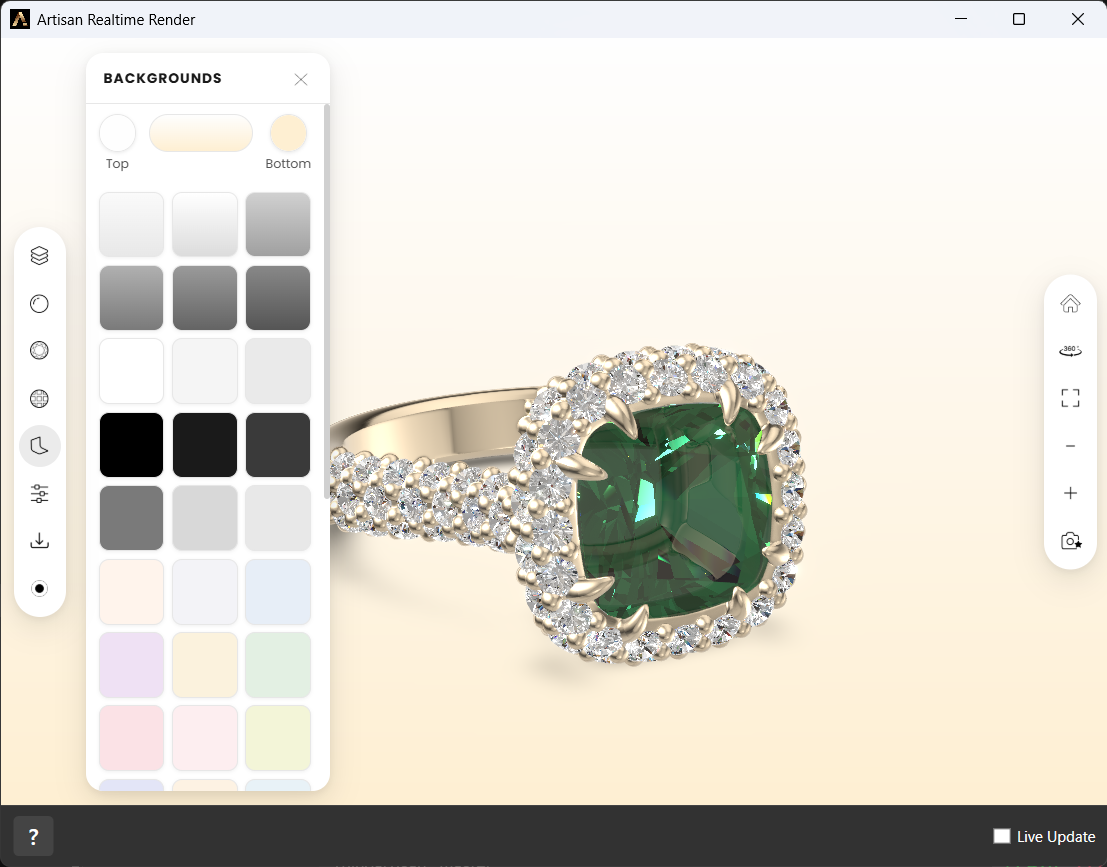
Presets below, your own gradient above — Top and Bottom selectors with the result previewed live
Advanced
The Advanced panel is a small post-production studio — every effect has its own Enabled switch, so you pay only for what you turn on:
- Bevel — light-catching rounded edges: radius, strength, edge amplitude and resolution.
- Shadows — ground shadows with full control over darkness, blur, falloff, scale, contact and color, separate opacity for metals and gems, and the light direction on all three axes.
- Ambient Occlusion — soft contact shading in crevices and between stones: radius and intensity.
- Depth of Field — a photographic focus plane with adjustable focus distance, focal length and bokeh, for that macro-lens product shot.
- Bloom — a glow on the brightest highlights: intensity, threshold and radius.
- Vignette — darkened corners that pull the eye to the piece: offset and darkness.
- Brightness / Contrast and Hue / Saturation — final color grading, right in the viewer.
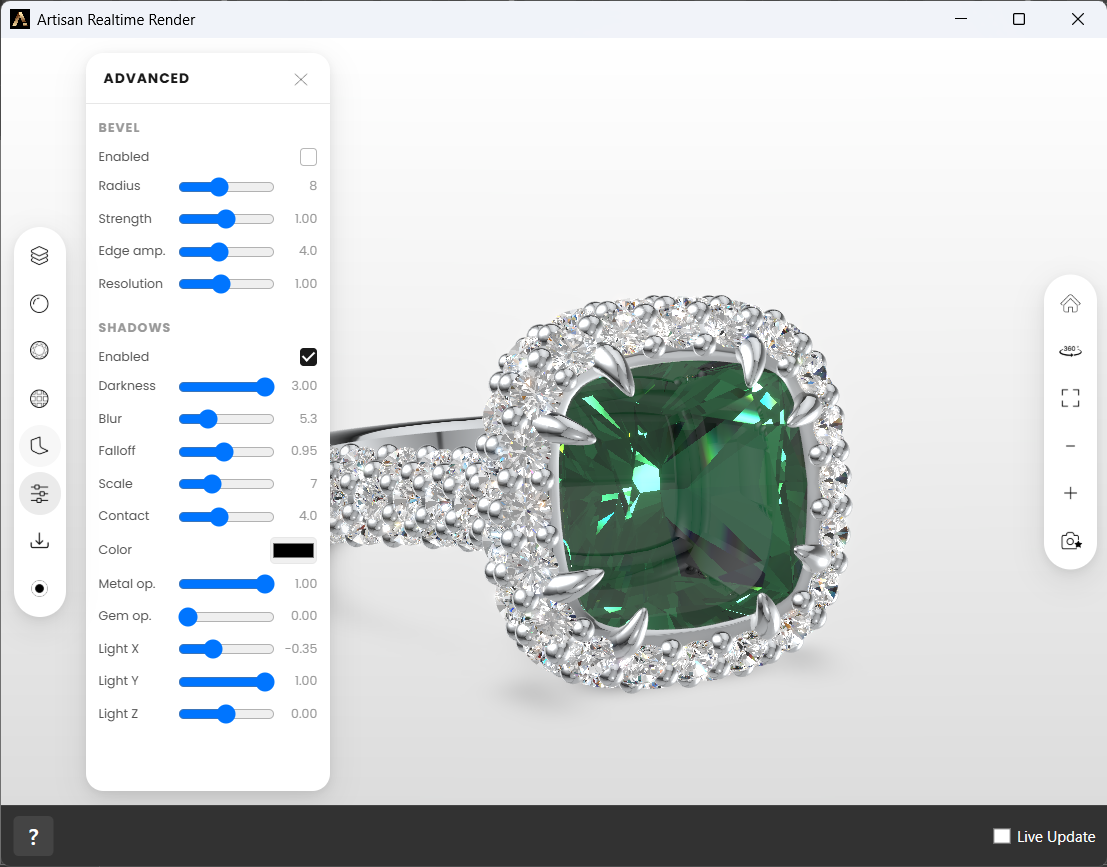
Bevel, shadows and light direction in the Advanced panel
Scene Materials
Everything you apply is listed under Scene Materials — one entry per
material with the parts it covers, so you can reselect or restyle a part from
the list instead of hunting for it in the viewport. The whole viewer setup is
saved inside the .3dm: reopen the file next week and the piece is dressed
exactly as you left it.
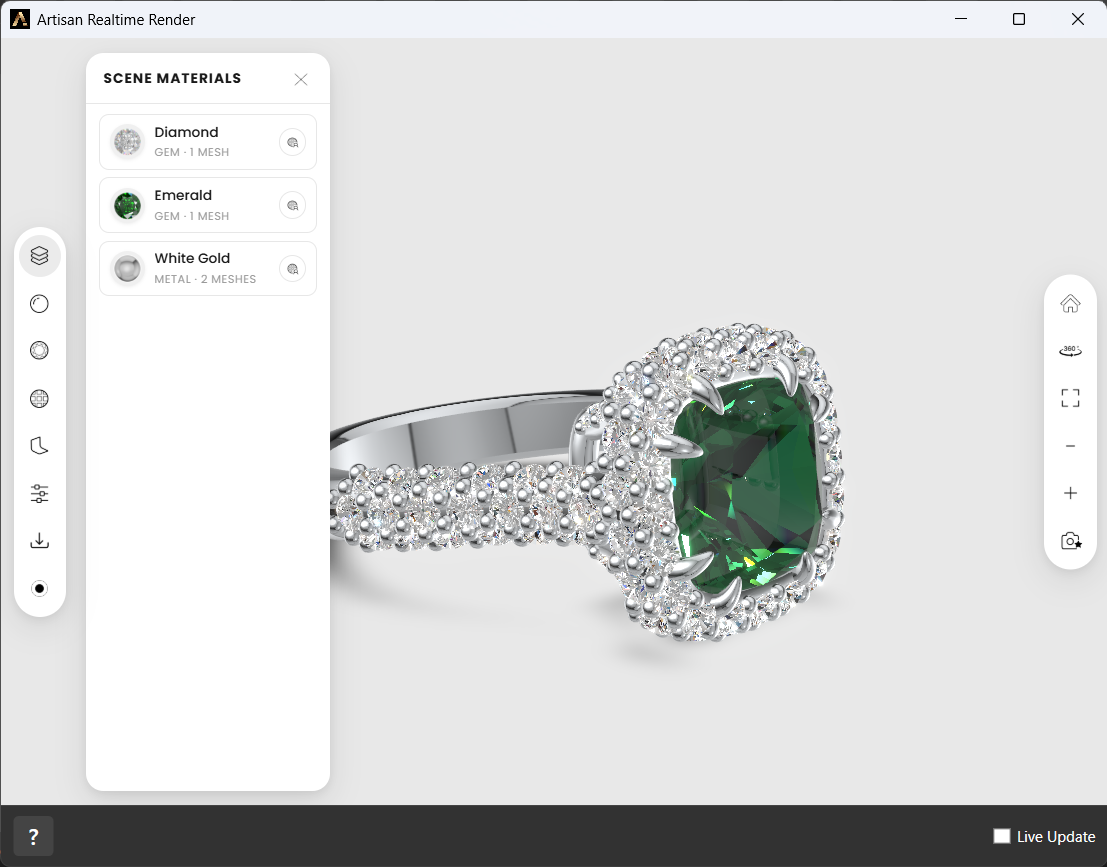
Scene Materials — the dressing of the piece, at a glance
And the materials are not fixed: the edit button on each entry opens a small editor with the properties that make sense for that material type —
- Color on everything, as a picker or a hex code — nudge an emerald towards mint, match a client’s enamel reference exactly.
- Roughness on metals, from mirror polish to satin.
- IOR and Opacity on gems — the refraction and transparency that give a stone its character.
- Brightness and Saturation on the rest.
Edited materials are flagged with a dot in the list, and Reset to material defaults takes any experiment back to the original — so there is no way to break anything.
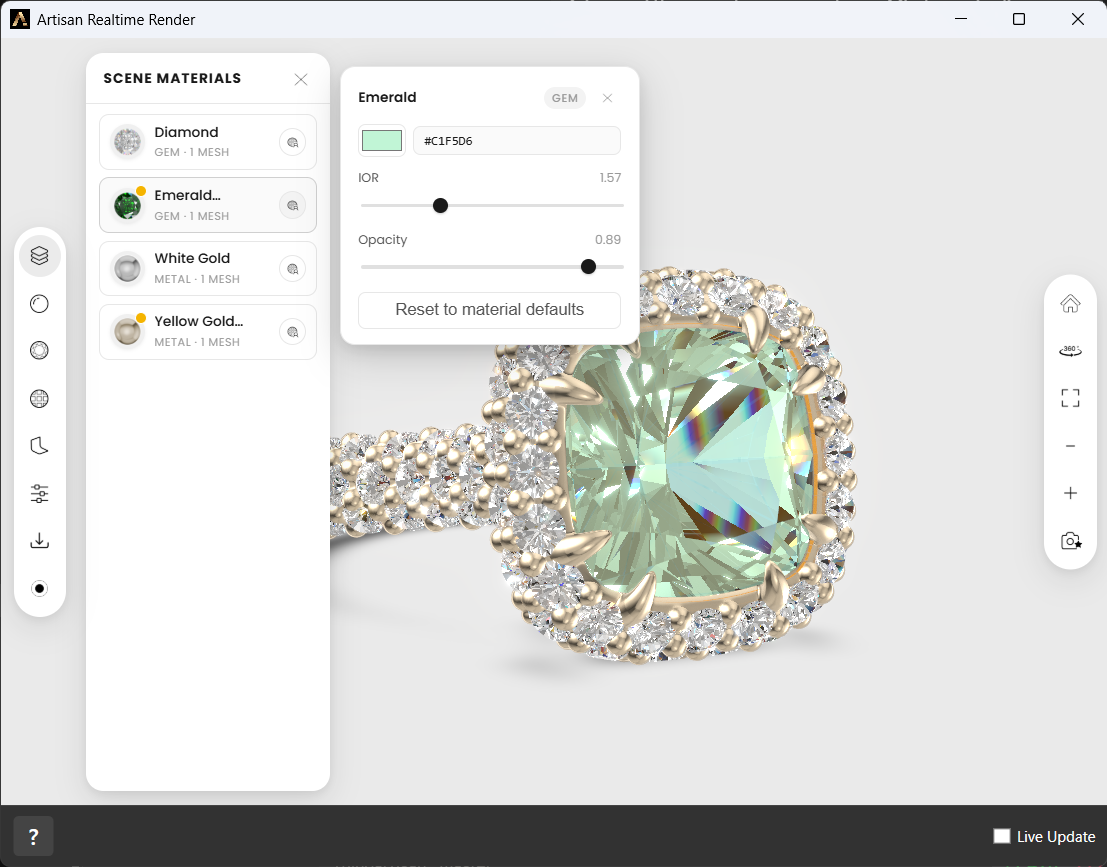
The emerald, retuned live: color, IOR and opacity — with reset one click away
Showing and sharing
The toolbar covers the presentation itself:
- Views — front, back, left, right, top, bottom and three-quarter orthographic views, plus zoom extents, zoom in/out, and a default camera you can save and return to.
- Turntable — a continuous 360° rotation for hands-free display.
- Download — saves a still image of exactly what you see — the piece dressed in its materials, background and shadows included — as a PNG, ready to drop into a WhatsApp chat or an email. One click, no dialog.
- Record — captures the viewer as a video clip. Clicking it asks how long: a fixed Duration in seconds, or Until I stop it for a free take. While recording, a timer runs and the button becomes Stop; spin the piece by hand or let the turntable do it, and the clip saves when time is up or you stop it. The fastest product video you will ever make — no render farm, no editing.
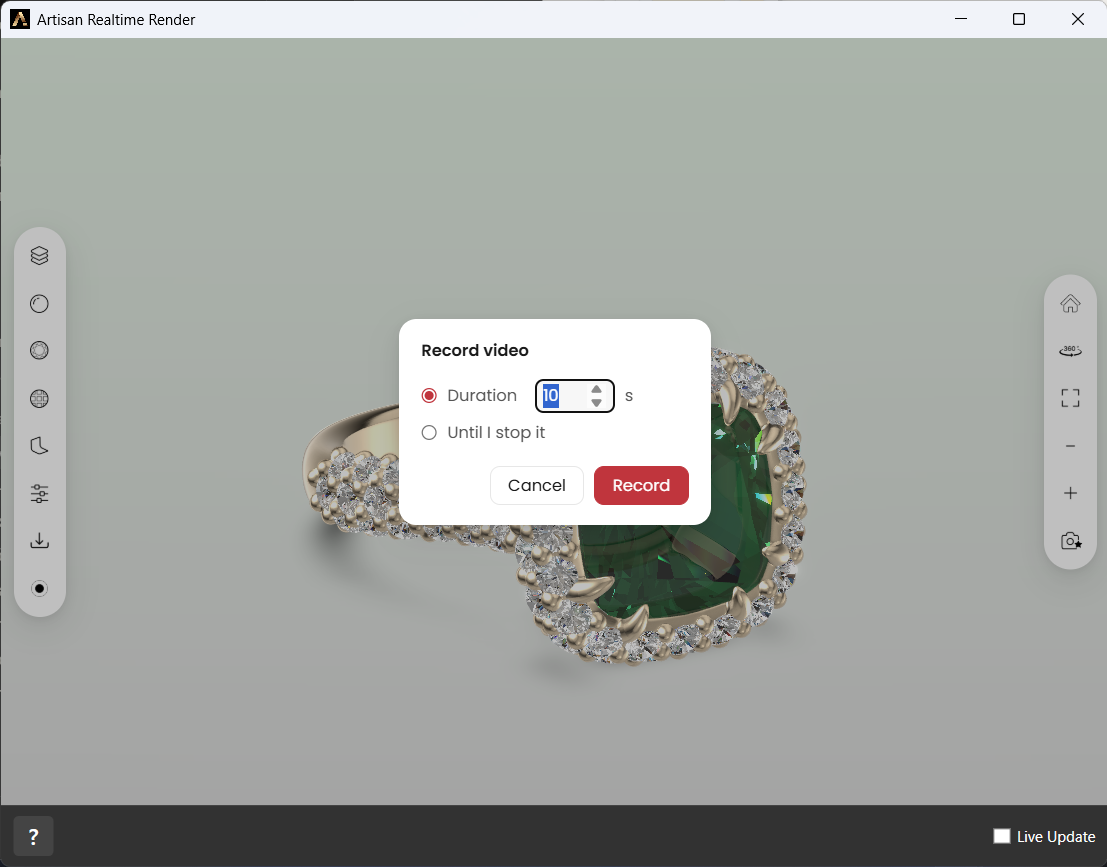
A ten-second turntable clip or a free take — your choice before the recording starts
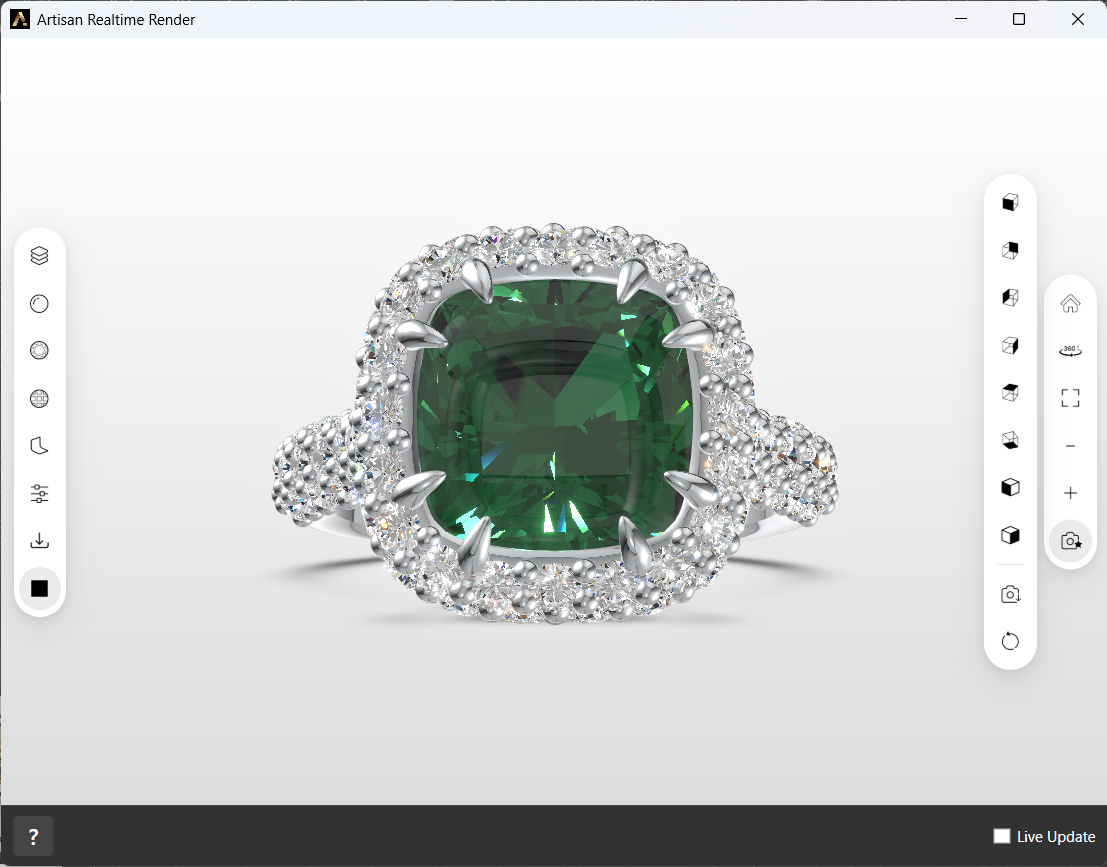
The views flyout — orthographic and three-quarter views, capture and turntable, one click each
When to use it
- In front of a customer. Handing someone a ring they can turn around themselves is a different conversation from showing them a picture of it.
- During design reviews. Checking proportions, how the shank meets the head, or whether a stone reads at the size you intended, all without stopping to render.
- As a sanity check. A quick look from every angle catches things that hide in an orthographic viewport.
Notes
- The viewer runs on WebView2, the Microsoft Edge component that ships with Windows, served from a small local server on your own machine. Your model never leaves your computer.
- The exported model is cached. If the document has not changed since the last export, reopening the window loads instantly instead of exporting again.
- If you never open Realtime Render, none of this runs — there is no background export and no cost to having the feature there.
- Because it is a realtime viewer, materials are an approximation. Gems and polished metals in particular look considerably better in Render Studio — use that for anything a client will keep.