Extrude Mesh
 Extrude Mesh
The ExtrudeMesh command extrudes mesh faces and boundary edges with different direction modes.
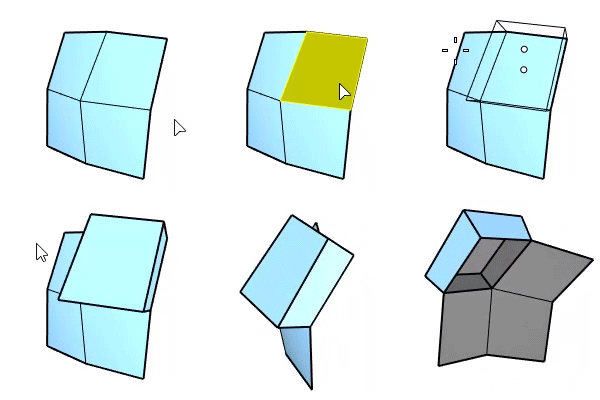
Steps
-
Start the command.
-
Select mesh faces or boundary edges to extrude.
To extrude a whole mesh, select the mesh before starting the command.
-
Set command-line options.
-
Pick or enter the extrusion distance.
Command-line options
EdgeLoop: Pick an edge on the boundary to select an edge loop.
Basis
- WCS: All faces or boundary edges extrude in the same direction based on world coordinates.
- Direction
- Free: The direction is picked freely.
- X/Y/Z: The direction is fixed to the world X, Y, or Z axis.
- Direction

- UVN: Each face or edge extrudes in the direction based on UVN coordinates.
- Direction
-
Free: The direction is picked freely.
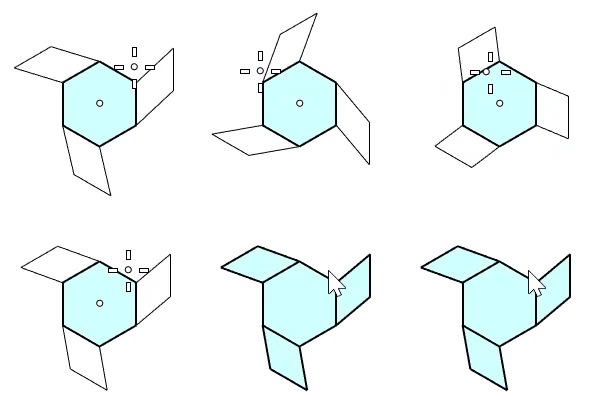
-
V (Boundary edges only): Boundary edges extrude along the extending direction of the faces.
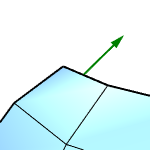
-
N: Faces extrude along vertex normal directions.
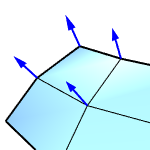
-
Boundary edges extrude perpendicular to the faces.
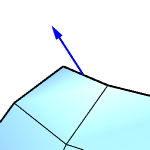
-
SetBasePoint
Picks a point as the starting point of the extruding distance.