Twist Bezel Ring
Lesson 48 of 62
Bezel for the Center Gem
Sign in to access this lesson
This lesson is part of Precision & Detail Design, which can come bundled with a RhinoArtisan Commercial license subject to current promotions. Log in with your customer account, or get in touch and we'll set you up.
Customers only
Solo para clientes
This lesson is part of Precision & Detail Design, which can be included with a RhinoArtisan Commercial license subject to current promotions. If you've already purchased and don't see it in your account, get in touch.
Objective: Learn how to create the bezel of the center stone and trim it to the exact ring size.
Bezel Command
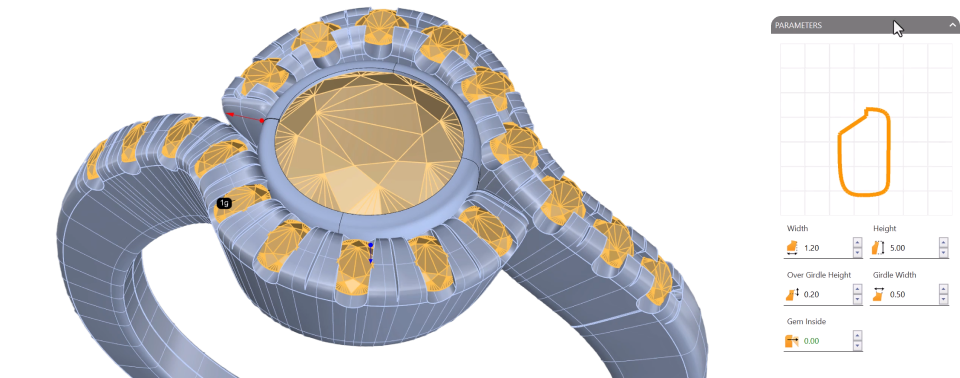
Select the center gem, go to the “Diamonds” tab and use the “Bezel” command.

- Use the preset BE014 and click on Edit.
- Reduce the girdle width to
0.5 mmso it doesn’t extend past the gems. - Lower the over girdle height to
0.2 mm.
Accept the command.
Cut by Ring Size
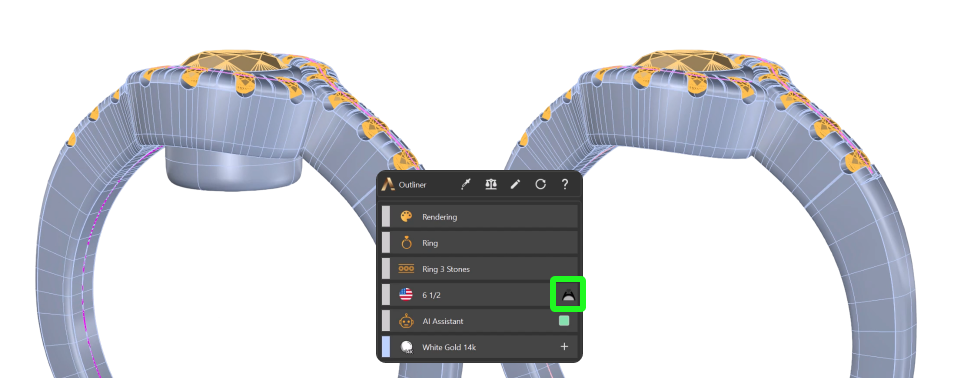
You’ll see that the bezel extends below the ring. We’ll use the first curve we created to trim it to the exact size of the ring.
If you deleted it, simply go to the “Shanks” tab, use the “Curve” command again and create a new curve with the same size, United States 6 1/2.
Then select the bezel and, in the outliner, use the “Cut by Ring Size” command. The bezel is automatically trimmed according to the ring size.
Video Lesson
Next Step
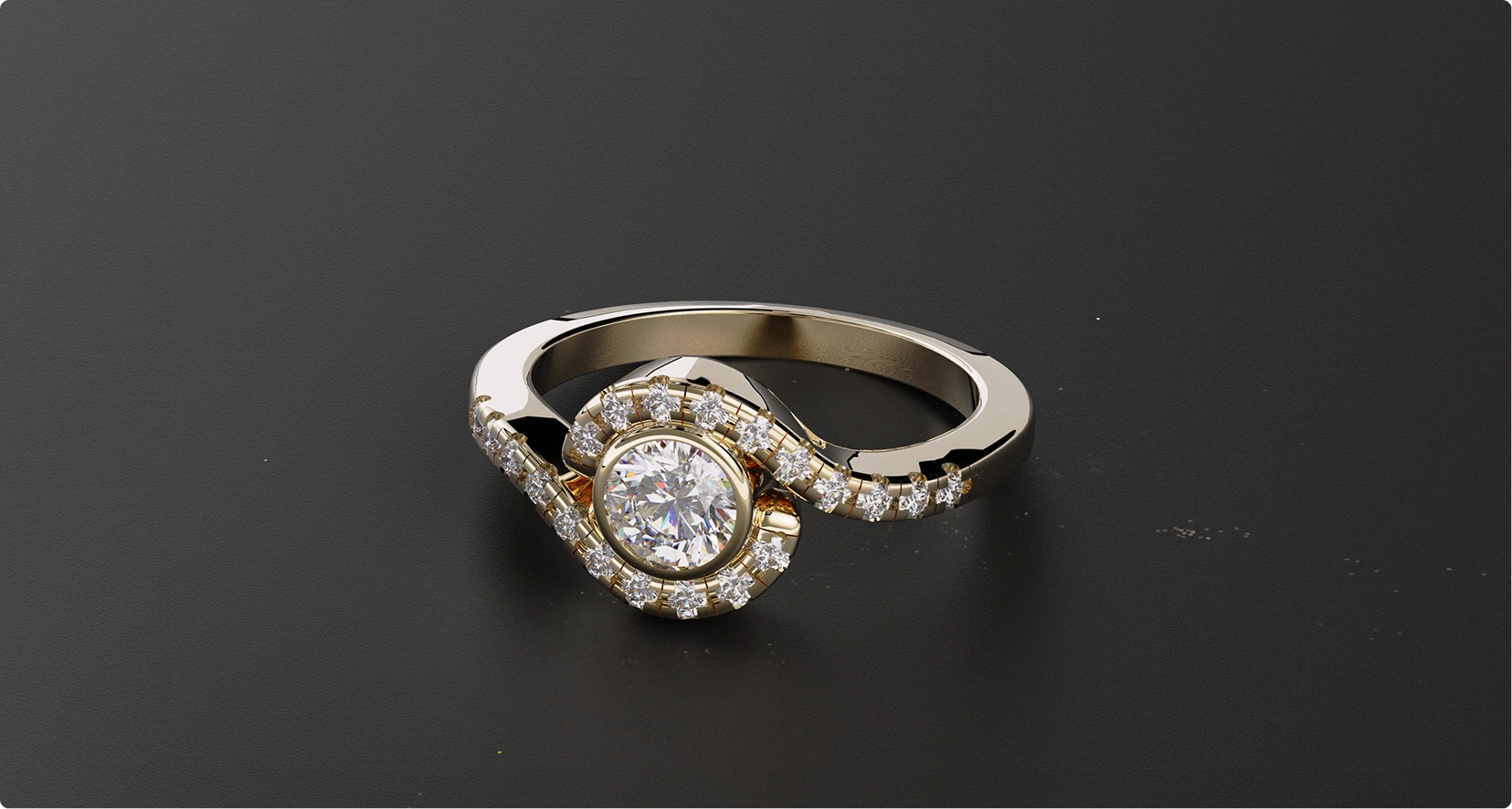
Your model is complete. Watch the full video lesson to follow the whole process end to end, then create a render and share it with us — we would love to see it.
Almost there — you still have some lessons to complete. Jump to the next one →
Impersonating — progress and reviews are disabled.
Course completed
You've completed Precision & Detail Design 🎉
Great work. Get your certificate of completion and, if you have a minute, let other jewelers know what you thought of the course.