Infinity Pendant
Lesson 35 of 62
Prongs and Cutters
Sign in to access this lesson
This lesson is part of Precision & Detail Design, which can come bundled with a RhinoArtisan Commercial license subject to current promotions. Log in with your customer account, or get in touch and we'll set you up.
Customers only
Solo para clientes
This lesson is part of Precision & Detail Design, which can be included with a RhinoArtisan Commercial license subject to current promotions. If you've already purchased and don't see it in your account, get in touch.
Objective: Learn how to place the prongs one by one along the rail and how to create the cutters so none of them intersects the solid.
Prong Parameters
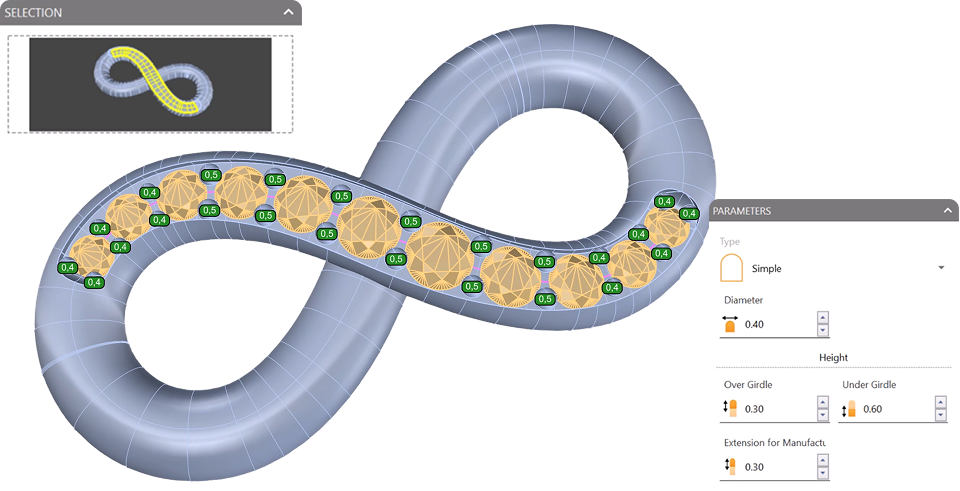
Click on the “Prongs” command and add the rail’s inner surface to the selector. Then adjust the parameters:
- Diameter:
0.4 mm. - Height over girdle:
0.3 mm. - Height under girdle:
0.60 mm. - Extension for manufacturing:
0.3 mm.
Place the Prongs
Add prongs to all the gems: simply click to add and place each prong on the surface. For the central gems, use prongs with a diameter of 0.5 mm — you can change the diameter and then add the prong.
Take your time to position all the prongs. If you need to delete or move one, use the dedicated buttons in the panel. Press the right mouse button to finish the process, then accept the command.
Cutters for the Side Gems
Click on the “Cutters” command and select the gems — all of them except the central one.

Add them to the selector, leave the default cutters and hide them for now.
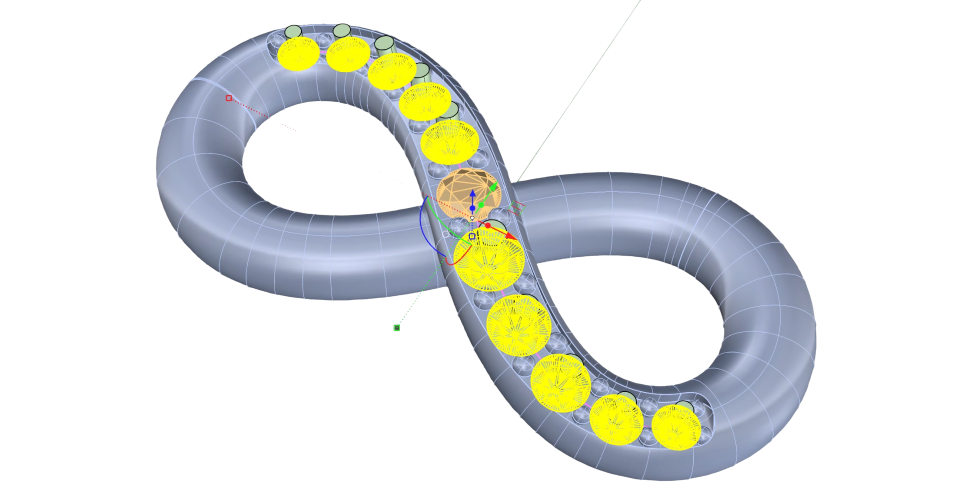
Cutter for the Central Gem
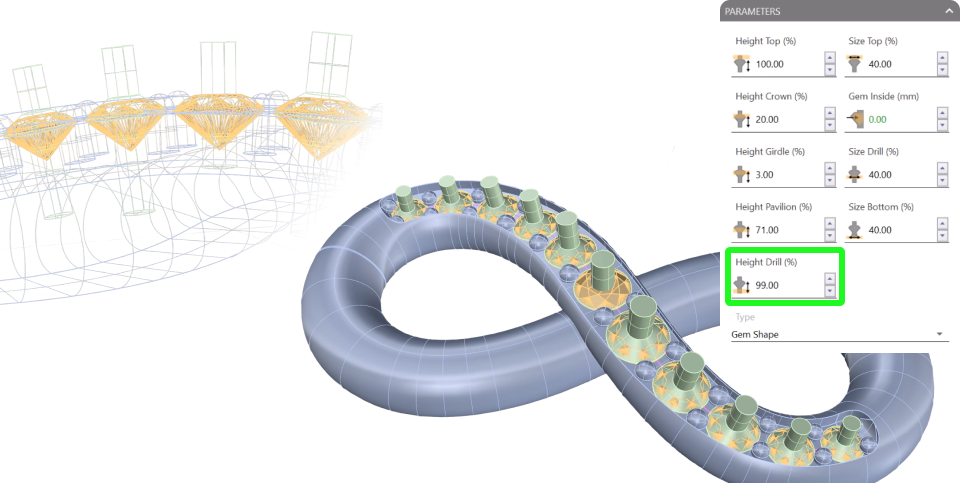
The central gem needs its own cutter. Run the “Cutter” command on it and set the height drill to 99 so it doesn’t intersect the solid underneath.
Switching the display mode to wireframe makes it much easier to check that nothing is touching.
Video Lesson
Next Step
With every cutter correctly sized, we’ll subtract them from the pendant and finish it with its bail.
Almost there — you still have some lessons to complete. Jump to the next one →
Impersonating — progress and reviews are disabled.
Course completed
You've completed Precision & Detail Design 🎉
Great work. Get your certificate of completion and, if you have a minute, let other jewelers know what you thought of the course.