Curves to Stunning Snowflake
Lesson 17 of 62
Boolean Curves and Inner Lines
Sign in to access this lesson
This lesson is part of Precision & Detail Design, which can come bundled with a RhinoArtisan Commercial license subject to current promotions. Log in with your customer account, or get in touch and we'll set you up.
Customers only
Solo para clientes
This lesson is part of Precision & Detail Design, which can be included with a RhinoArtisan Commercial license subject to current promotions. If you've already purchased and don't see it in your account, get in touch.
Objective: Learn how to merge the outer curves into one outline and how to shorten the inner lines to leave room for the metal.
Separate the Outer Curves
Select all the outer curves and move them to one side by clicking on the user layer arrow. Keeping the outer outline and the inner lines apart makes the next steps much clearer.
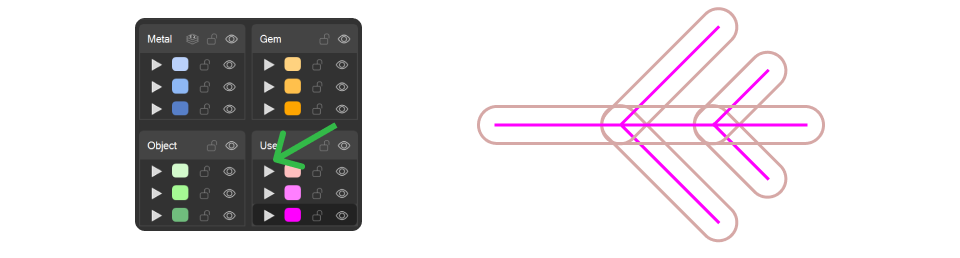
Boolean Curves
With the outer curves selected, go to the “Curves” tab and click on the “Boolean Curves” command.

- Change the Input mode from
DeletetoAll. - Select the All Regions option.
- Press Enter to confirm the command.
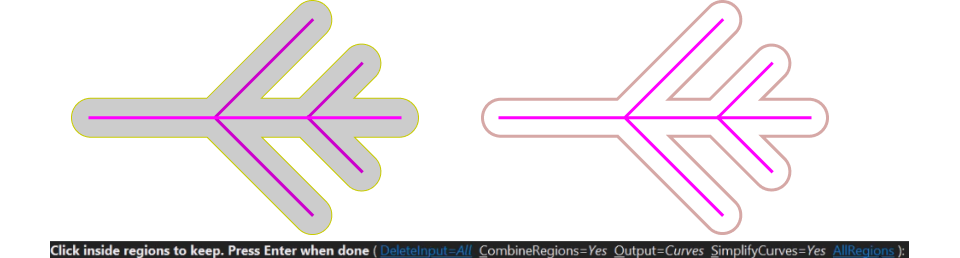
Move the result to one side to differentiate it from the inner lines.
Shrink the Inner Lines
Select one of the inner lines and then the top point of the line. Adjust the gumball position by clicking on the gumball option and changing its orientation to Object.
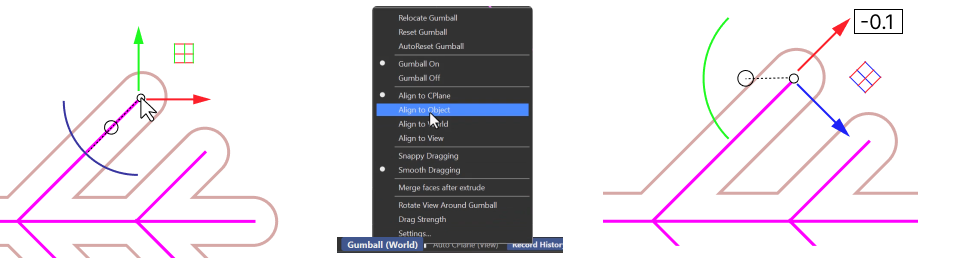
This way you can shrink the line by -0.1 mm to leave a bigger margin against the outer curves. Do the same with all the inner lines.
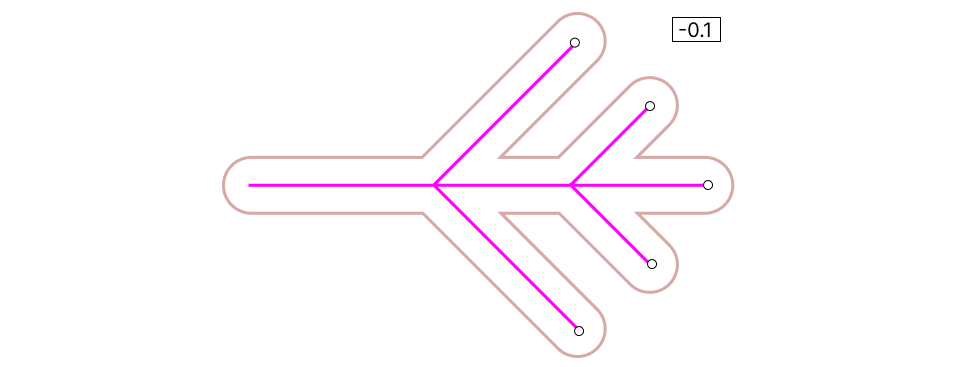
Video Lesson
Next Step
The arm is finished. Next, we’ll repeat it around the center with Quick Polar Array.
Almost there — you still have some lessons to complete. Jump to the next one →
Impersonating — progress and reviews are disabled.
Course completed
You've completed Precision & Detail Design 🎉
Great work. Get your certificate of completion and, if you have a minute, let other jewelers know what you thought of the course.