RhinoArtisan for Mac is in development, and so is this documentation. Any part of it may be inaccurate or change as the product evolves.
This page was written for RhinoArtisan 7 for Windows and has not been reviewed for Mac yet. Screenshots and some details may differ in Rhino for Mac.
Technical Documentation
Metals List By Selection
Run ArtisanMetalsListBySelection in Rhino’s command line to create a metal weight list from selected objects.
 Metals List By Selection
The Metals List By Selection command works the same way as Metals List, but only calculates the weight of the objects you select (Breps, extrusions, meshes, and SubDs — gems and diamonds are ignored) instead of every solid object in the document.
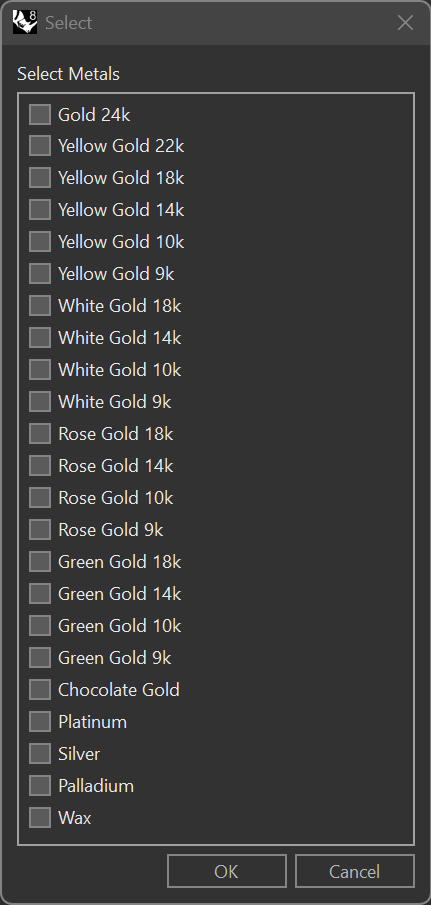
When the command is activated, RhinoArtisan prompts you to select the objects whose weight needs to be calculated. After making a selection, a checklist appears with the available metals, letting you choose the ones to calculate. Once the metals are selected, you specify a point in the modelling viewport or inside an open Report where the calculated weights will be written as text.
How to Use
- Select the objects in the viewport whose weight needs to be calculated.
- Choose the desired metals from the checklist that appears.
- Click a point in the viewport, or inside an open Report, to write the calculated weights there.
Advantages
- Calculates the weight of only the selected elements, rather than everything in the document.
- Lets you choose from a wide range of metals — gold in several karats and colors, gold chocolate, platinum, silver, palladium, and wax — for precise weight estimations.
- For each metal, writes both the raw weight and a Processed weight (after subtracting the configured finishing loss percentage).
- Speeds up the workflow by focusing on specific elements rather than the entire model.
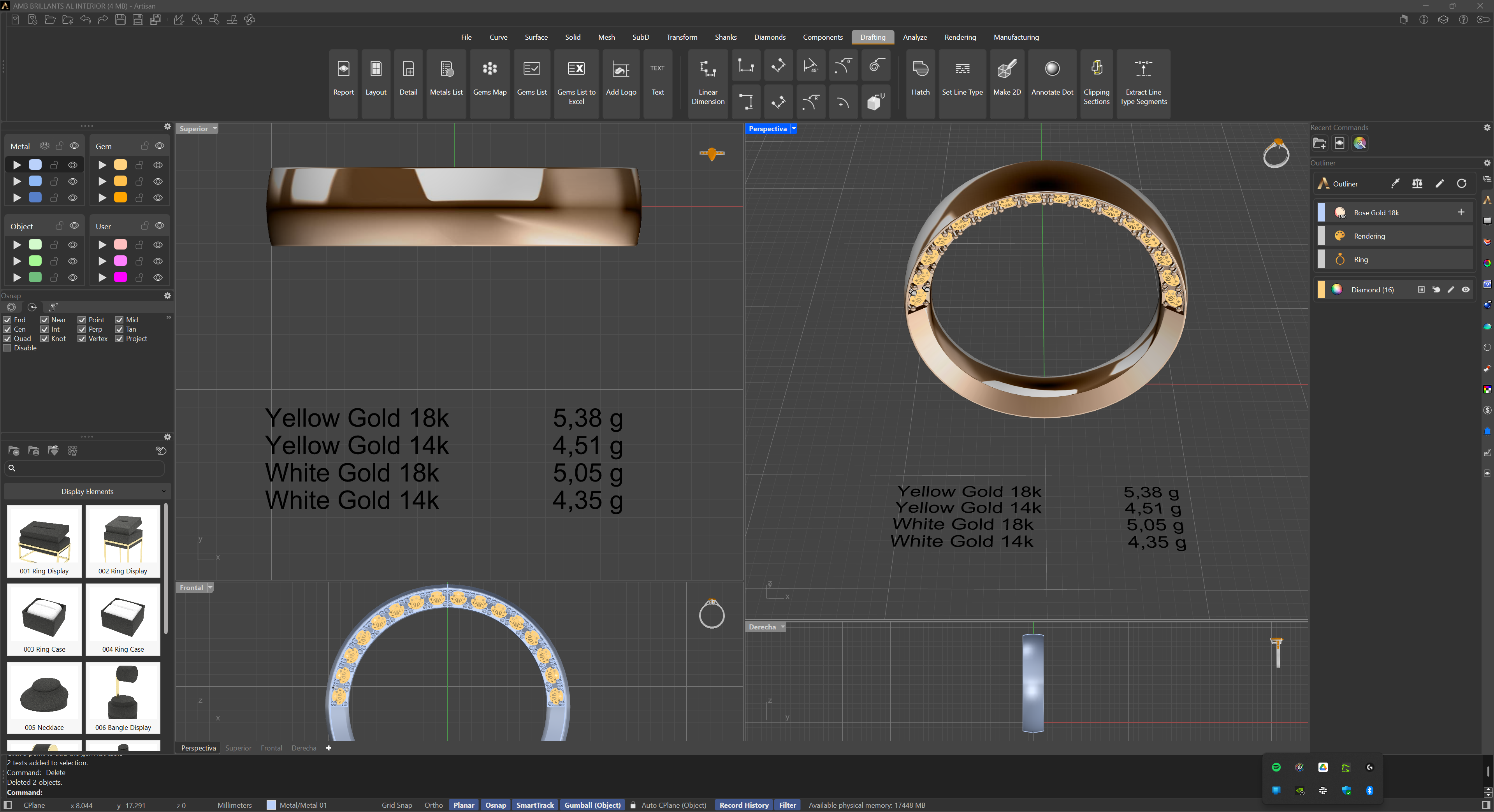
This command is particularly useful for analyzing individual design components, providing accurate weight information for selected elements, and integrating data efficiently into project documentation.