RhinoArtisan for Mac is in development, and so is this documentation. Any part of it may be inaccurate or change as the product evolves.
This page was written for RhinoArtisan 7 for Windows and has not been reviewed for Mac yet. Screenshots and some details may differ in Rhino for Mac.
Manufacturing
Global Thickness
 Global Thickness
 analyzes the whole piece against a minimum wall thickness and paints the verdict on the model: green where the walls exceed the minimum, red where they fall below it. Thin walls surface on their own — no probing required.
You set the minimum thickness in the command line when the command starts; the default is 0.6 mm. A command-line option lets you keep or discard the analysis mesh once you are done reading it.
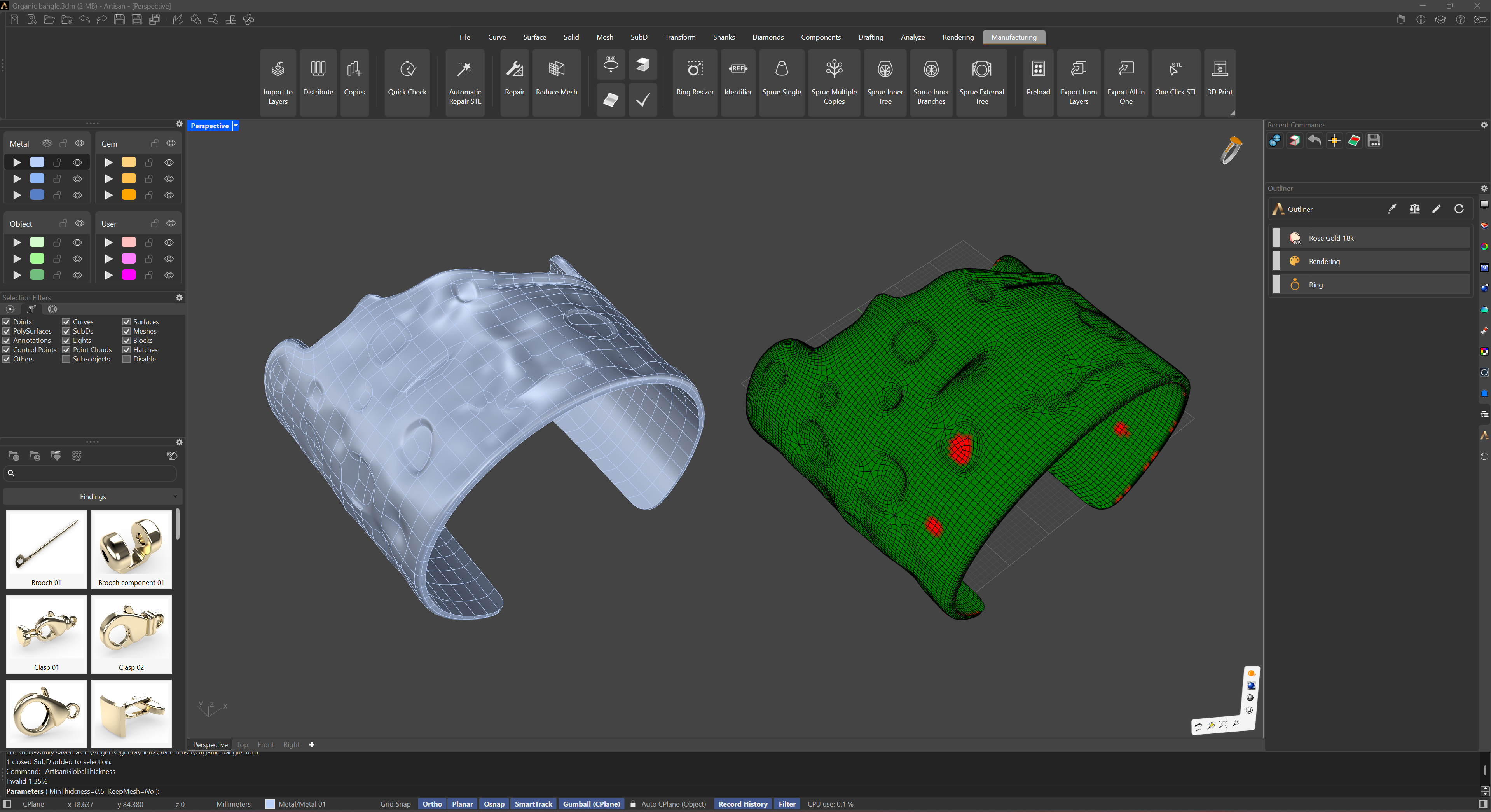
Use it as the casting sanity check on every piece: anything red is a wall that may not fill, or a section too fragile to survive polishing. To measure an exact value at one spot instead of a map, use Thickness.