RhinoArtisan for Mac is in development, and so is this documentation. Any part of it may be inaccurate or change as the product evolves.
This page was written for RhinoArtisan 7 for Windows and has not been reviewed for Mac yet. Screenshots and some details may differ in Rhino for Mac.
Curve
Text On Curve
 Text On Curve
You can write text on a curve with different options.
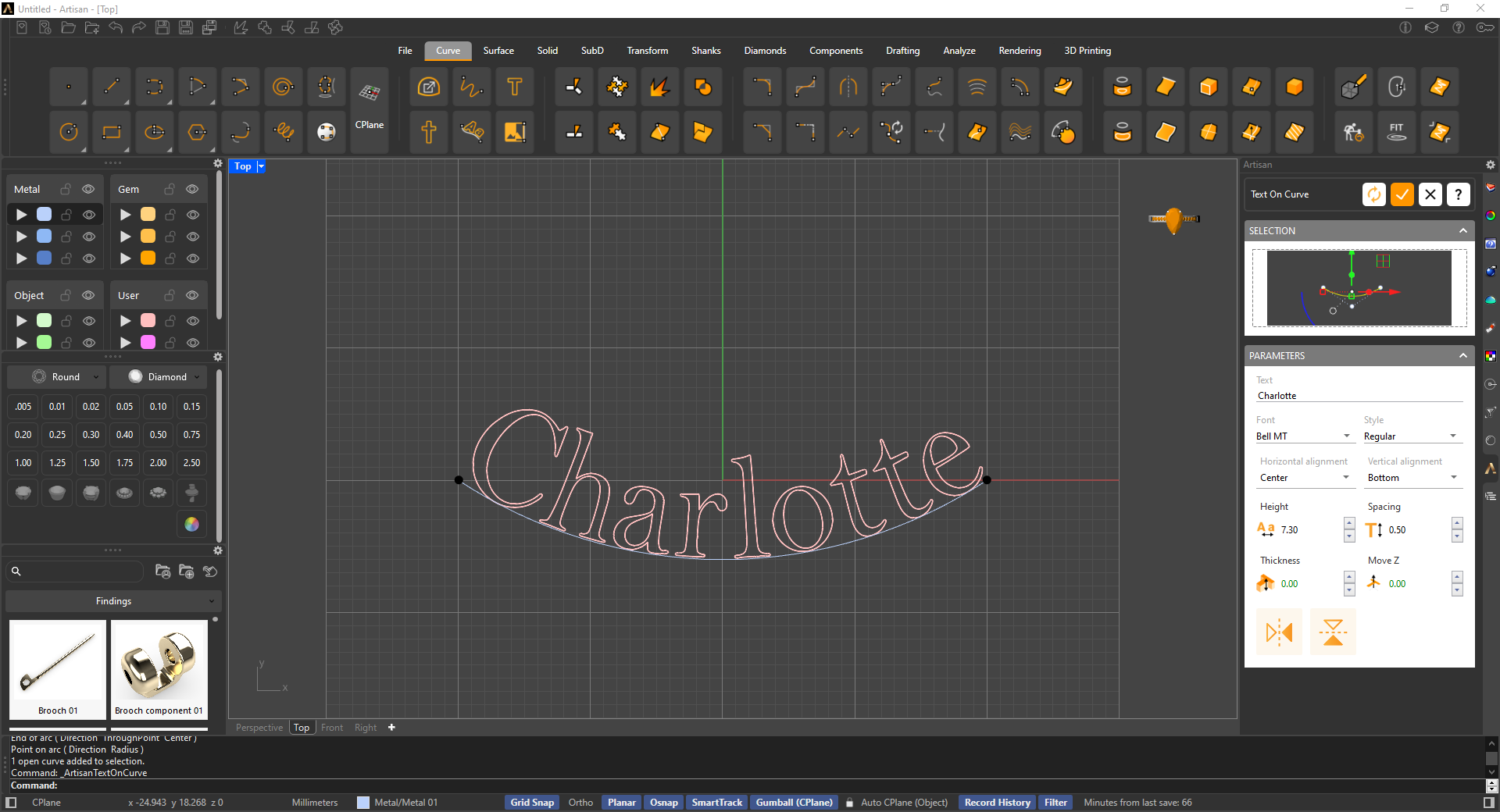
In the command panel of the Text On Curve tool, you can choose the font and its style, the position of the text, and the alignment.
The parameters of Height and Spacing control the size and space between the letters.
If we set the thickness at a 0.00 value, we will get the letters’ curves, but if we increase this value, we will get the extruded letters instead.
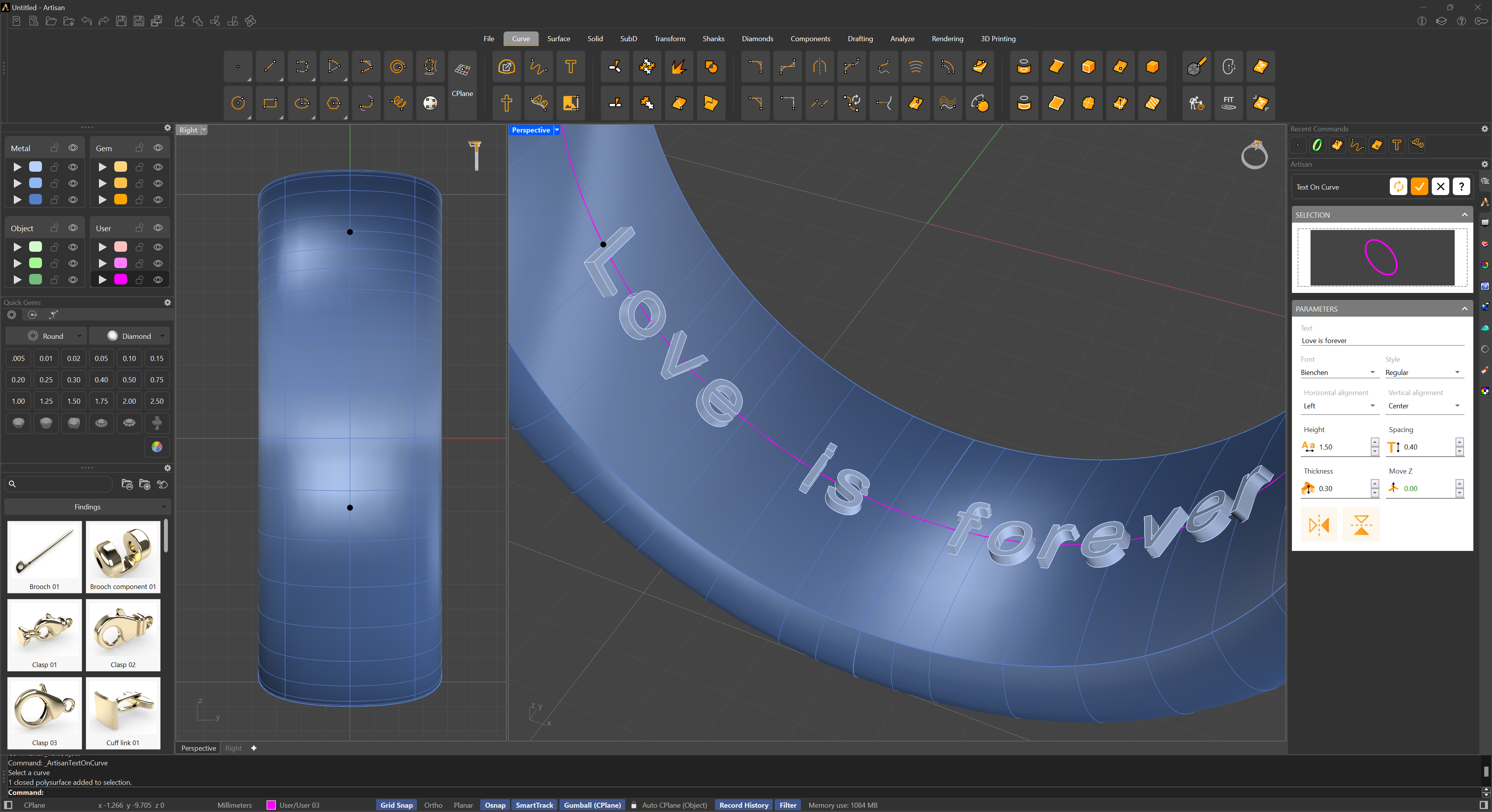
Additionally, we can move the letters on the Z axis.