In development
RhinoArtisan for Mac is in development, and so is this documentation. Any part of it may be inaccurate or change as the product evolves.
Windows page
This page was written for RhinoArtisan 7 for Windows and has not been reviewed for Mac yet. Screenshots and some details may differ in Rhino for Mac.
Curve
Add Sketches
 Add Sketches
The Add Sketches command simplifies the insertion and alignment of reference images in the viewport to aid in precise modeling with RhinoArtisan.
Workflow:
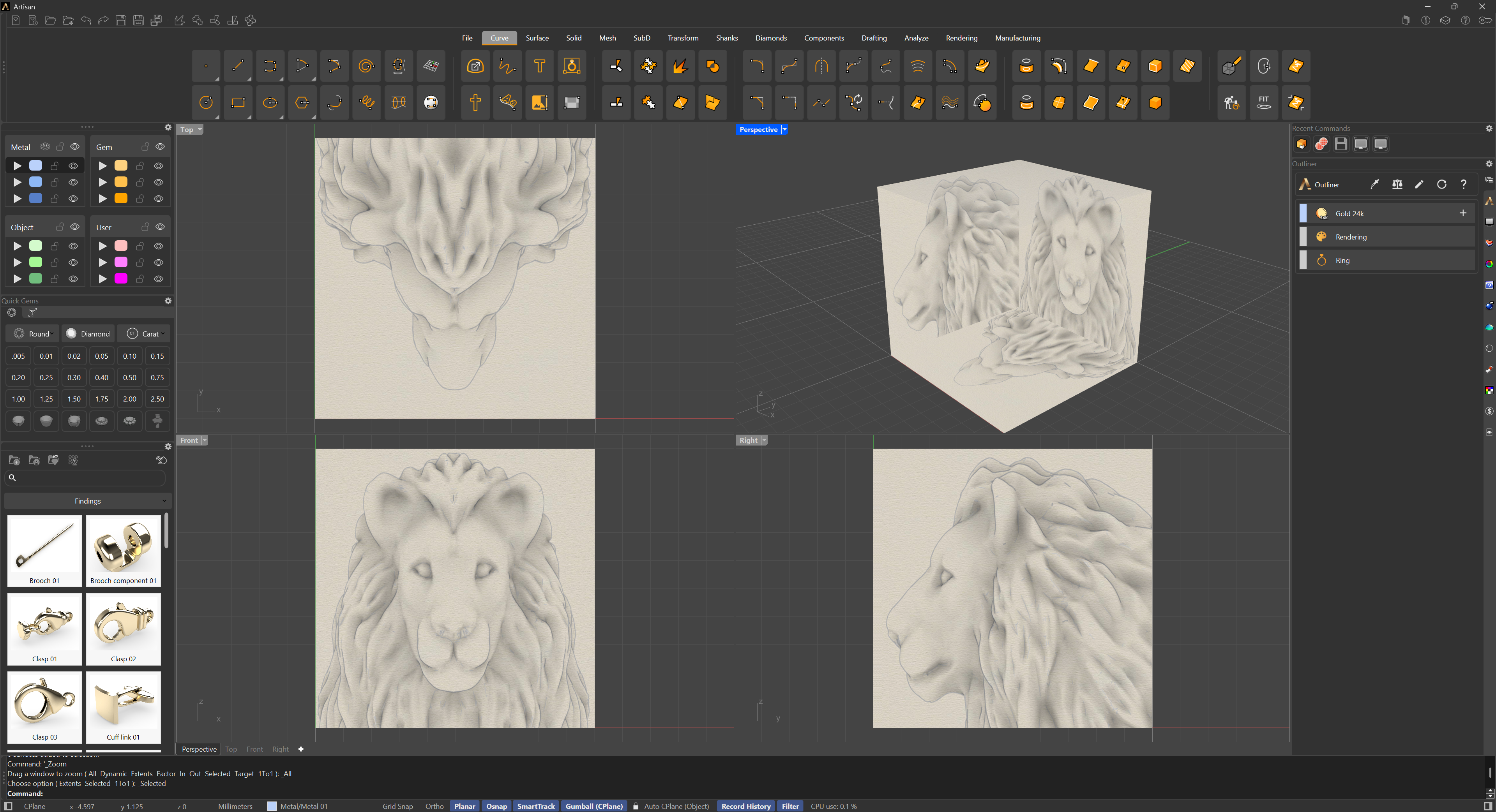
- Reference Cube Appears: When the command is activated, a cube appears in the viewport.
- Image Input: In the command panel, the user can select three reference images for the Top, Front, and Side views.
- Automatic Alignment: The images are automatically placed on the corresponding faces of the cube, aligned in 3D space.
- Confirmation and Display: Once the command is confirmed, the cube becomes transparent, leaving only the images visible for reference.
Advantages:
Provides an intuitive system for organizing sketches in 3D space.
Ensures precise and automatic alignment of reference images.
The transparent cube avoids visual obstructions.