Emerald Teardrop Pendant
Lesson 2 of 35
Teardrop Profile & Revolve
Sign in to access this lesson
This lesson is part of Sculpted Elegance: Statement Jewelry Designs, which can come bundled with a RhinoArtisan Commercial license subject to current promotions. Log in with your customer account, or get in touch and we'll set you up.
Customers only
Solo para clientes
This lesson is part of Sculpted Elegance: Statement Jewelry Designs, which can be included with a RhinoArtisan Commercial license subject to current promotions. If you've already purchased and don't see it in your account, get in touch.
1. Set up the initial reference circles
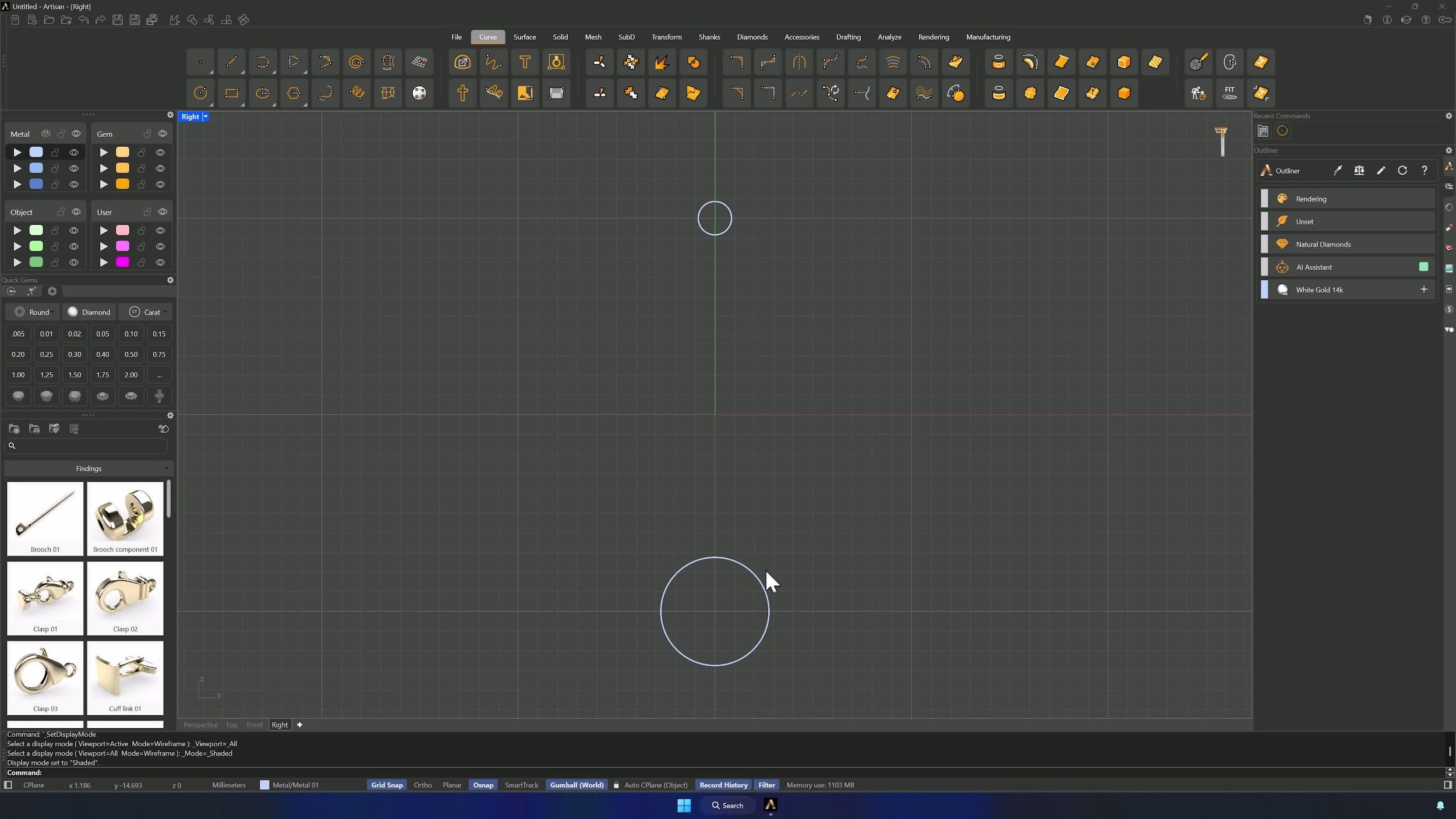
In the Right viewport with Grid Snap on, count 10 squares along Z and create a 5.5 mm Circle (radius option visible, Shift + click to place). Repeat 10 squares from the central axis with a 1.7 mm circle — the two ends of the teardrop.

2. Blend and mirror the main outline curves
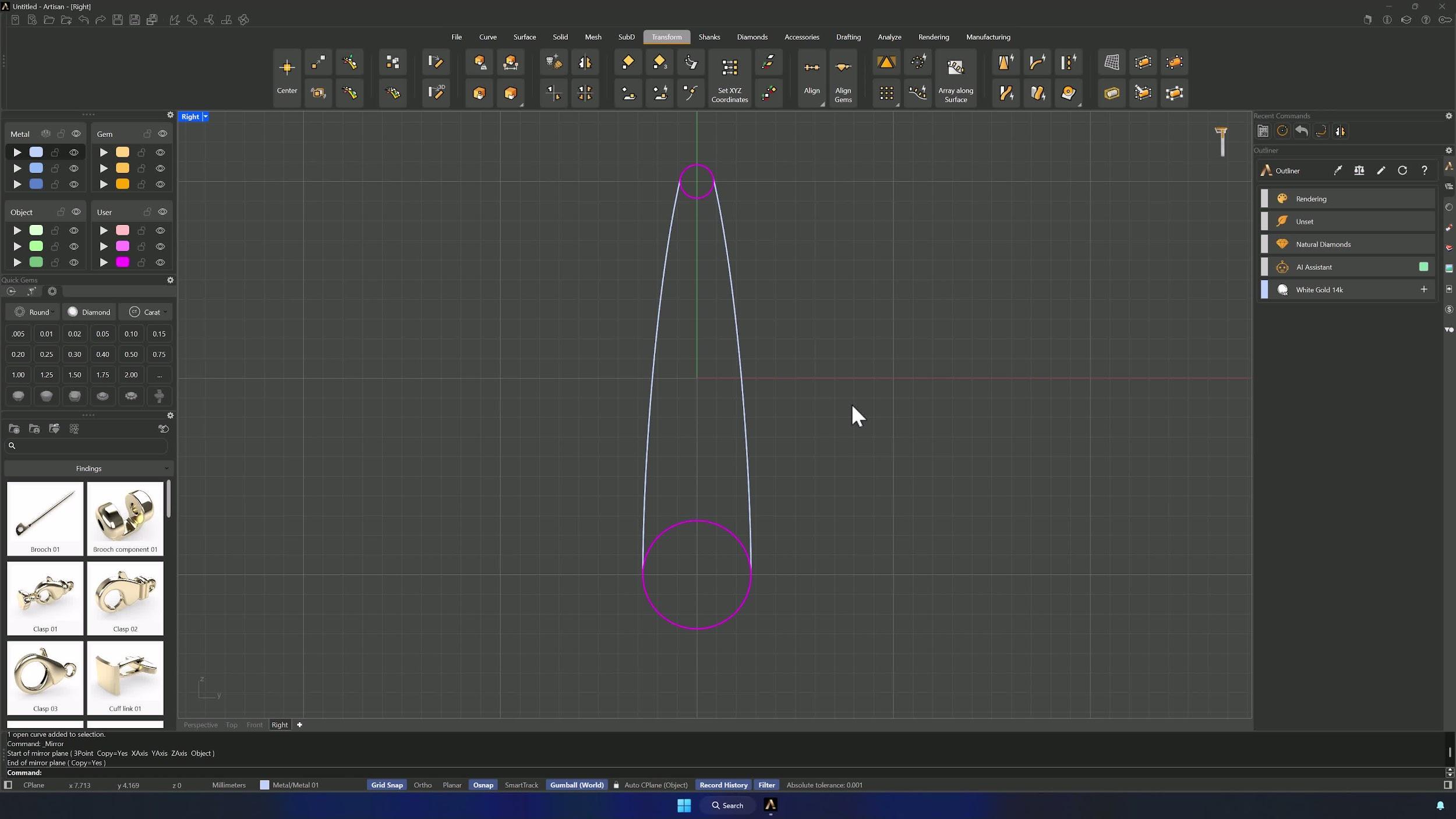
In Shaded mode, Blend Curve from the left side of the lower circle to the left side of the upper one with Tangency continuity, flipping if inverted. Fine-tune the tangency point slightly above the circle center, align the lower end exactly with the center, and Mirror the result using the viewport center as reference.
3. Trim, join, and offset the profile curves
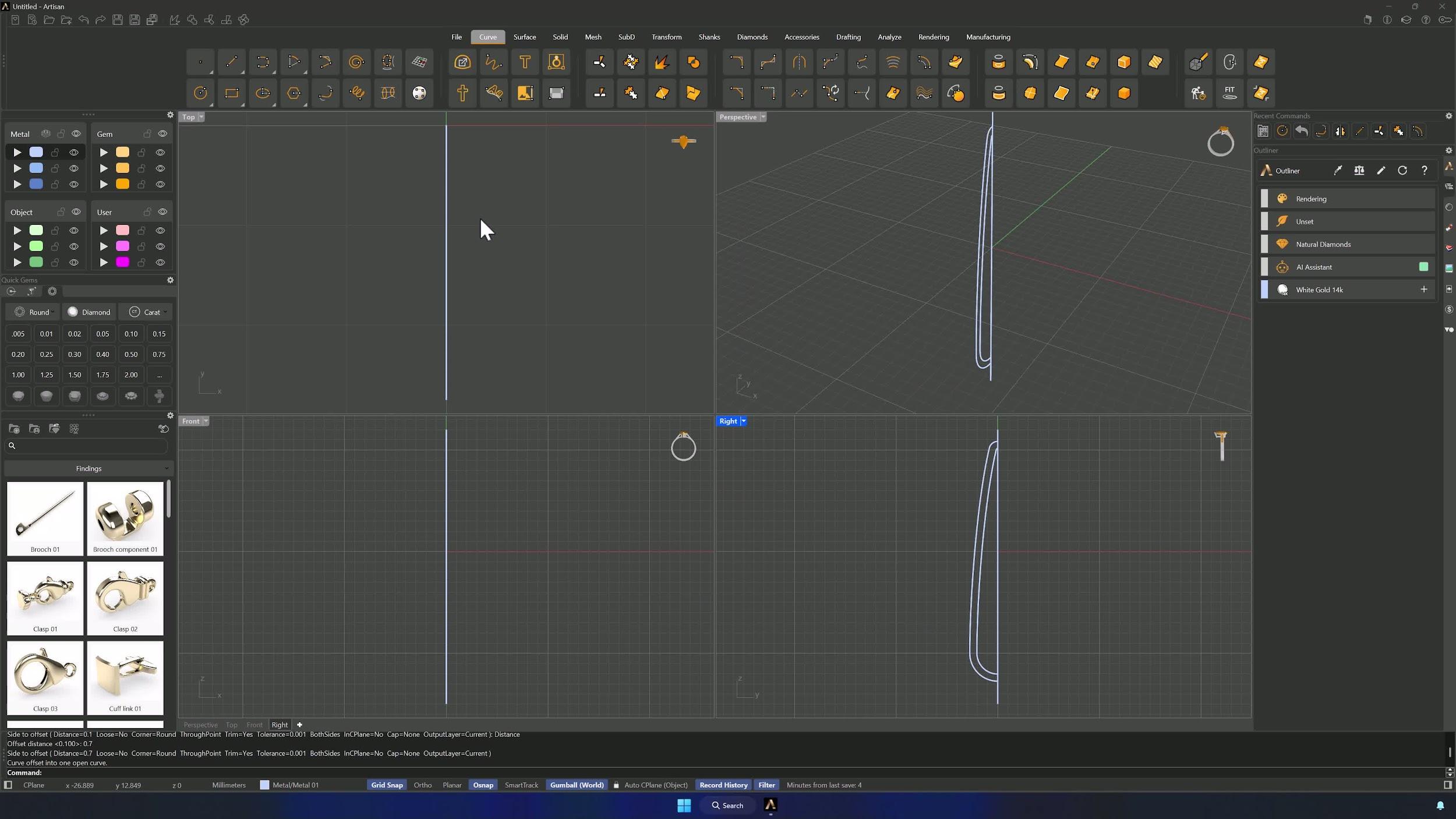
Trim away the unnecessary inner curves, keeping only the outer arcs. Draw a vertical line through the curves with Grid Snap, trim the right-hand side against it, and Join the left-side curves — both ends must touch the central line. Offset the joined curve 0.7 mm for the inner profile.
4. Revolve the profile into a solid and clean the base
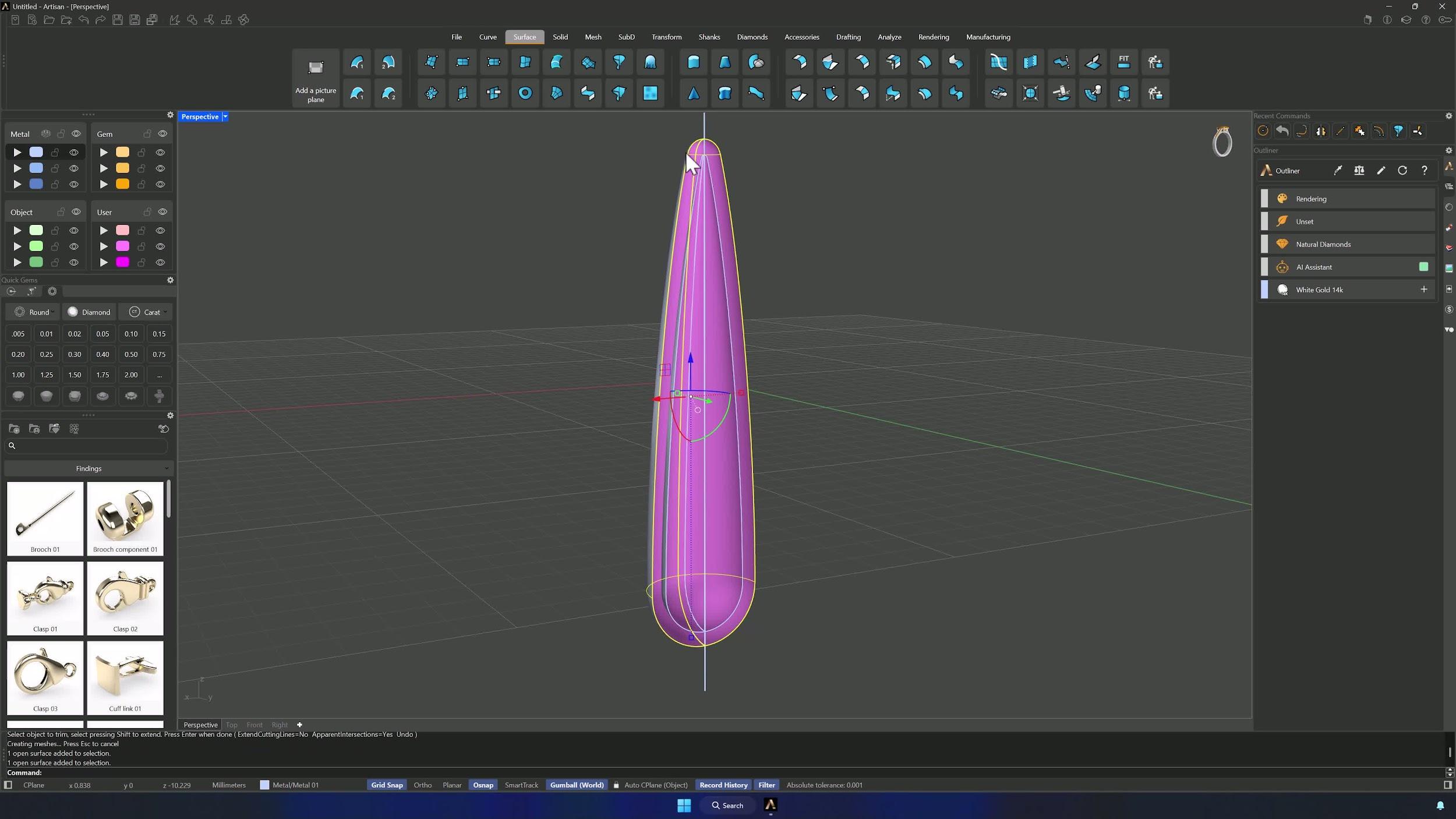
Back in four views, Revolve the outer and inner curves 360° around the vertical line (click its top and bottom points as the axis). Then trim the solid from the Right view with the same line, removing everything on the right side.
5. Join, cap, and close the base solid
Join the two outer surfaces, then the inner ones. Cap the outer surface from the Solid tab, Extract Surface on the cap (Copy = No), and Trim the extracted surface with the internal one to keep the edges. Delete the construction line and Join everything into a closed solid base.
Almost there — you still have some lessons to complete. Jump to the next one →
Impersonating — progress and reviews are disabled.
Course completed
You've completed Sculpted Elegance: Statement Jewelry Designs 🎉
Great work. Get your certificate of completion and, if you have a minute, let other jewelers know what you thought of the course.