Dual Pear Diamond Ring
Lesson 26 of 35
Shank Curves & Profiles
Sign in to access this lesson
This lesson is part of Sculpted Elegance: Statement Jewelry Designs, which can come bundled with a RhinoArtisan Commercial license subject to current promotions. Log in with your customer account, or get in touch and we'll set you up.
Customers only
Solo para clientes
This lesson is part of Sculpted Elegance: Statement Jewelry Designs, which can be included with a RhinoArtisan Commercial license subject to current promotions. If you've already purchased and don't see it in your account, get in touch.
1. Create the base ring curve and set the display mode
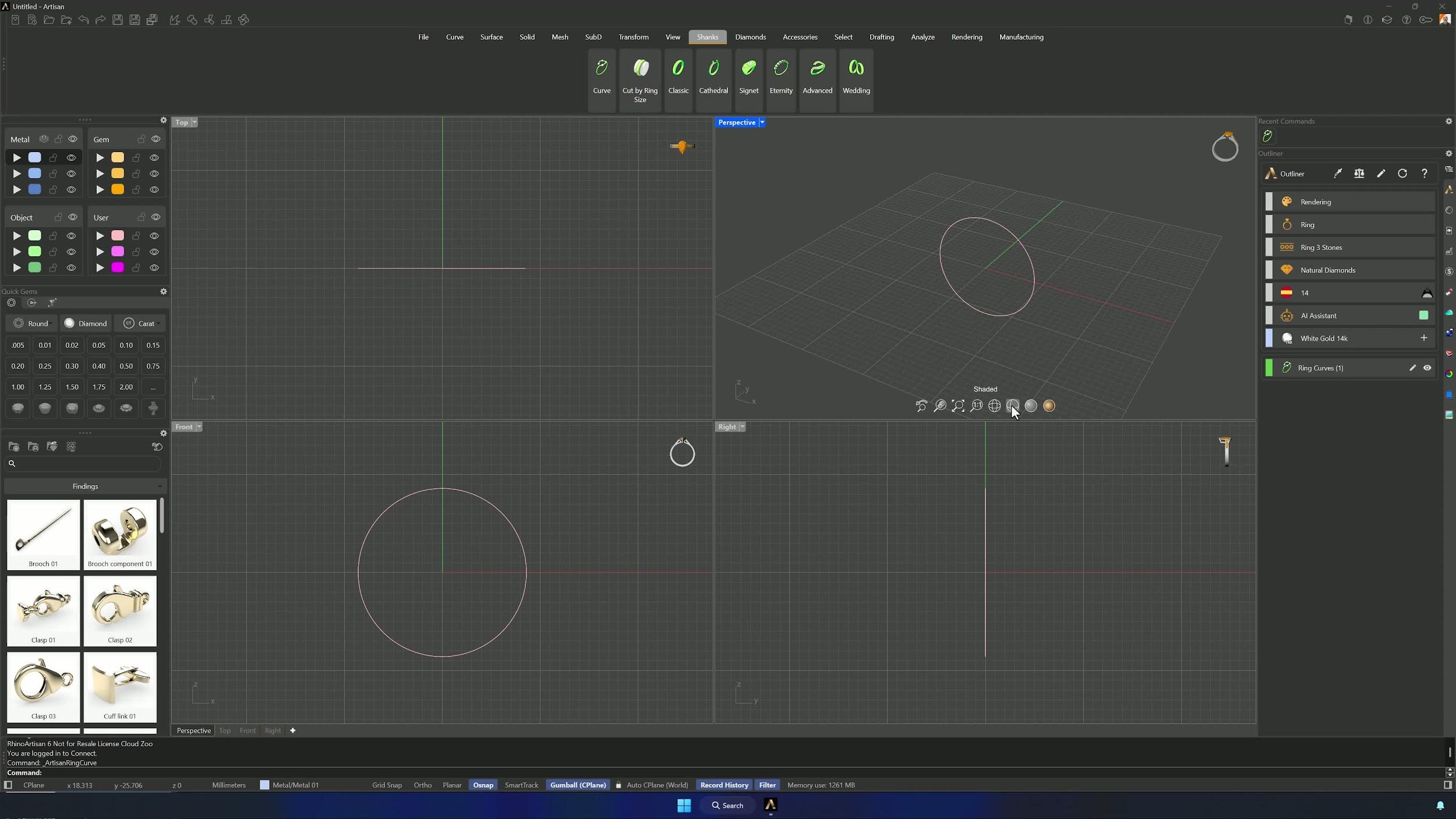
Create a Curve from the Shanks tab for the Spanish region, finger size 14, and accept. Shift + Shaded applies the display mode to every viewport.
2. Draw a cutting line and split the ring curve
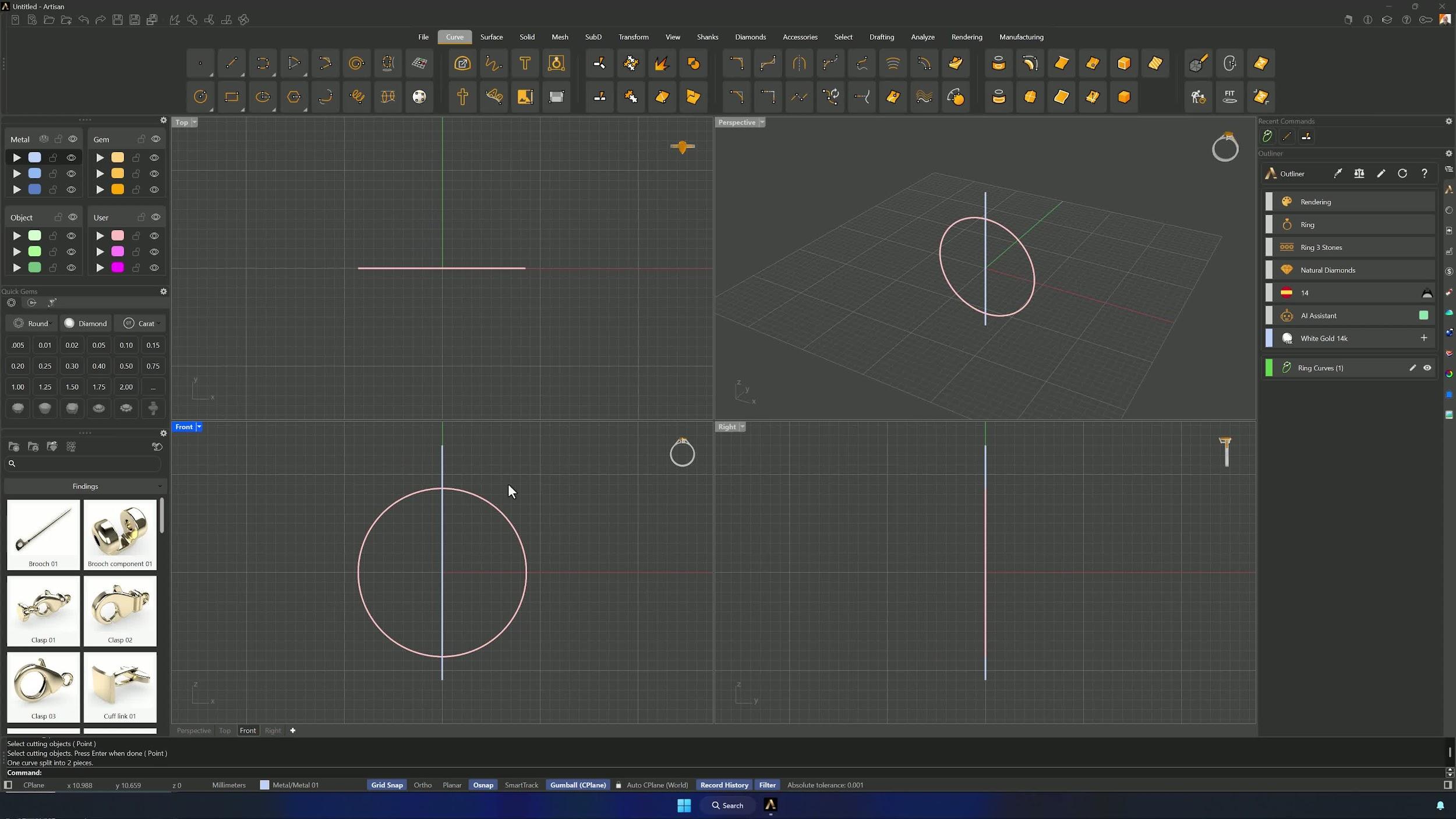
In the Front view, draw a straight line with Grid Snap crossing the ring curve, and Split the curve with it — two segments.
3. Rotate both curve segments to the correct angle
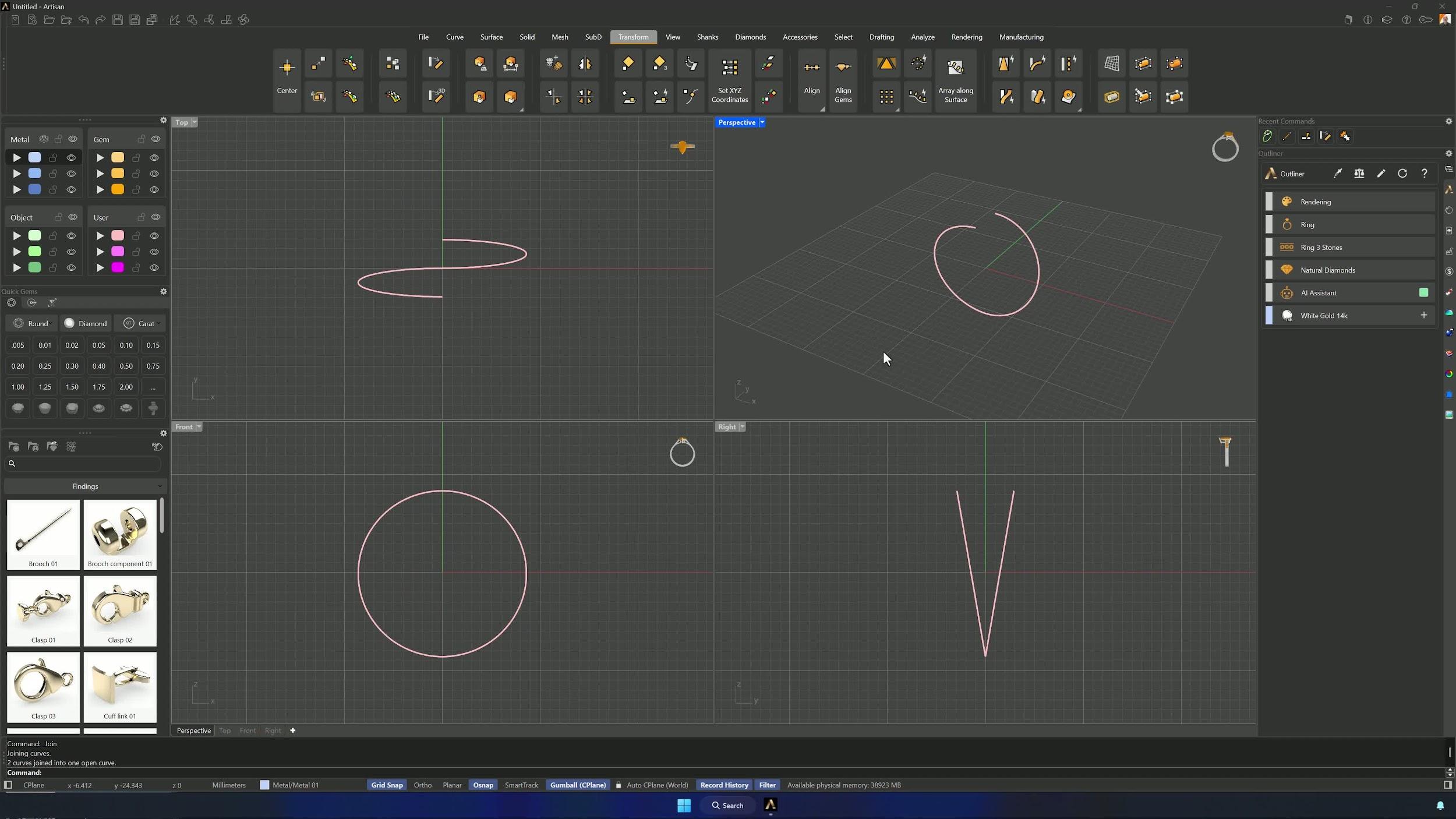
Rotate the left segment +9.75° (Osnap: lower point, then upper) and the right one −9.75°. Join both back into one curve — the open, crossed gesture of the ring is born here.
4. Create a reference surface and fit the curve to the ring size
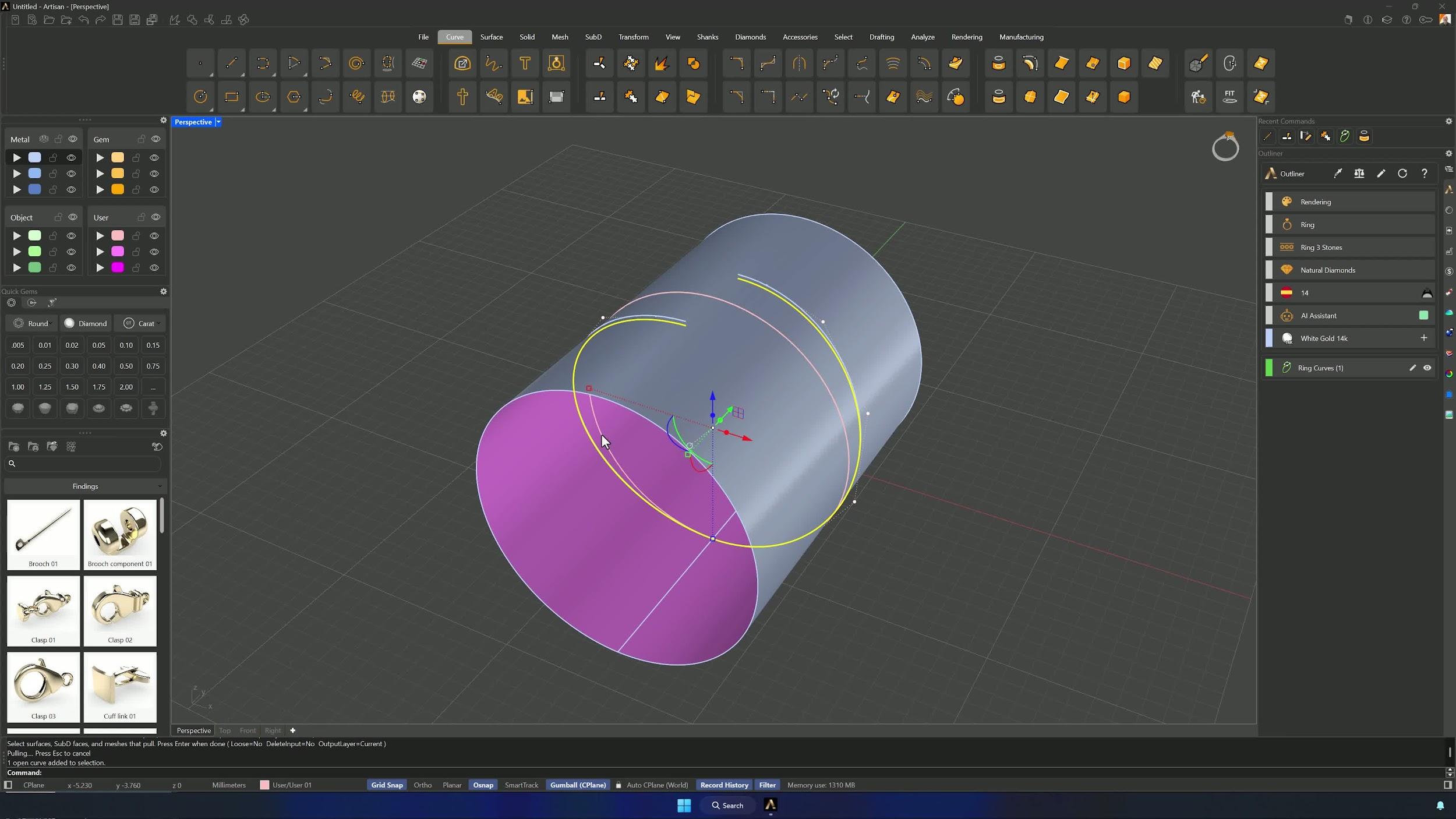
Create another size 14 curve and extrude it into a solid (Shift + drag the small sphere along Y), deleting one face with Ctrl + Shift so only the outer surface remains. Curve > Pull drops the rotated curves onto that surface at the exact ring radius.
5. Reduce control points and generate the shank profile
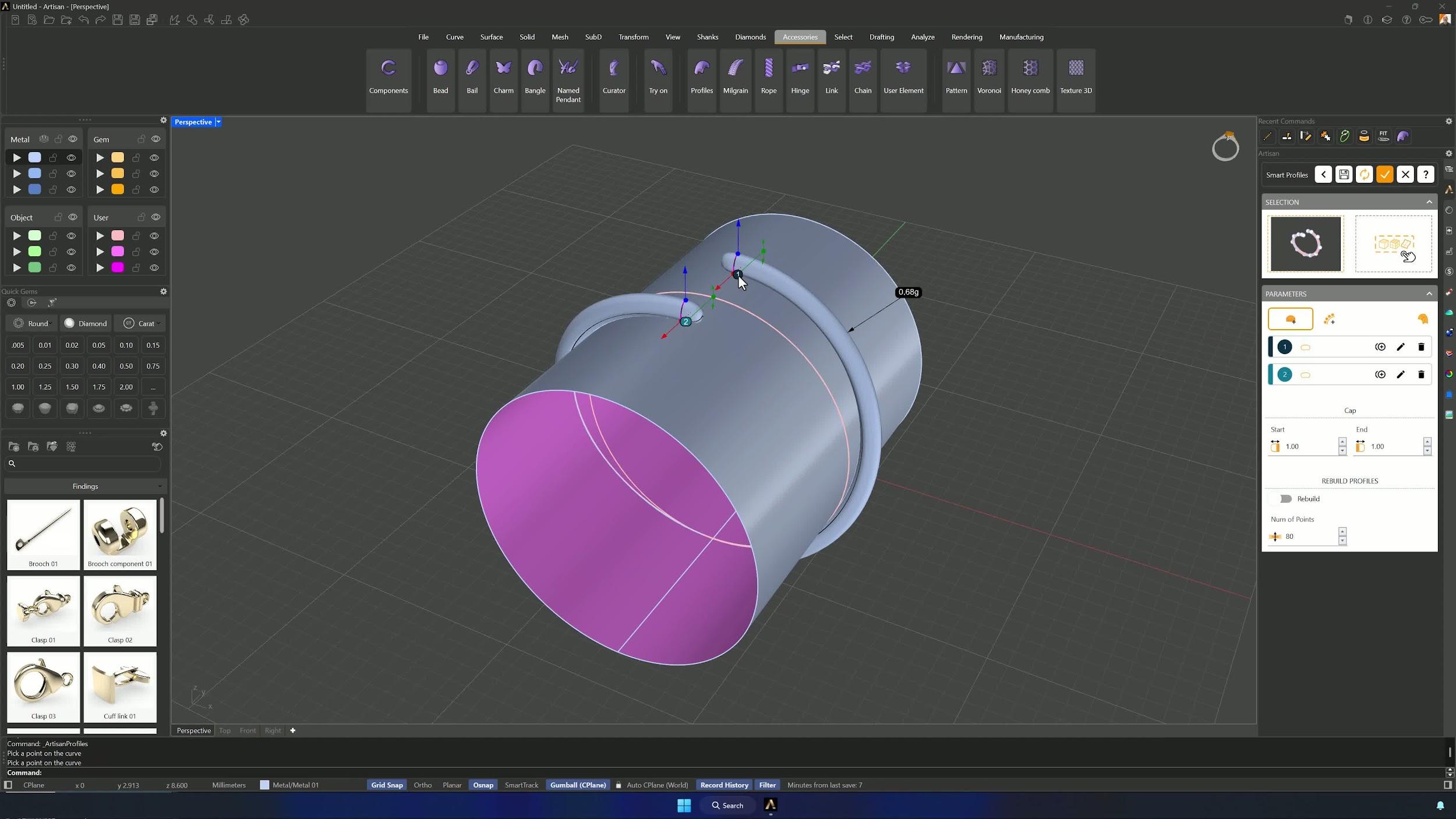
Fit the pulled curves at the default 0.1 tolerance. Then Accessories > Profiles, Edit without preset, add a profile at one end and set it to Profile 012.
6. Set the main shank profile dimensions
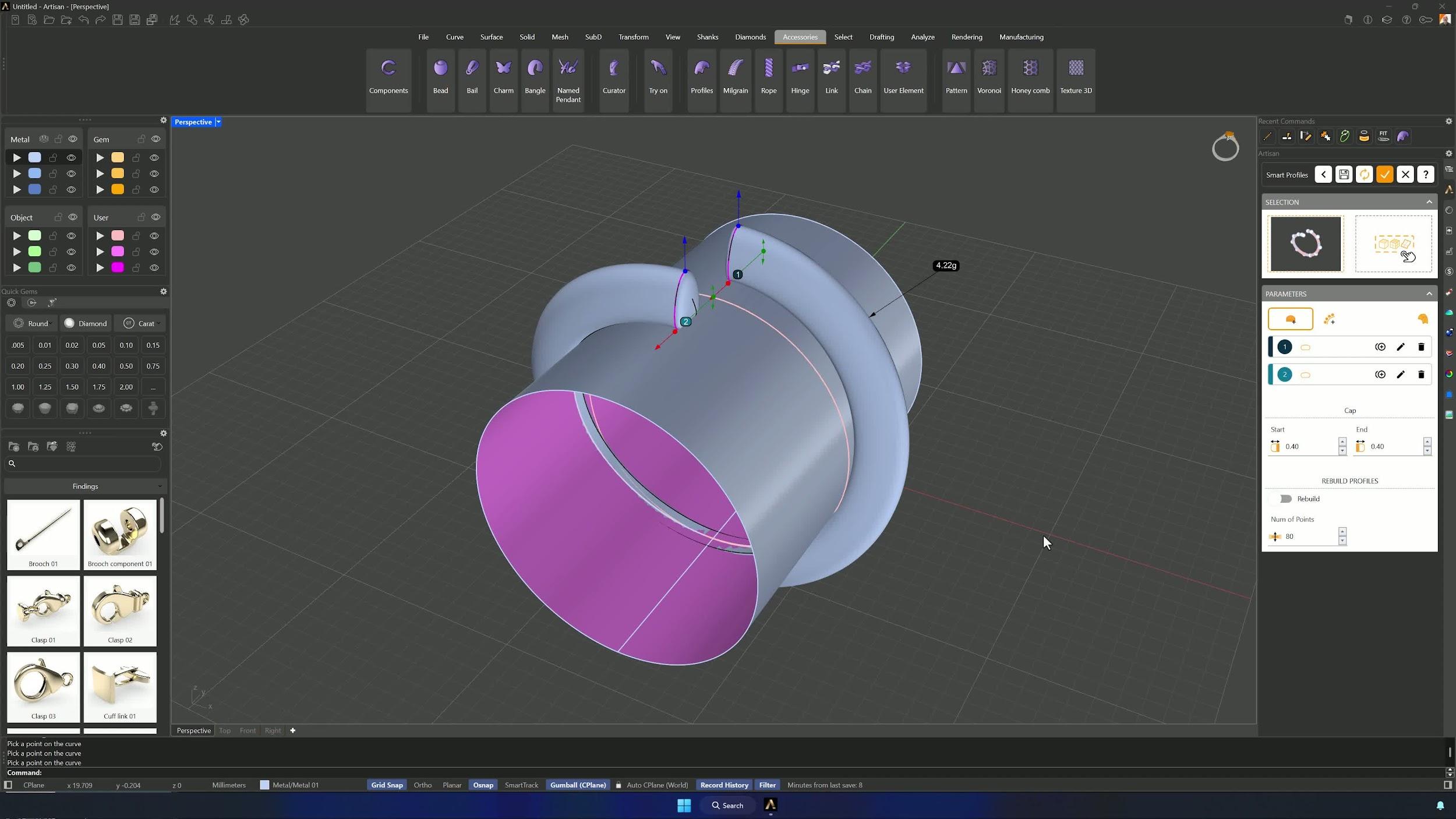
Edit Profile 1: width 2.3 mm, height 3.0 mm, mode Solid, caps reduced to 0.4 mm at start and end. Accept — and duplicate the edited profile instead of rebuilding it.
7. Add and orient the lower shank profile
Add a profile at the bottom, assigning the orientation surface in the command panel if it doesn’t hug the ring size. Hide the cylinder, then edit Profile 2: Profile 012 at width 2.5 mm, height 1.6 mm, Solid. Accept and the shank is complete.
Almost there — you still have some lessons to complete. Jump to the next one →
Impersonating — progress and reviews are disabled.
Course completed
You've completed Sculpted Elegance: Statement Jewelry Designs 🎉
Great work. Get your certificate of completion and, if you have a minute, let other jewelers know what you thought of the course.