Trillion Prongs Ring
Lesson 34 of 38
Center Gem & Prong Curves
Sign in to access this lesson
This lesson is part of Modern Elegance: Fashion Jewelry Modeling, which can come bundled with a RhinoArtisan Commercial license subject to current promotions. Log in with your customer account, or get in touch and we'll set you up.
Customers only
Solo para clientes
This lesson is part of Modern Elegance: Fashion Jewelry Modeling, which can be included with a RhinoArtisan Commercial license subject to current promotions. If you've already purchased and don't see it in your account, get in touch.
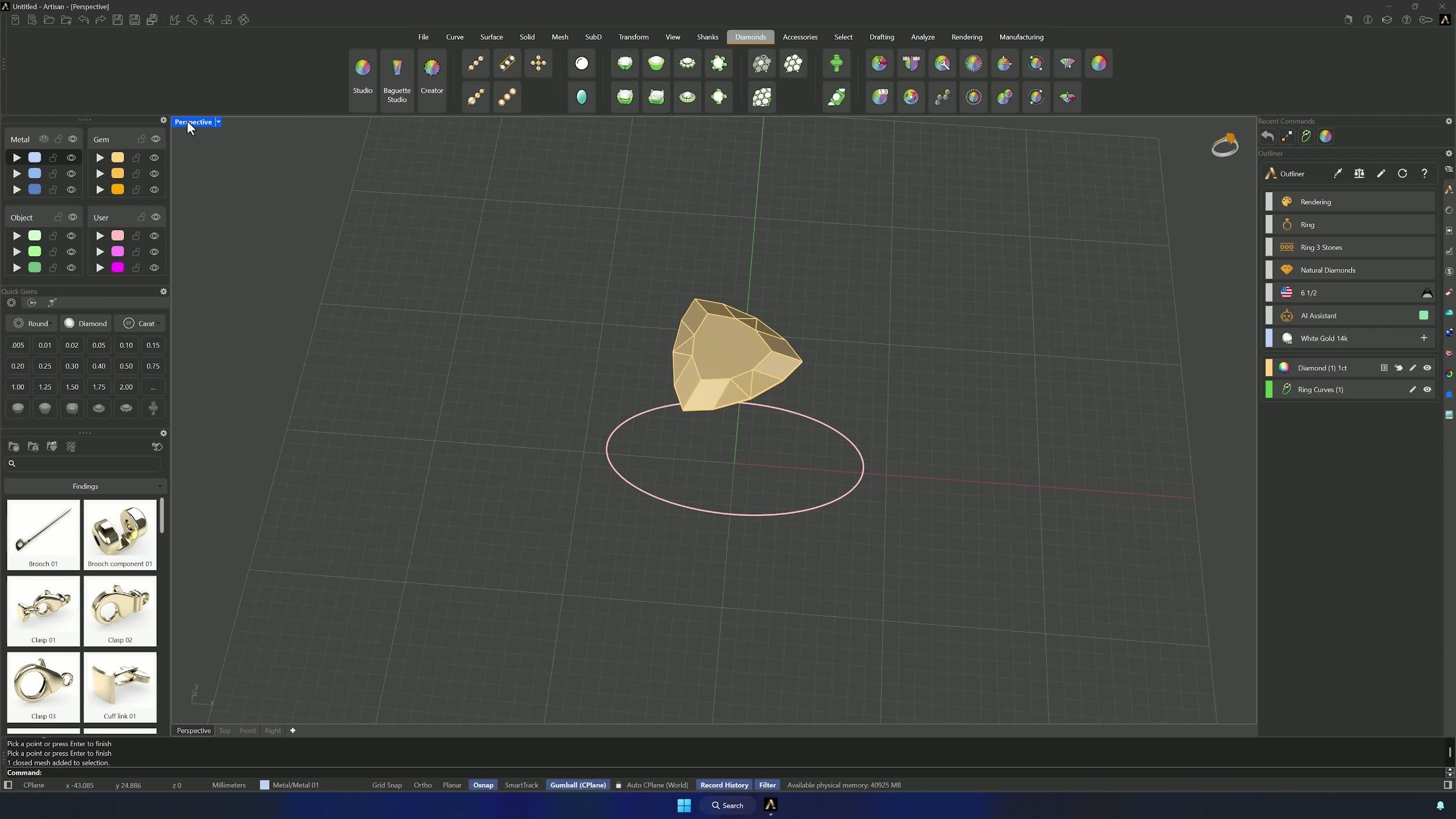
1. Create the base ring curve and place the center gem
Create a Curve from the Shanks tab for the US region at ring size 6.5. Set Move in Z to 3.5 measured from the culet, gem size to 1 carat, and use Add Gem at Point with O-Snap active: click the top reference point, right-click to confirm, and rotate the gem 90° if it lands sideways.
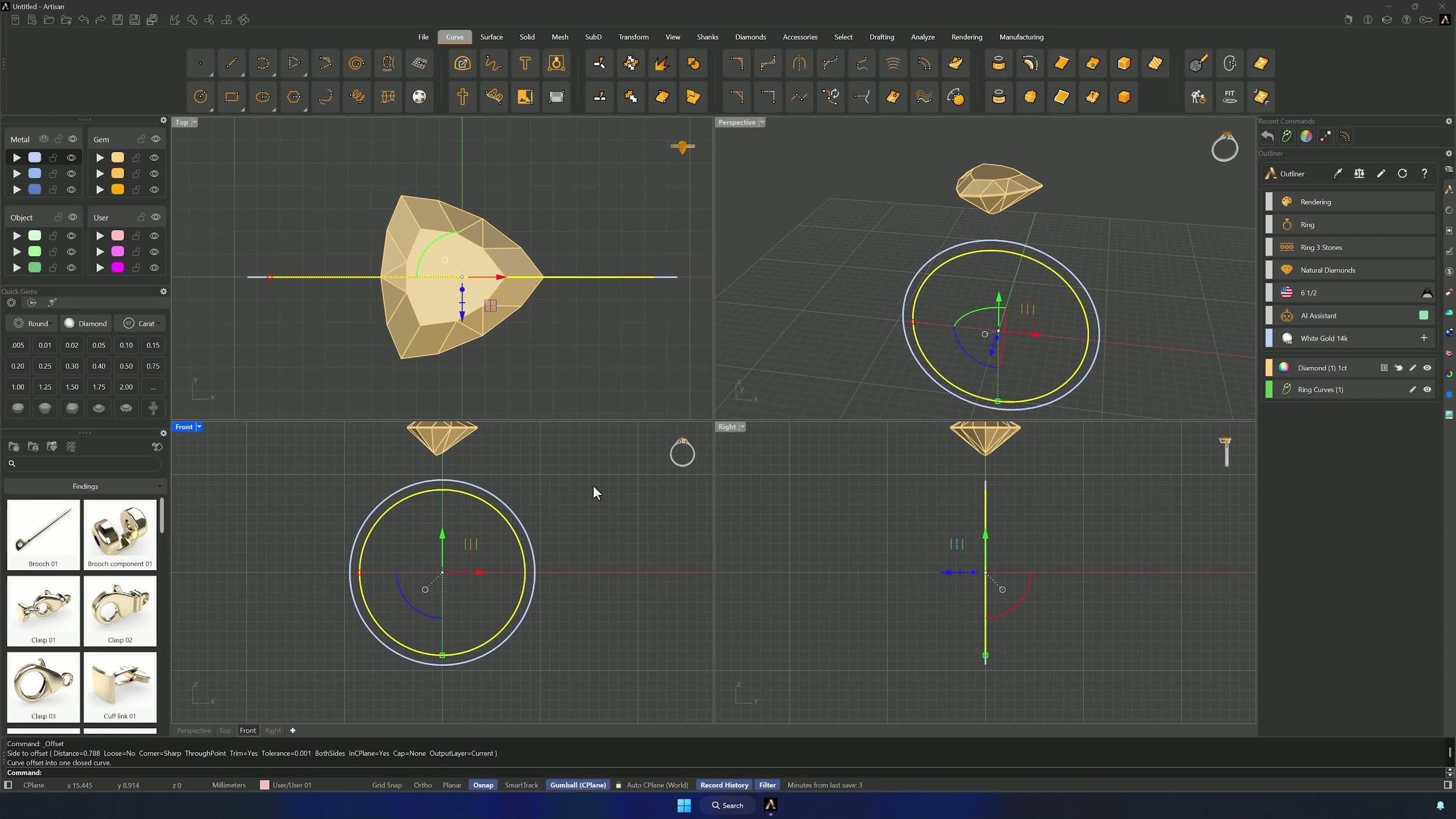
2. Position the center gem and create the offset ring curve
From the Top view, Move the gem using its right vertex as base point, holding Shift to shift it perpendicularly over the ring curve. Then select the ring curve and create a 1 mm Offset from the Front view.
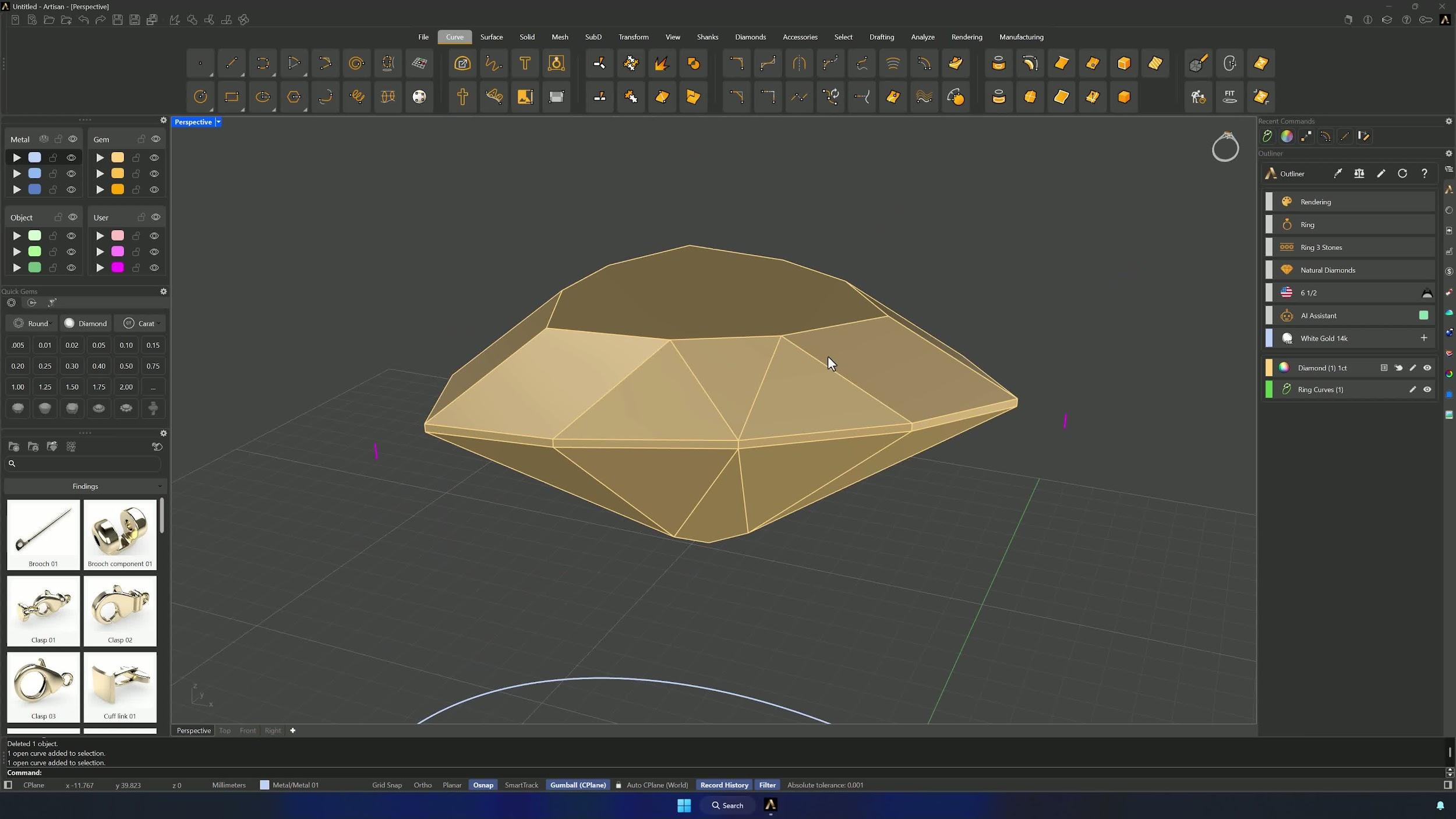
3. Create prong guide curves from the gem vertices
Draw a vertical 0.2 mm Line from one gem vertex (Front or Side view, Shift to stay vertical) and repeat on the second vertex. Move both curves 0.6 mm outward from the Top view, create a 0.6 mm reference line for the second side rotated to roughly match the gem direction, and bring the existing curve to about 0.6 mm from the gem. Layer colors help keep the curves straight.
4. Blend the prong curves into the offset ring curve
In Perspective, Blend from the lower end of the first curve into the offset ring curve — Flip if point 2 comes rotated — and adjust the control point from the Front view so the curve runs parallel to the gem line. Repeat on the other side with slightly more curvature so the future pipes won’t intersect, refining control points until both blends are smooth.
Almost there — you still have some lessons to complete. Jump to the next one →
Impersonating — progress and reviews are disabled.
Course completed
You've completed Modern Elegance: Fashion Jewelry Modeling 🎉
Great work. Get your certificate of completion and, if you have a minute, let other jewelers know what you thought of the course.