Eternal Weave Ring
Lesson 2 of 38
Building the Reference Curves
Sign in to access this lesson
This lesson is part of Modern Elegance: Fashion Jewelry Modeling, which can come bundled with a RhinoArtisan Commercial license subject to current promotions. Log in with your customer account, or get in touch and we'll set you up.
Customers only
Solo para clientes
This lesson is part of Modern Elegance: Fashion Jewelry Modeling, which can be included with a RhinoArtisan Commercial license subject to current promotions. If you've already purchased and don't see it in your account, get in touch.
1. Create the initial ring reference curves
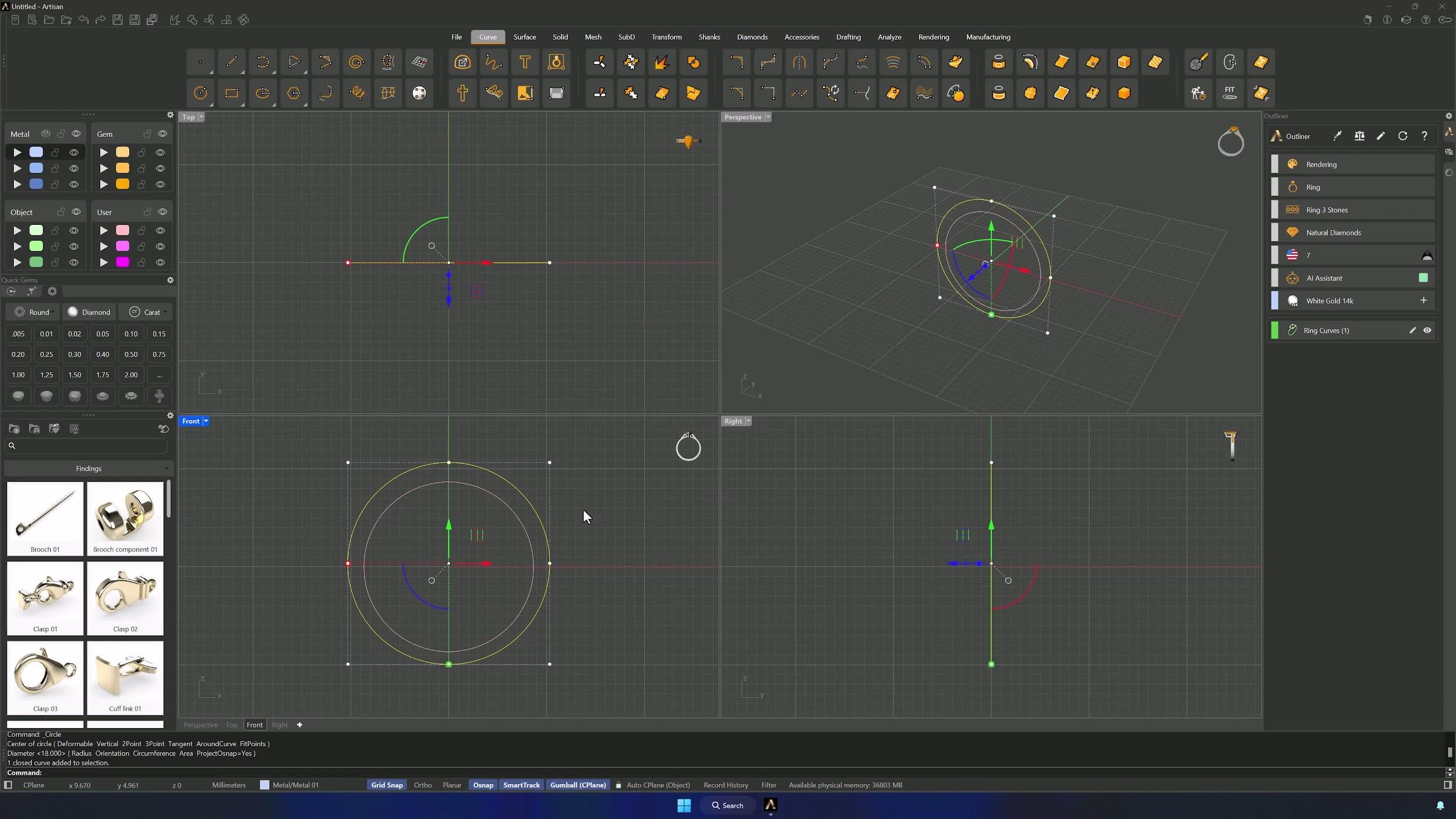
In the Shanks tab, use Curve to create a curve for a US size 7 ring and accept. Then, from the Curve tab, draw a Circle from the Front view: type 0 for the center, enter 20.65 mm, and hold Shift (Ortho) while clicking on the right side to place it. Move the outer circle up by 0.35 mm with the Gumball.
2. Split and measure the inner curve
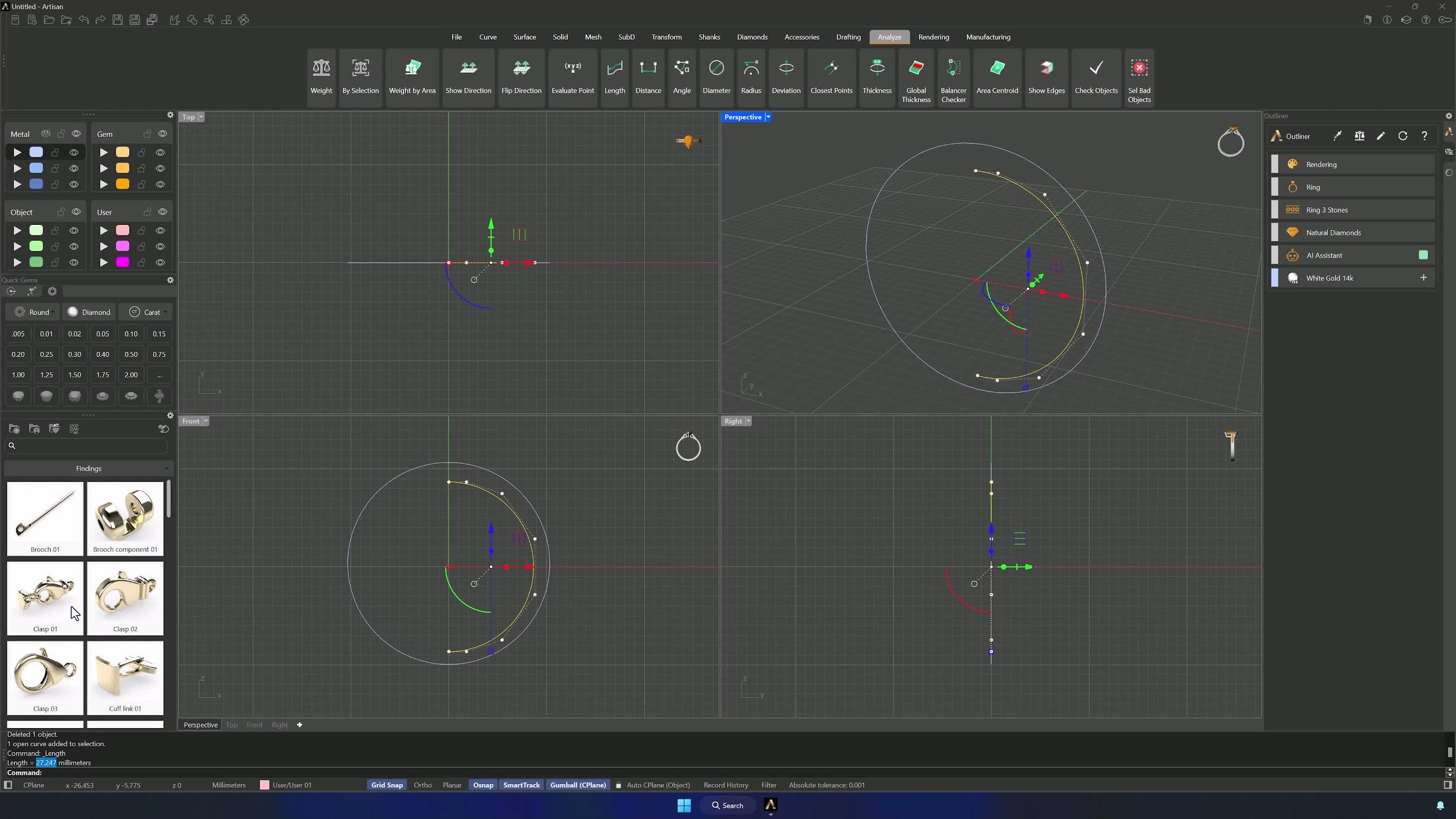
Draw a Line crossing both circles through the center axis — Grid Snap keeps it exactly on axis, Shift keeps it straight along Z. Split the inner circle with the line, delete the left half and the line, then measure the remaining half with Analyze > Length and copy the value from the command bar.
3. Create a matching horizontal line and center it
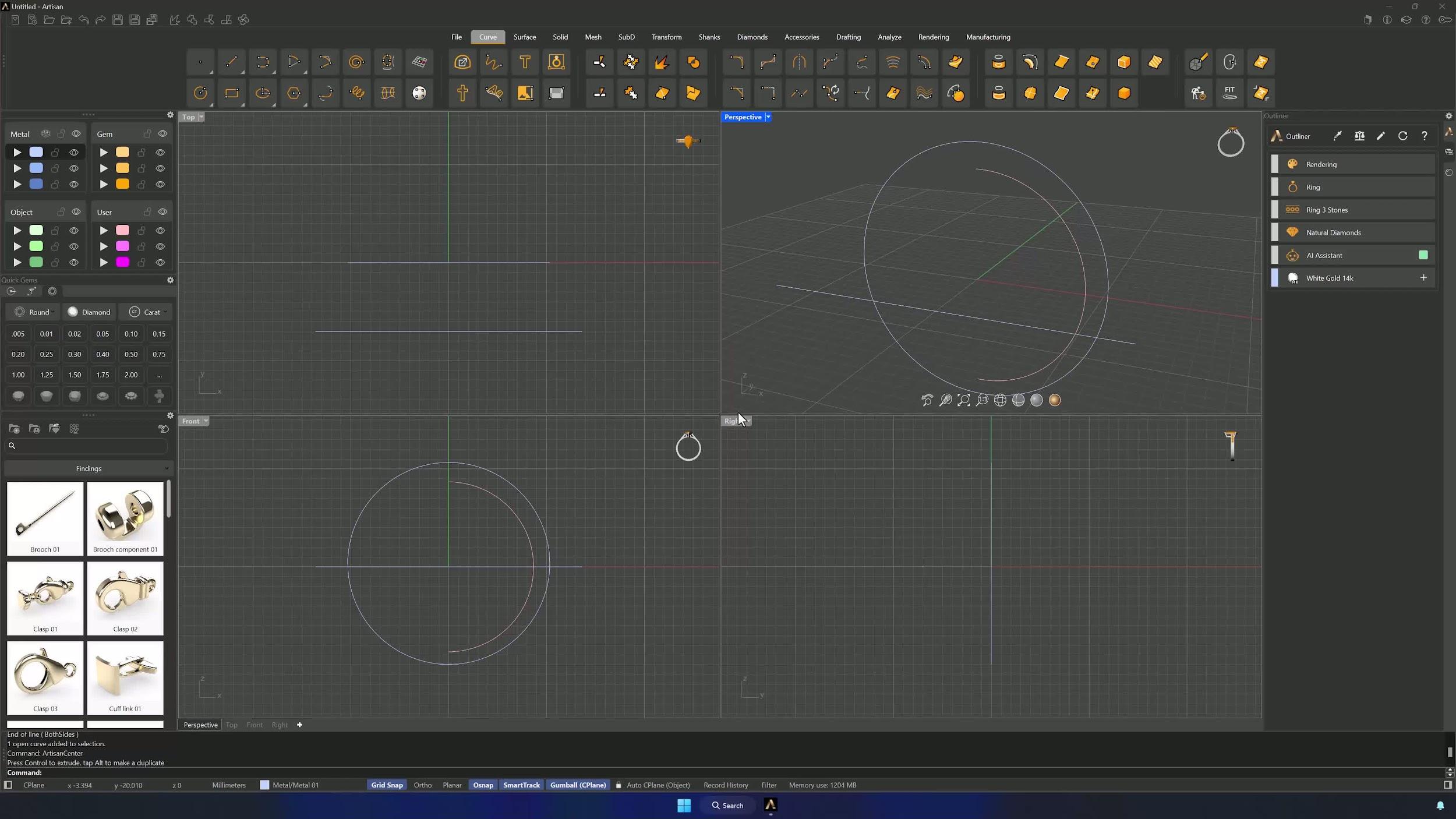
From the Top view, create a line and paste the copied length into the command bar (Ctrl+V). Hold Shift and click to the right from the Front view to complete it, center it with Artisan Center, and nudge it slightly off the center axis with the Gumball.
4. Draw and shape the arc reference
Switch to the Right view and pick Start, Point, End on Arc from the Arc submenu, with Grid Snap off. Place the first point 2.5 squares right and 1.5 up from the reference, the second 2 squares left and 1 down from the curve’s lowest point, and shape the curvature by clicking one square up along a vertical line. A separate layer keeps the arc easy to find.
Almost there — you still have some lessons to complete. Jump to the next one →
Impersonating — progress and reviews are disabled.
Course completed
You've completed Modern Elegance: Fashion Jewelry Modeling 🎉
Great work. Get your certificate of completion and, if you have a minute, let other jewelers know what you thought of the course.