Add Bail
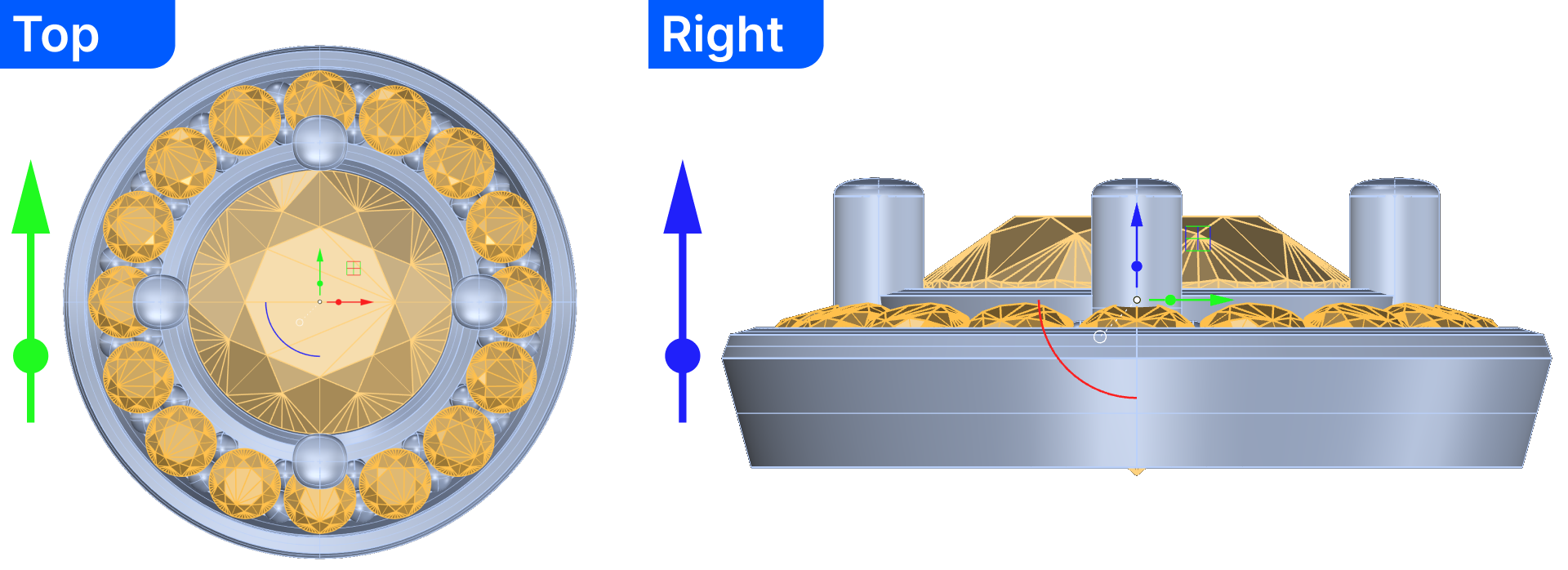
Step 1: Move the halo
- Select the diamond and halo. Use the gumball
- Click the green arrow, type -6 and press enter.
- Click the blue arrow, type 1.4, and press enter.
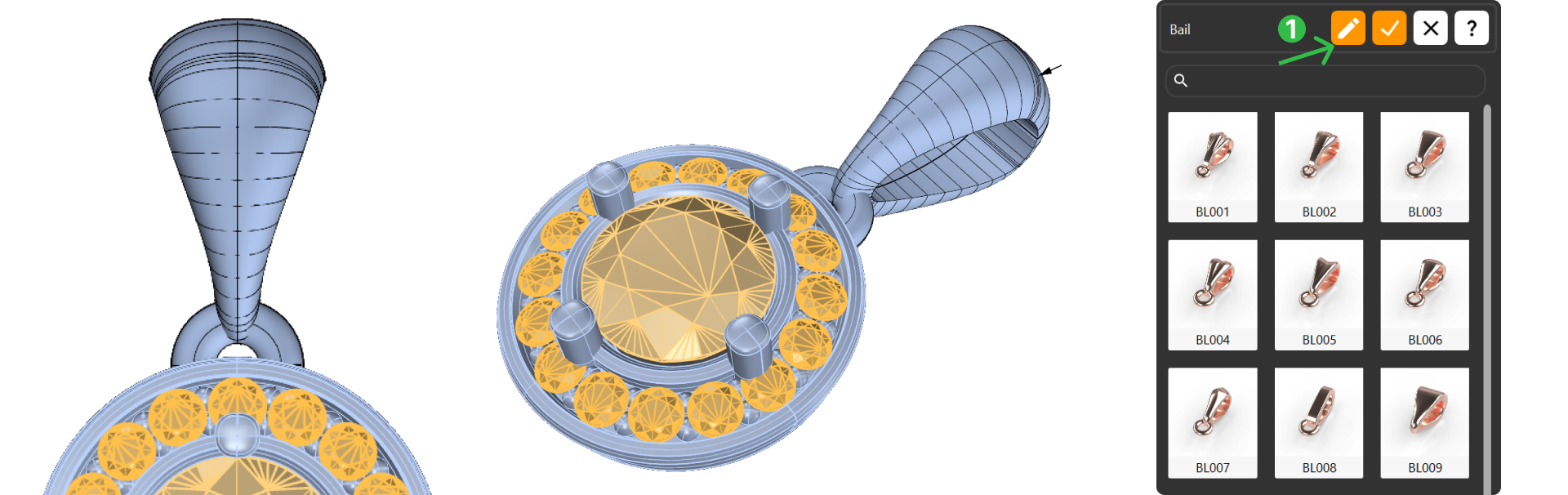
Step 2: Create de bail
In the Components (1) tab, select the Bail command (2).

Click Edit (1):
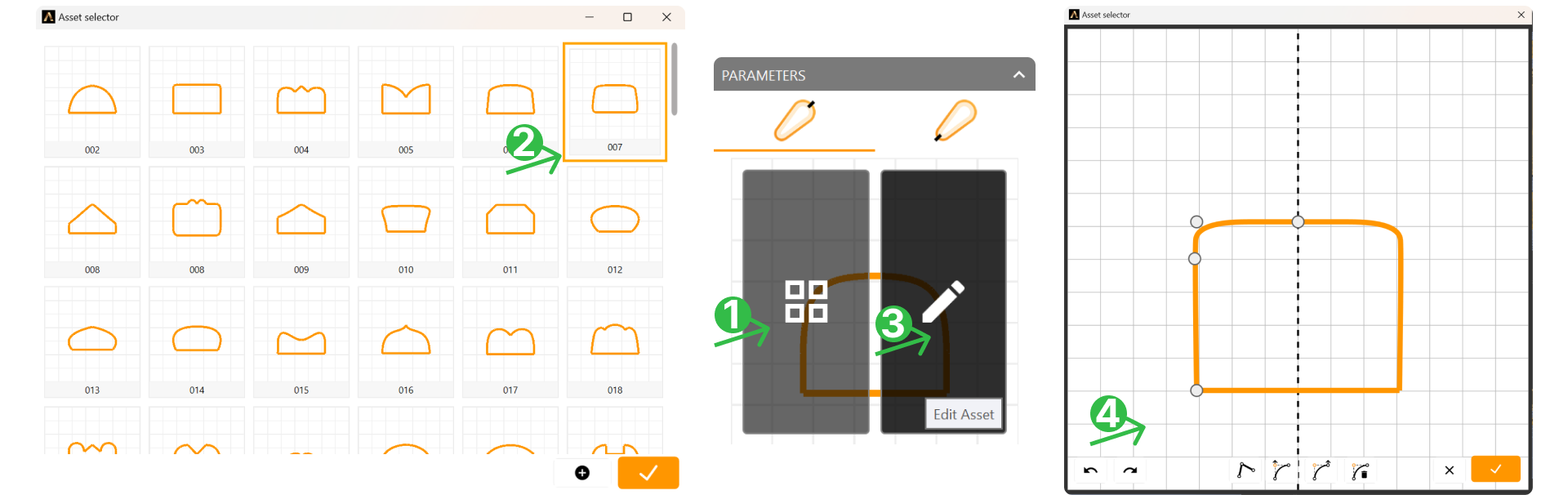
Step 3: Profile
Open the Asset selector panel (1). Select Asset 007 (2) and edit the profile (3), keeping only three left-side points (4).
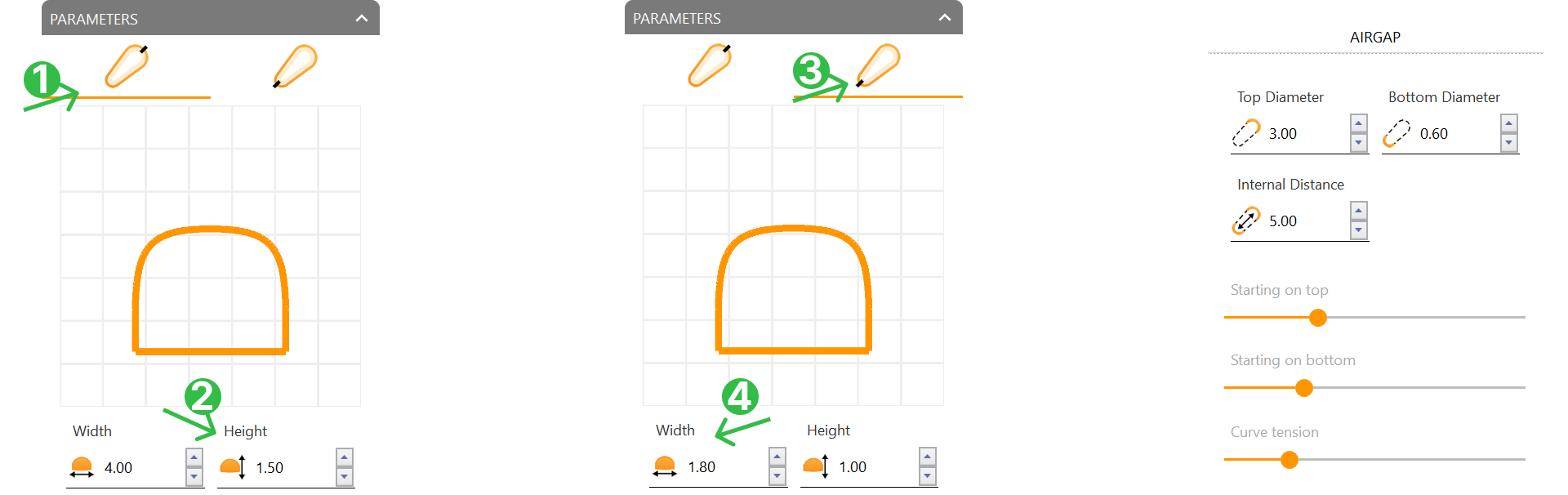
- Set the Height to 1.5 millimeters.
In the bottom profile tab, select the same asset for the profile (007).
- Set the Width to 1.8 millimeters.
Step 4: Airgap
Configure the airgap settings:
- Bottom Diameter: 0.6 mm
- Internal Distance: 5 mm
- Starting on top to 30%
- Starting on bottom to 25%
- Curve tension to 40%.
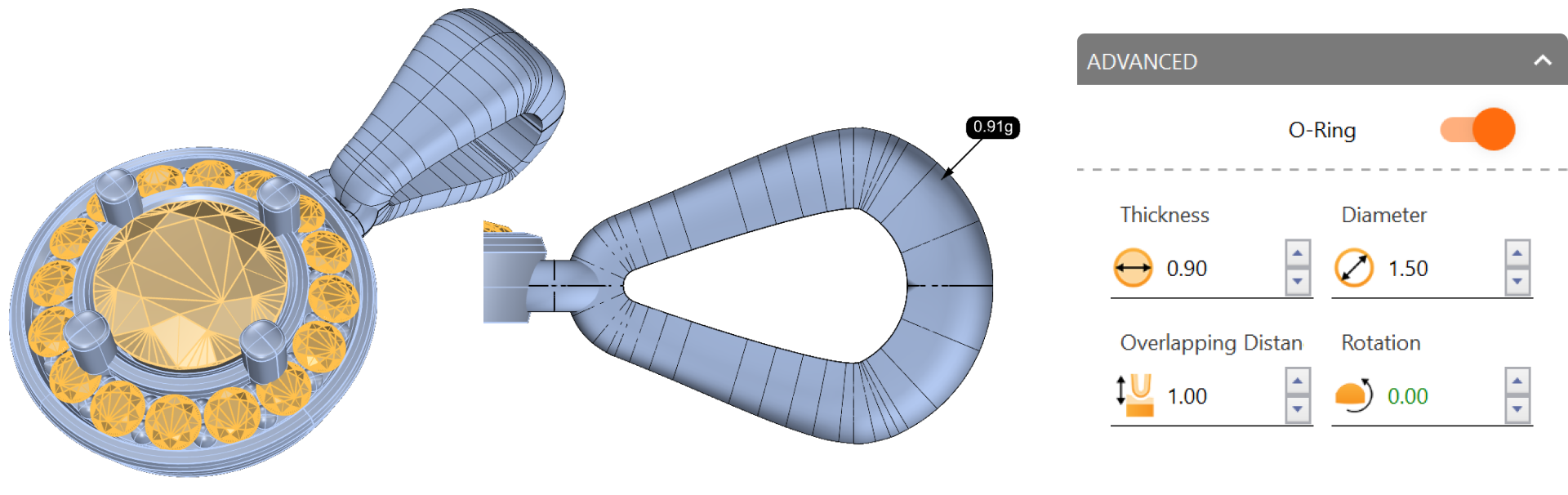
Step 5: O-Ring
Enable the O-Ring, set Thickness to 0.9 mm, and Diameter to 1.5 mm. Confirm changes by clicking “Confirm Changes” in the top-right corner.
Video Lesson
Next Lesson
In the next lesson, we will create a beautiful scene, to get the most out of our model.