Textured Snake Ring
Lesson 5 of 29
Texture3D, Closing & Head
Sign in to access this lesson
This lesson is part of Living Jewels: SubD Creature Sculpting, which can come bundled with a RhinoArtisan Commercial license subject to current promotions. Log in with your customer account, or get in touch and we'll set you up.
Customers only
Solo para clientes
This lesson is part of Living Jewels: SubD Creature Sculpting, which can be included with a RhinoArtisan Commercial license subject to current promotions. If you've already purchased and don't see it in your account, get in touch.
Downloads
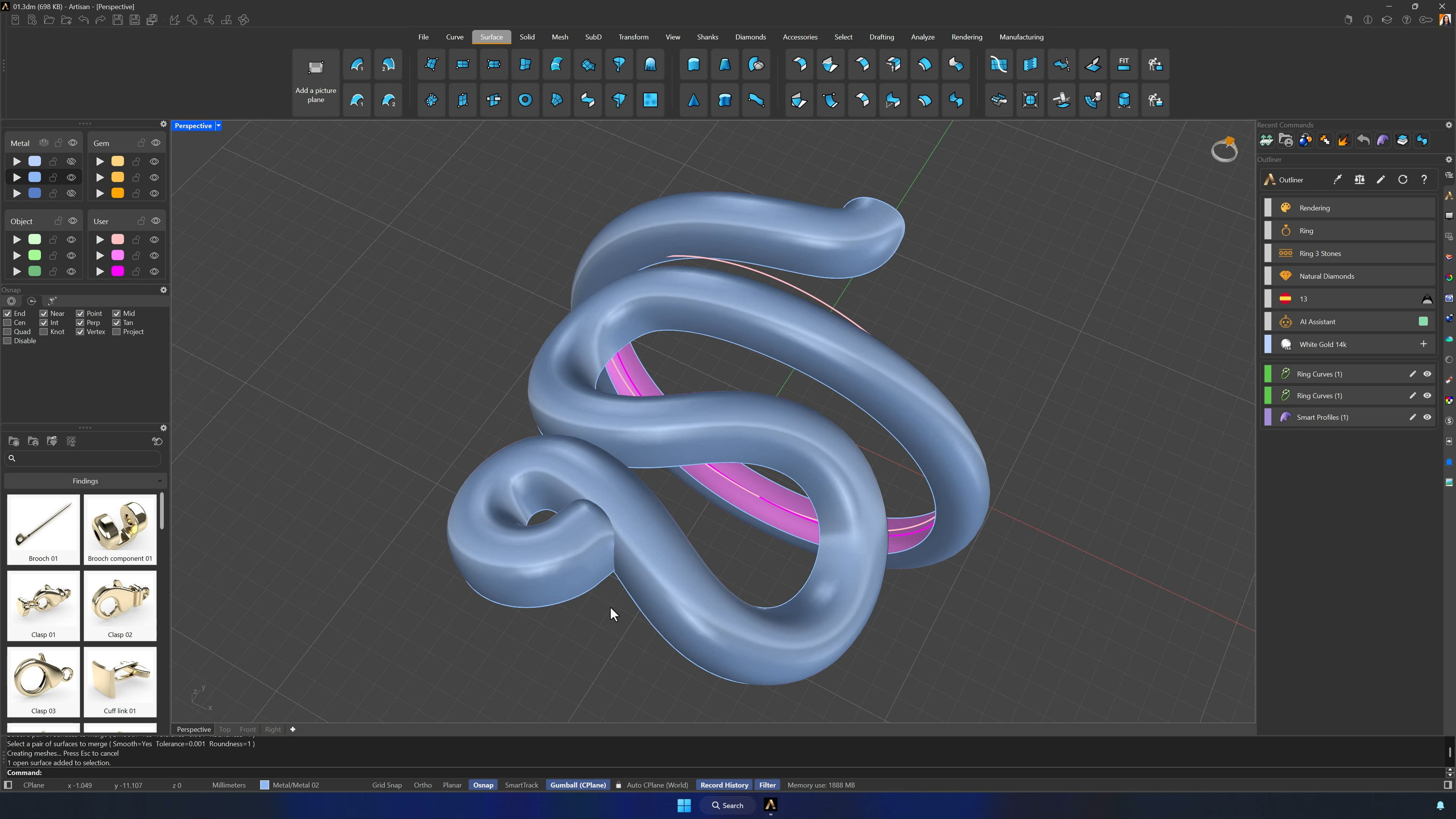
9. Extract, merge, and organize the top surface for texturing
Extract Surface (Copy = Yes) on the top surface and move it to its own layer with the rest hidden. Merge Surface unifies the two parts so the seam disappears — a clean canvas for the scales.
10. Add the texture library file and apply Texture3D
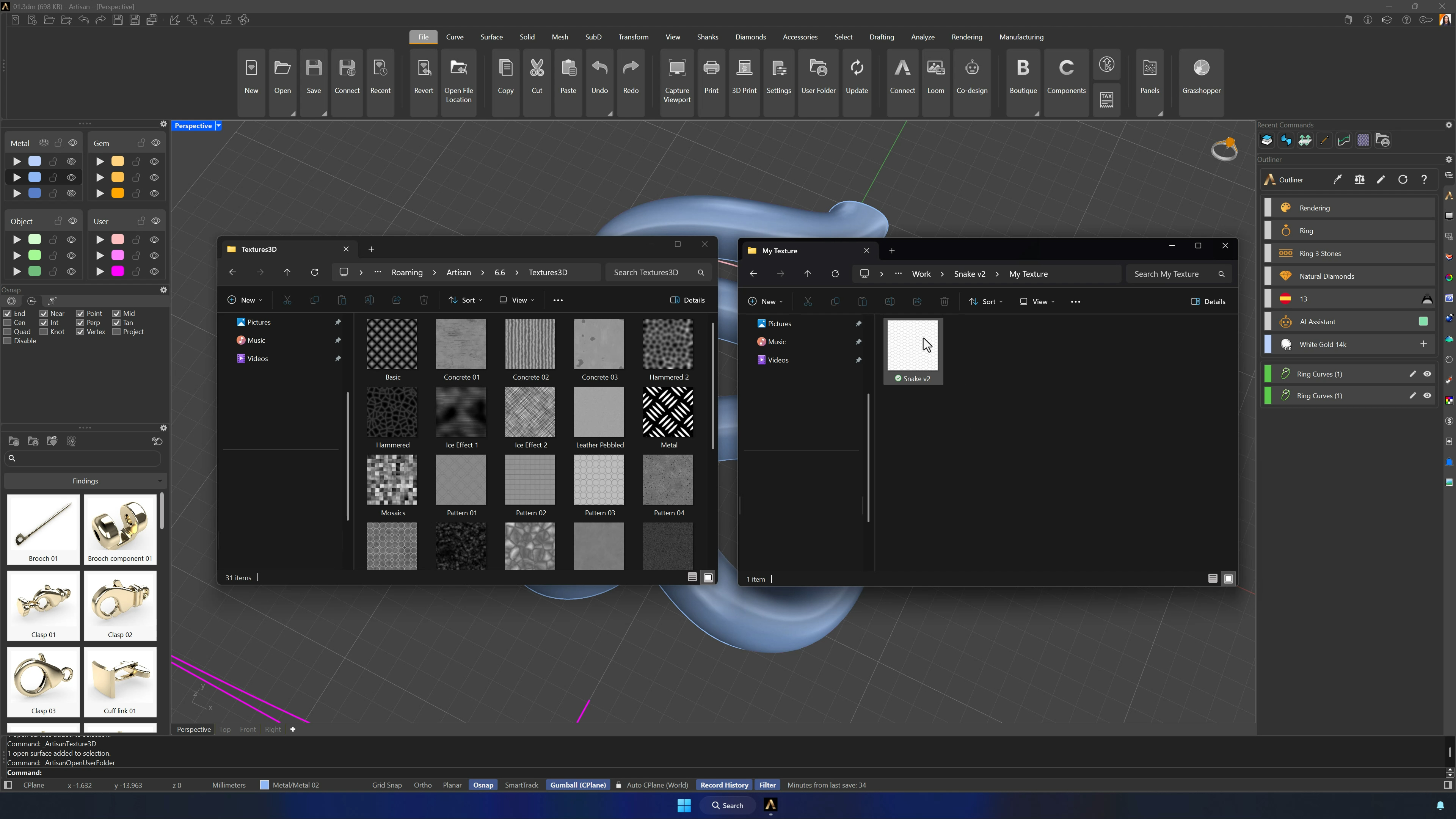
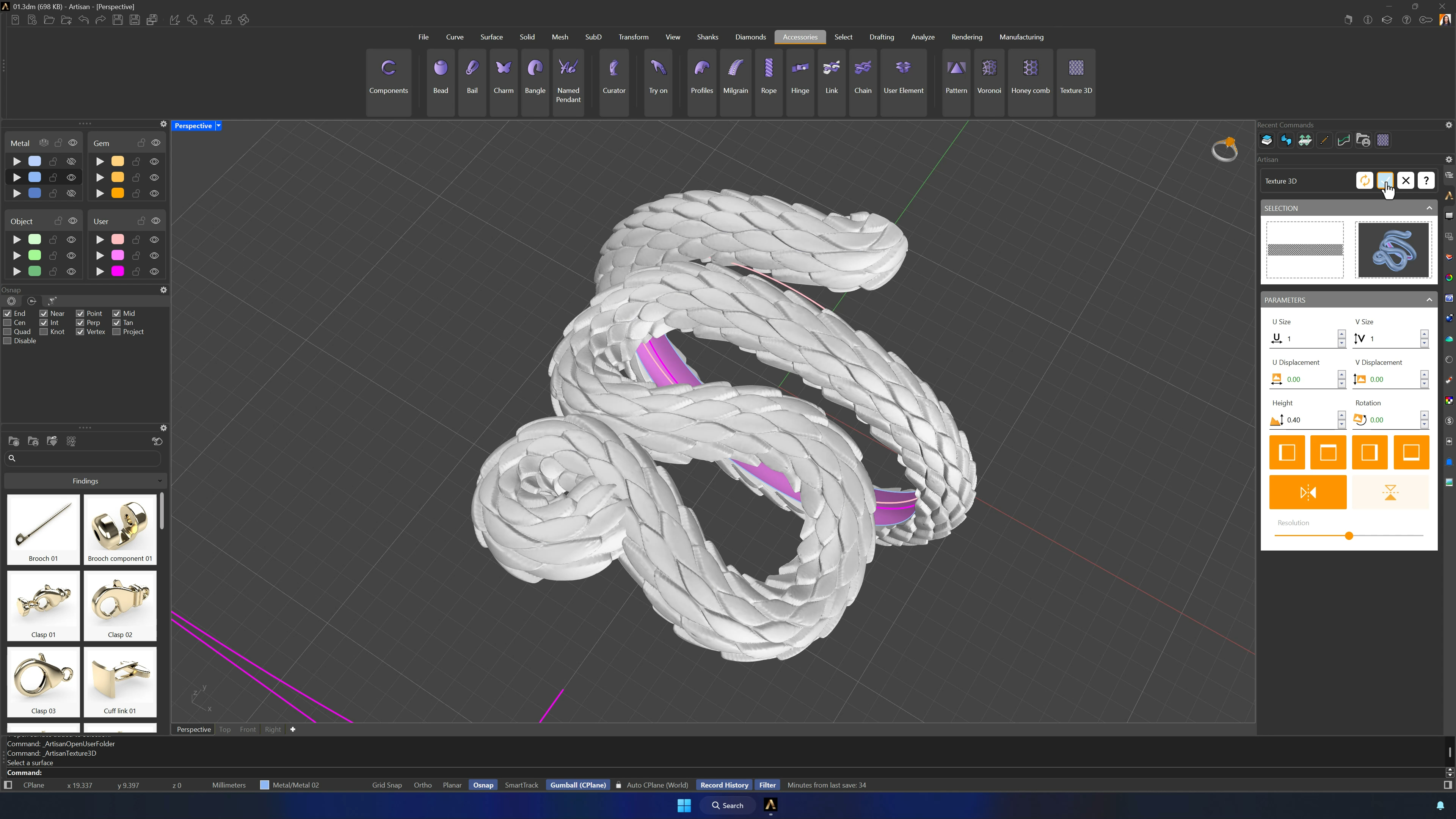
Drop the texture file (Downloads below) into the Texture3D folder of the RhinoArtisan libraries (File > User folder). Run Texture3D from the Accessories tab, select the model and the new texture, set the height — 0.40 mm works — Refresh, and accept. If it’s invisible, unhide the first metal layer; if inverted, Flip.
11. Close the model and add the snake head
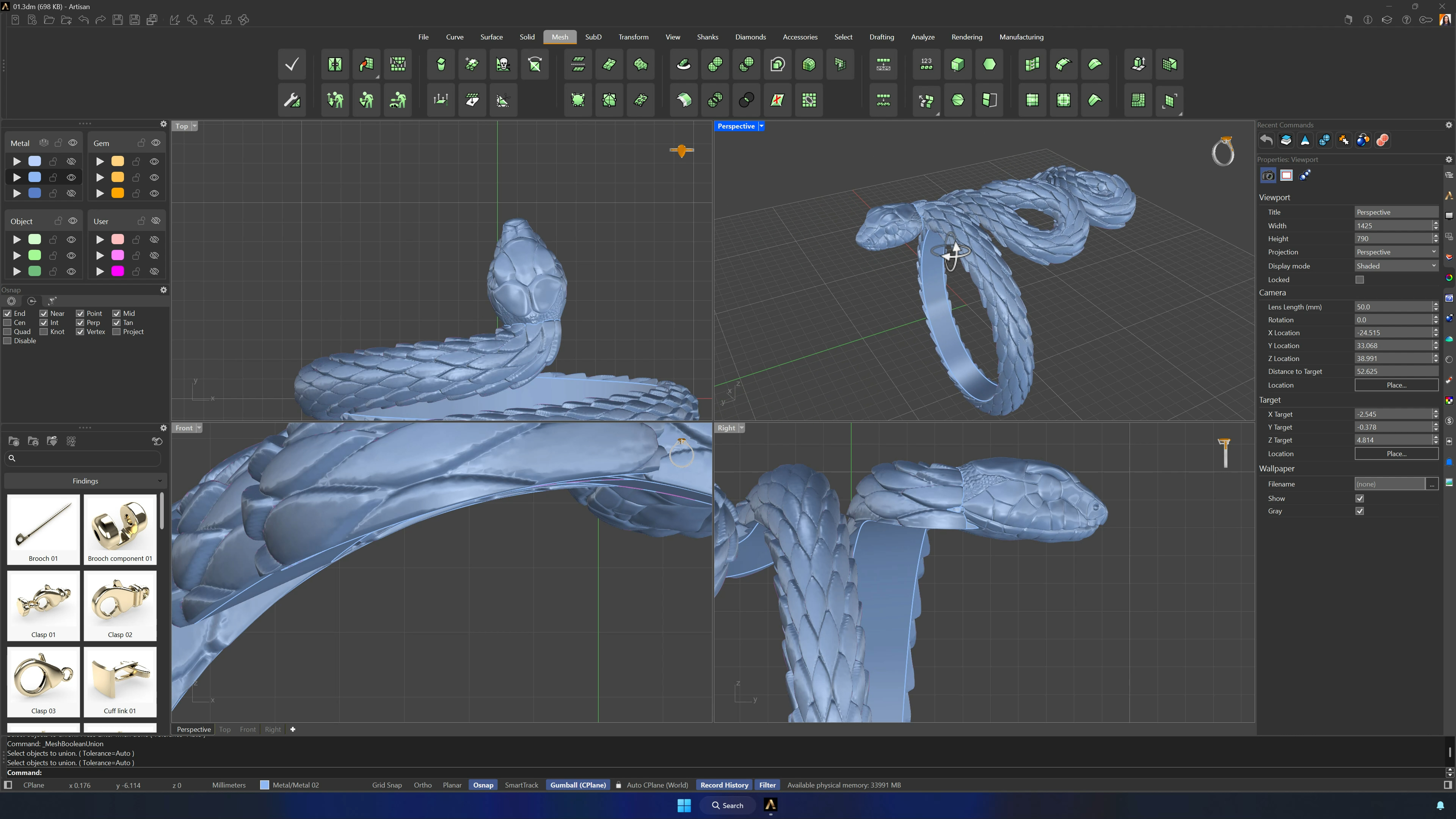
Extract the bottom surfaces and the head-attachment area (Copy on), gather them with the textured surface on one layer, and Join — chasing any open edge until the model reads closed. Import the snake head from the Downloads, position it across several views, and Boolean Union from the Mesh tab completes the ring.
Tips for a clean result
- The seam at the bottom before unrolling is critical — everything maps from it.
- The design is organic: measurements flex, curve continuity doesn’t.
- Verify the reference line and ring curve match in length before Quick Flow.
- If Join returns multiple curves, stop and fix the connection — don’t build on a broken outline.
- Inverted texture? Flip it; don’t redo the whole operation.
- Save texture files straight into the Texture3D folder so the library sees them immediately.
Almost there — you still have some lessons to complete. Jump to the next one →
Impersonating — progress and reviews are disabled.
Course completed
You've completed Living Jewels: SubD Creature Sculpting 🎉
Great work. Get your certificate of completion and, if you have a minute, let other jewelers know what you thought of the course.