Dolphin Ring
Lesson 19 of 29
References & the Outline
Sign in to access this lesson
This lesson is part of Living Jewels: SubD Creature Sculpting, which can come bundled with a RhinoArtisan Commercial license subject to current promotions. Log in with your customer account, or get in touch and we'll set you up.
Customers only
Solo para clientes
This lesson is part of Living Jewels: SubD Creature Sculpting, which can be included with a RhinoArtisan Commercial license subject to current promotions. If you've already purchased and don't see it in your account, get in touch.
Downloads
1. Set up the reference curve and images
Create a Europe size 53 curve from the Shanks tab and drag the reference image (Downloads below) in as a Picture. Scale it proportionally in the Top view (Shift while scaling) so the dolphin matches the curve, aligning the curve with the tail.
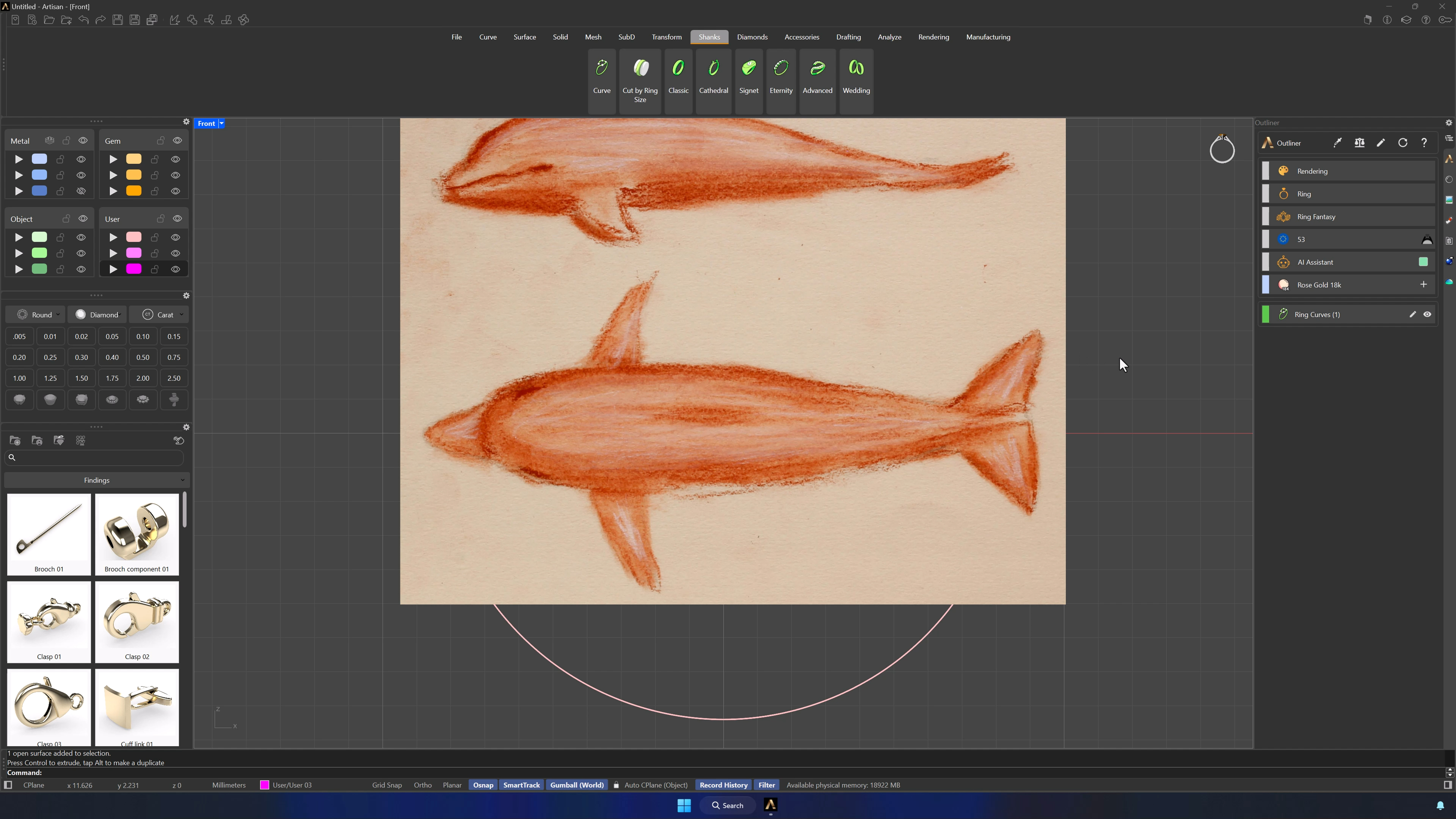
2. Position the reference images for modeling
In the four-view layout, copy the image (Ctrl+C/V), rotate the copy 90°, and align the top-view dolphin with the center axis in Front view — pushing each image back or down so both stay visible without stealing the workspace.
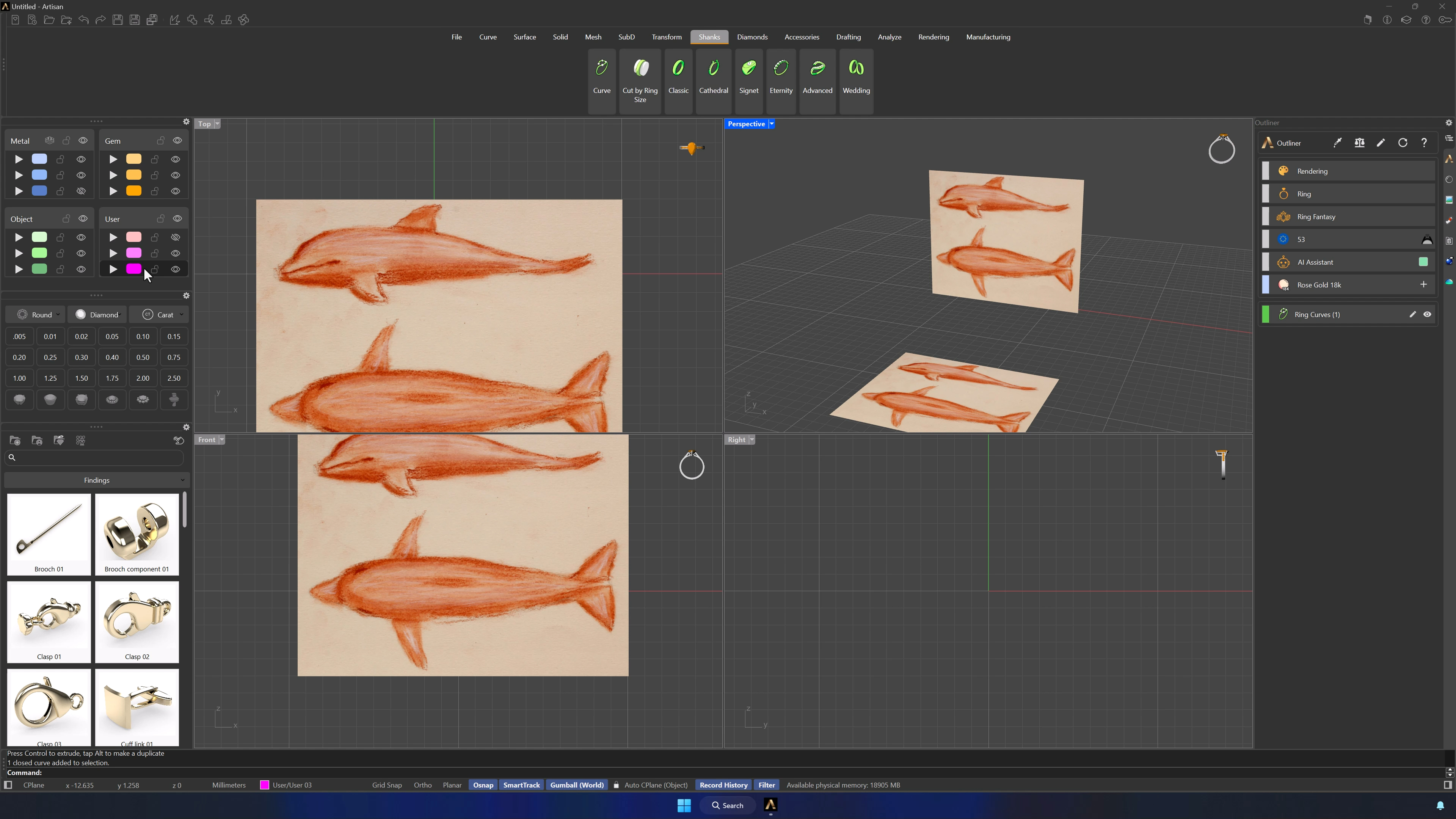
3. Draw the dolphin outline curve
Hide the reference curve and draw the dolphin’s outline with the Curve command — as few points as possible, fins excluded. Fewer points now means friendlier SubD later. Adjust control points until the silhouette matches.
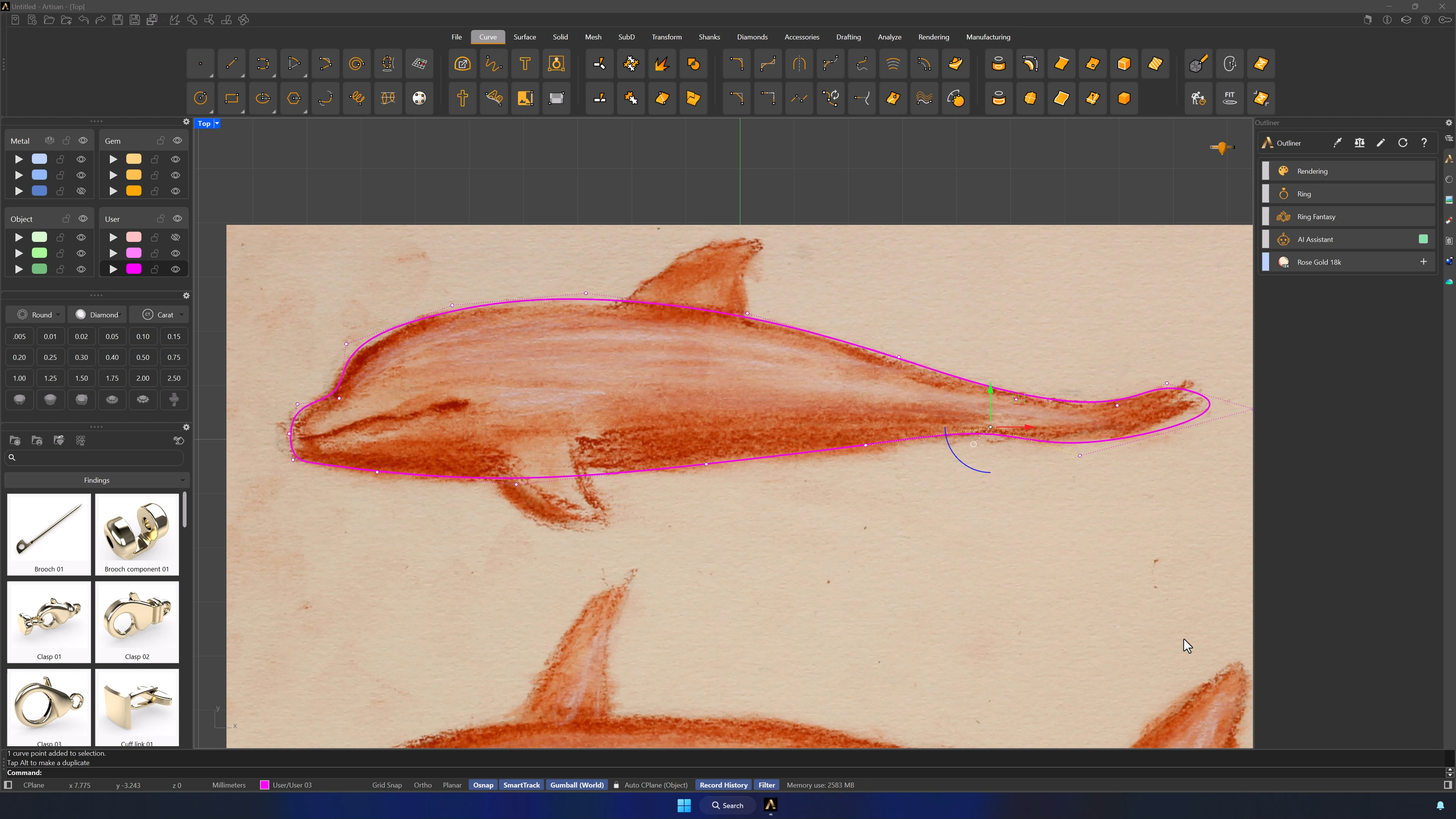
4. Lock reference images and create the base solid
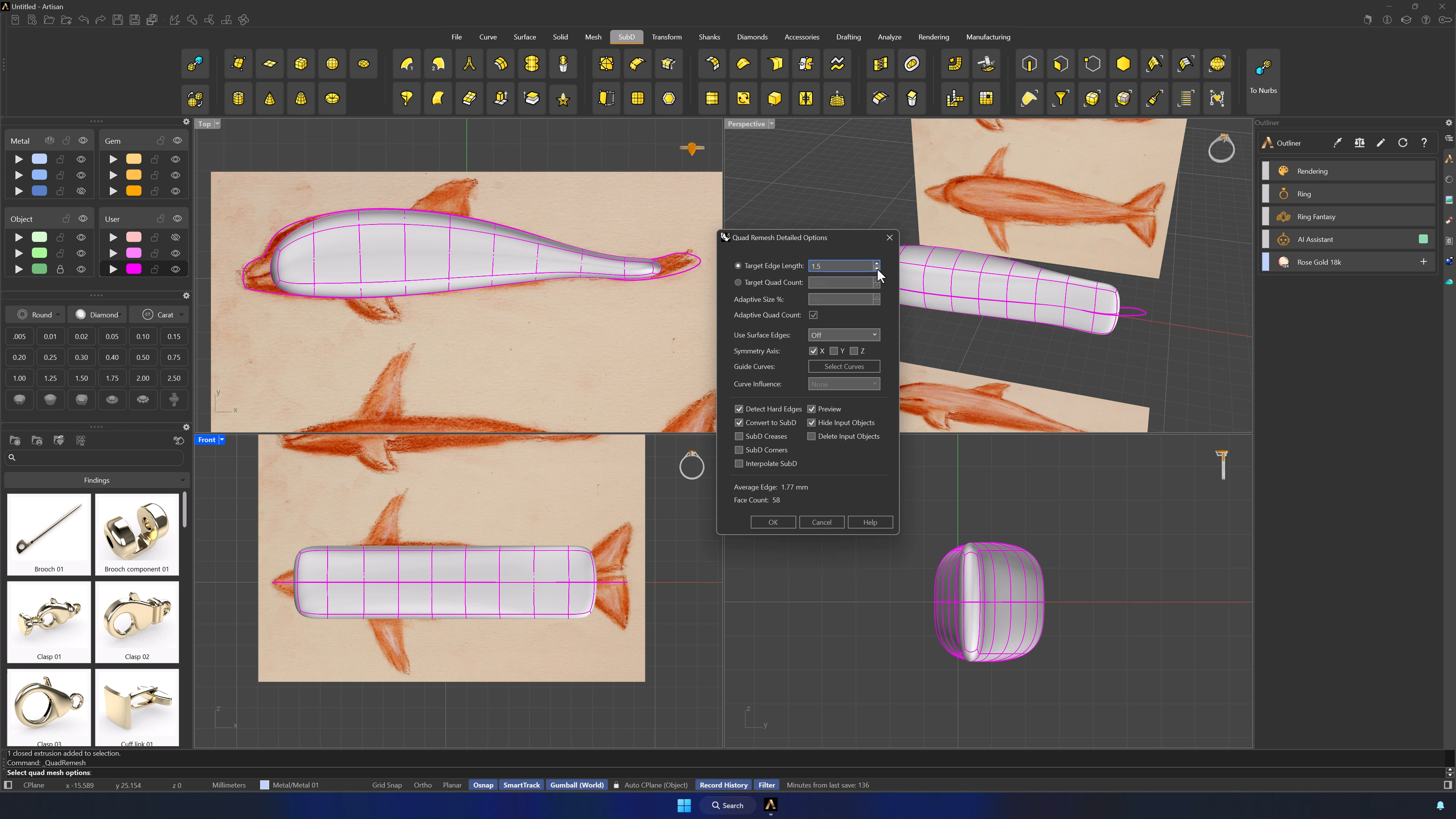
Confirm the outline in Front view, lock the images on their layer, and extrude the curve evenly to both sides until it covers the dolphin’s volume. Move the solid to the metal layer and launch QuadRemesh from the front view.
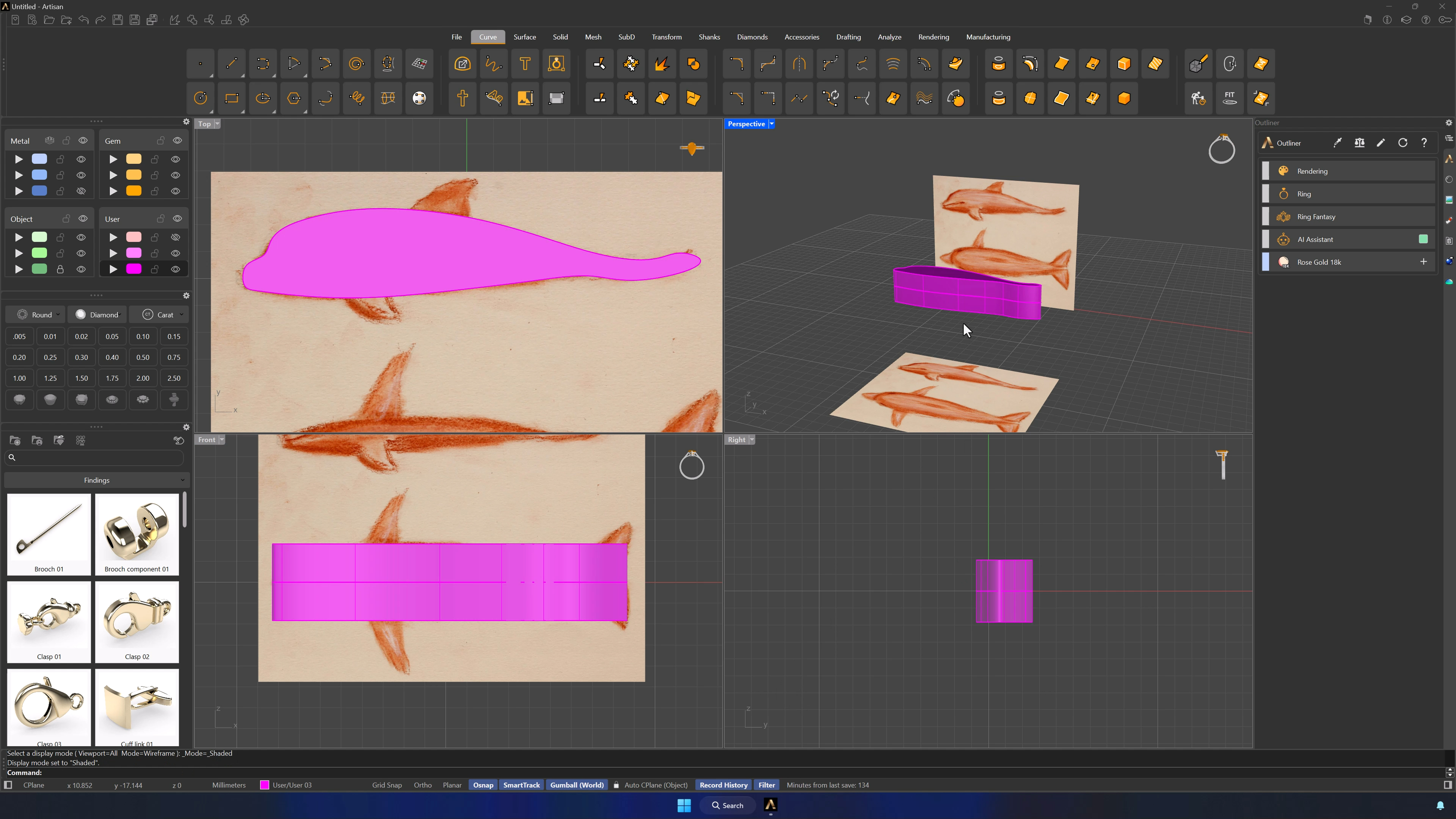
5. Configure QuadRemesh and preserve the base model
QuadRemesh settings: Preview and Hide Input on, Detect Hard Edges and Convert to SubD enabled, X symmetry, edge length 1.5. OK — and park the original solid on a hidden layer as backup.
Almost there — you still have some lessons to complete. Jump to the next one →
Impersonating — progress and reviews are disabled.
Course completed
You've completed Living Jewels: SubD Creature Sculpting 🎉
Great work. Get your certificate of completion and, if you have a minute, let other jewelers know what you thought of the course.