Wild Majesty Pavé Ring
Lesson 25 of 29
References & the Panther Head
Sign in to access this lesson
This lesson is part of Living Jewels: SubD Creature Sculpting, which can come bundled with a RhinoArtisan Commercial license subject to current promotions. Log in with your customer account, or get in touch and we'll set you up.
Customers only
Solo para clientes
This lesson is part of Living Jewels: SubD Creature Sculpting, which can be included with a RhinoArtisan Commercial license subject to current promotions. If you've already purchased and don't see it in your account, get in touch.
Downloads
1. Import and align reference images
Add Sketches with the three panther views (Downloads below) placed in Top, Front and Side, accept, and center the reference cube with Artisan Center.
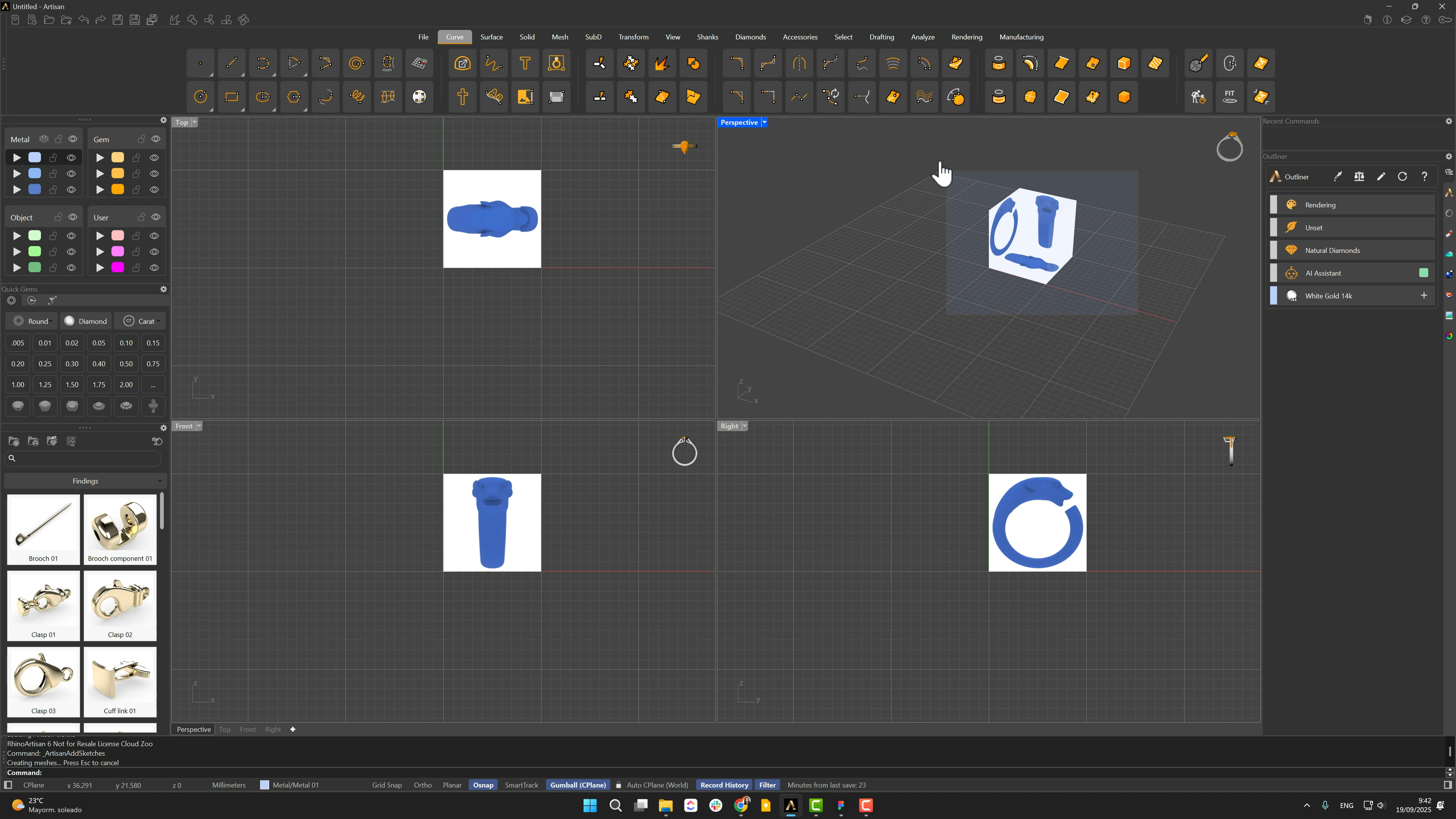
2. Create and position the ring curve reference
Create a Curve for the USA region at size 6.5 — the ring reference. Rotate the images 90° to match it, then another 180° to orient them, scale uniformly from the Front view with Shift, and lock them on an object layer.
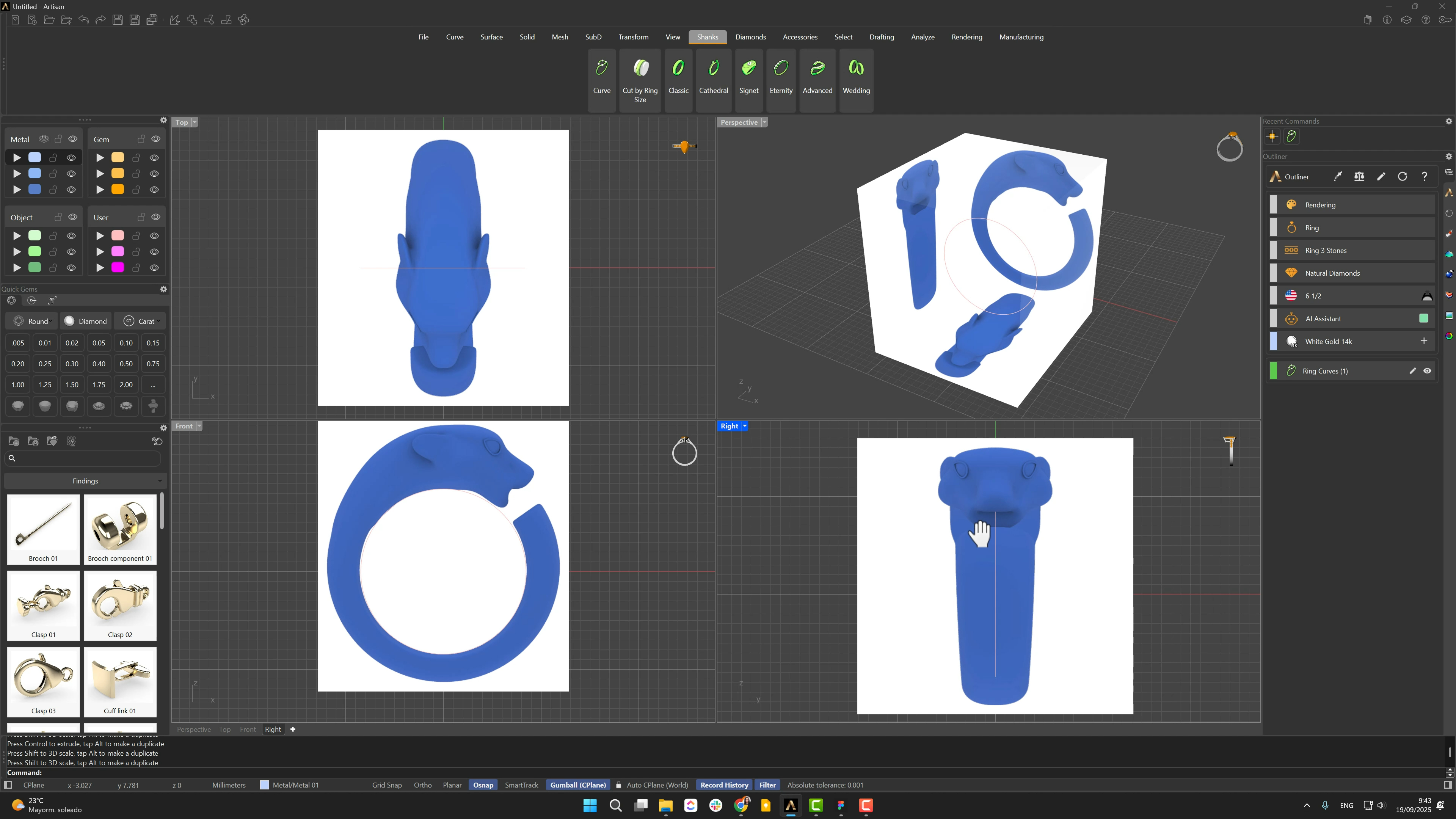
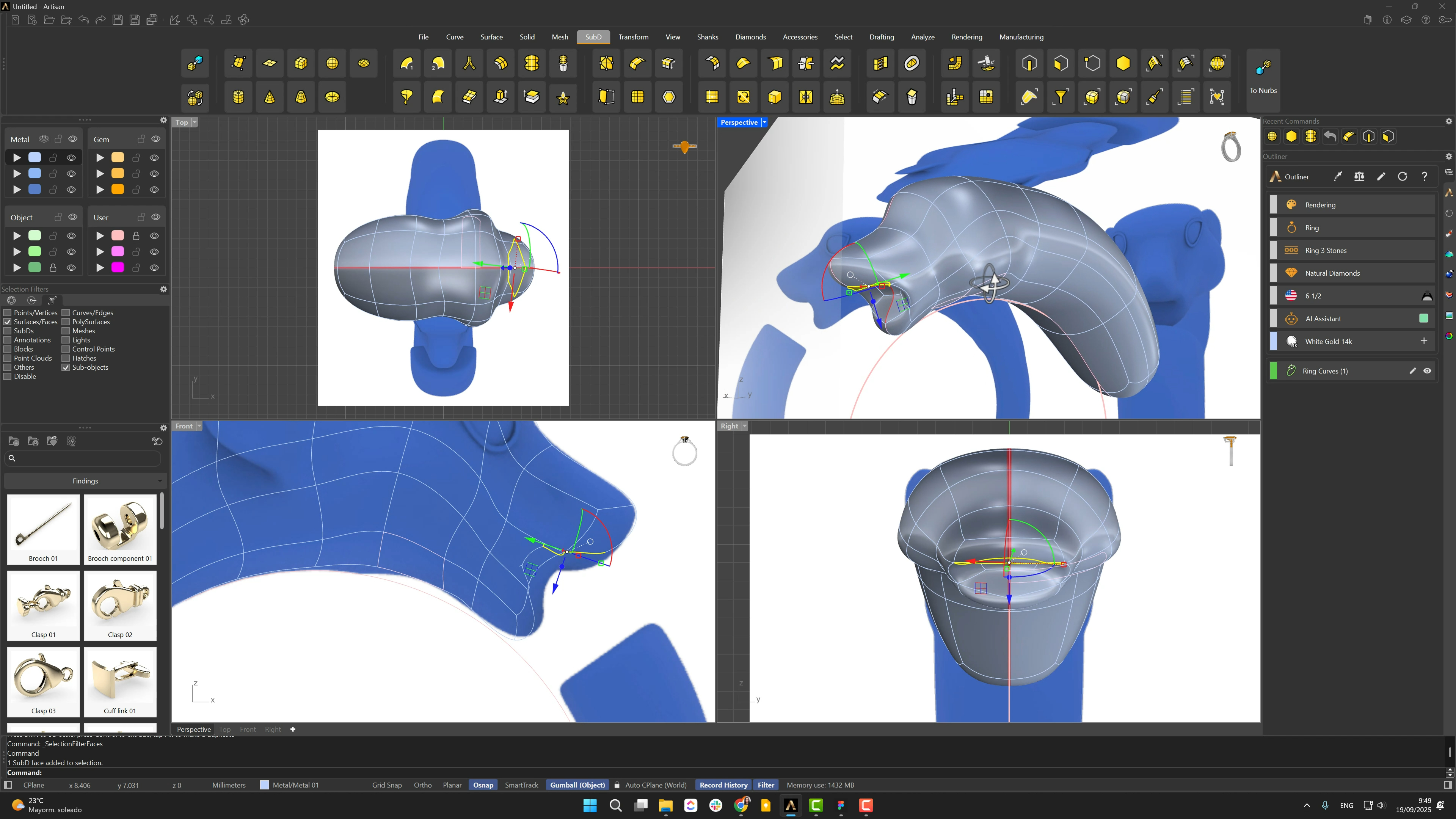
3. Block out the panther head with Sub-D
A SubD Sphere becomes the skull — proportioned in the Front view with its faces oriented to serve the muzzle. With the Face filter, select the four ear-area faces, extrude from the Front view, and scale, rotate and reposition against the reference, using edge loops for finer control.
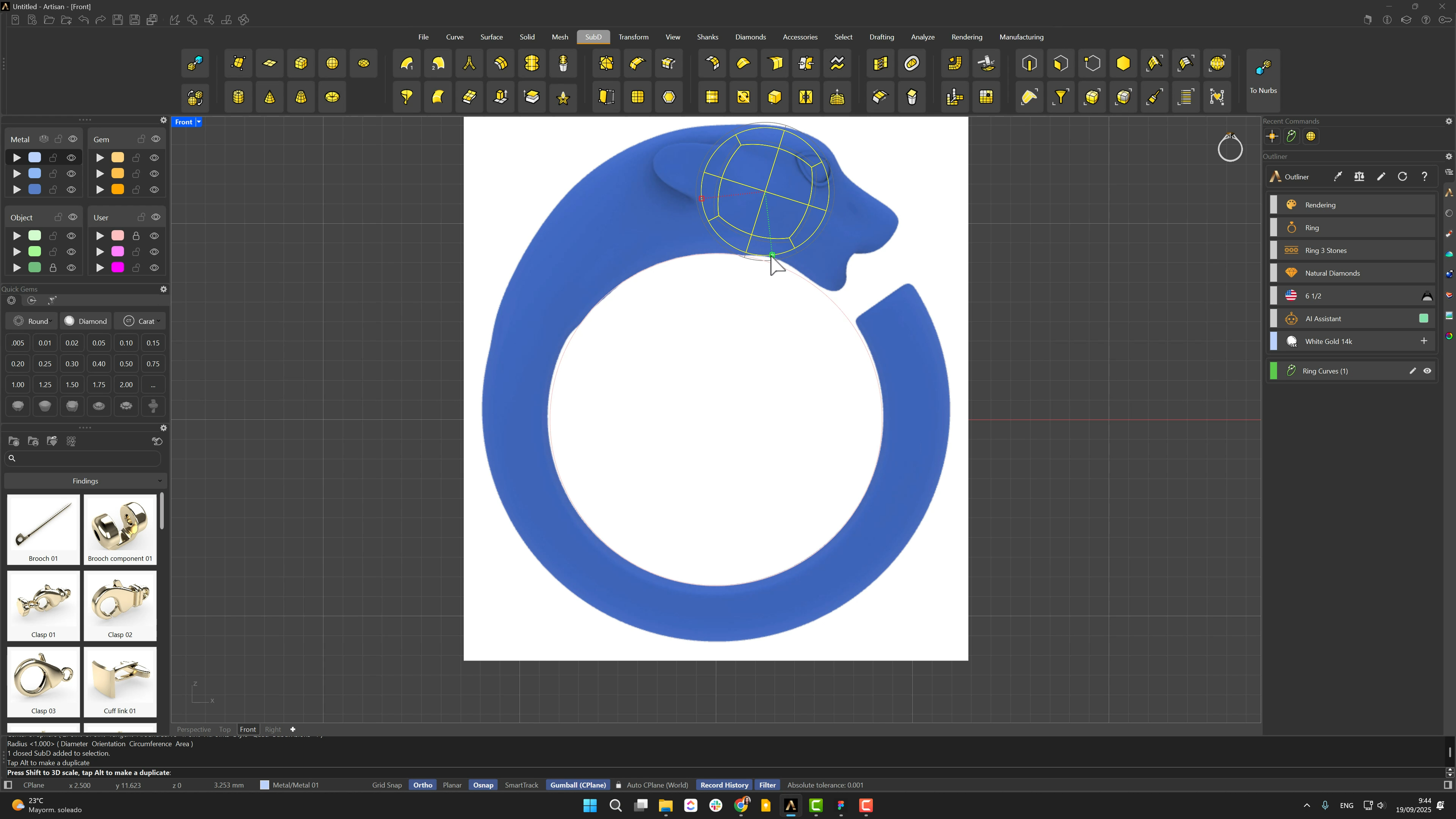
4. Shape the head, back connection, and symmetry
Extrude the four front faces into the muzzle, then the back four stretched long — that’s the future shank connection. Adjust the width from the Right view, and activate Reflect from there (Osnap, top and bottom center points) so from now on one side models both.
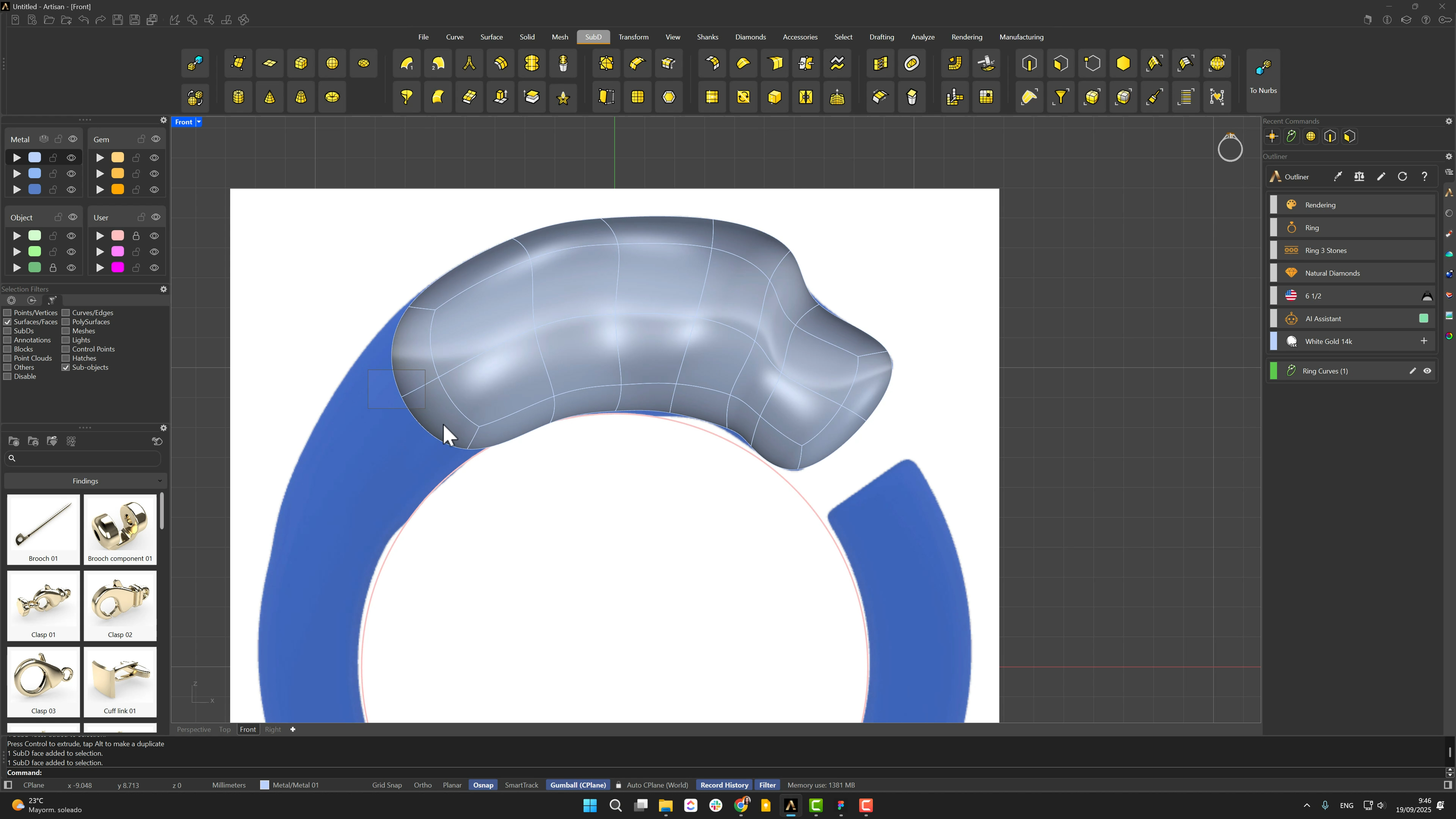
5. Add the mouth opening and refine the top view
Insert an edge loop for the mouth in the lower section and position it from the Front view. Select the mouth face, switch the Gumball to Object mode, extrude inward and scale horizontally. Rotate the references 90° from the Top view (unlock, rotate, relock) and refine the head from that angle before parking the model on a hidden layer.
Almost there — you still have some lessons to complete. Jump to the next one →
Impersonating — progress and reviews are disabled.
Course completed
You've completed Living Jewels: SubD Creature Sculpting 🎉
Great work. Get your certificate of completion and, if you have a minute, let other jewelers know what you thought of the course.