Dolphin Ring
Lesson 21 of 29
Fins & Final Form
Sign in to access this lesson
This lesson is part of Living Jewels: SubD Creature Sculpting, which can come bundled with a RhinoArtisan Commercial license subject to current promotions. Log in with your customer account, or get in touch and we'll set you up.
Customers only
Solo para clientes
This lesson is part of Living Jewels: SubD Creature Sculpting, which can be included with a RhinoArtisan Commercial license subject to current promotions. If you've already purchased and don't see it in your account, get in touch.
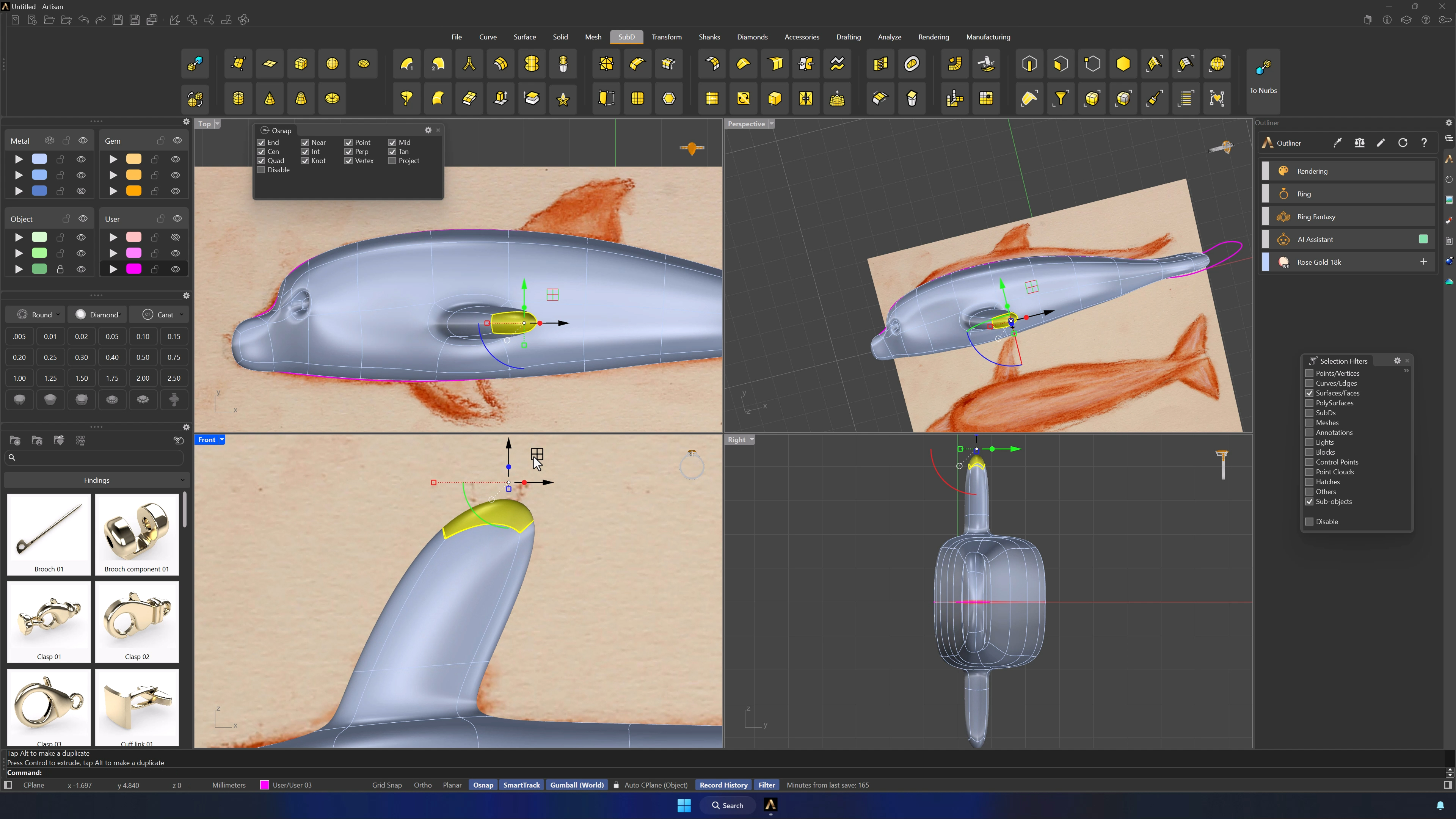
11. Model the side fin
Split the fin’s face with a new edge and extrude from the Front view — short first, then extended to length. Scale the tip clean, add definition with Insert Edge, reposition the bottom loop, and use Wireframe when the geometry hides itself.
12. Build the top fin and continue shaping the body
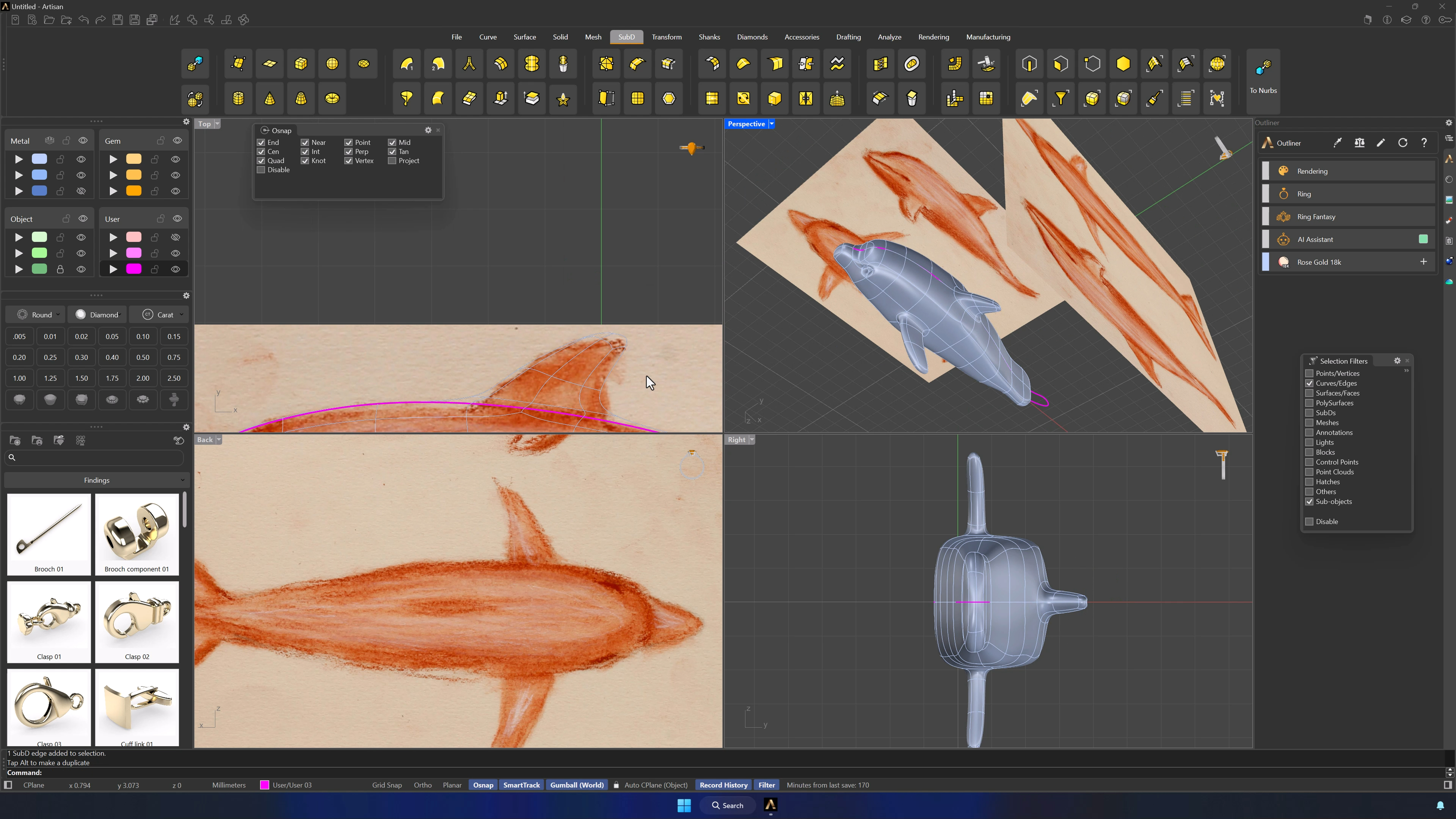
With an edge in position for the dorsal fin (removing symmetry from the command bar if it gets in the way), work from the Back view: Subdivide the top faces, extrude the central ones into the fin, and shape against the reference.
13. Finalize the dolphin form and restore reference alignment
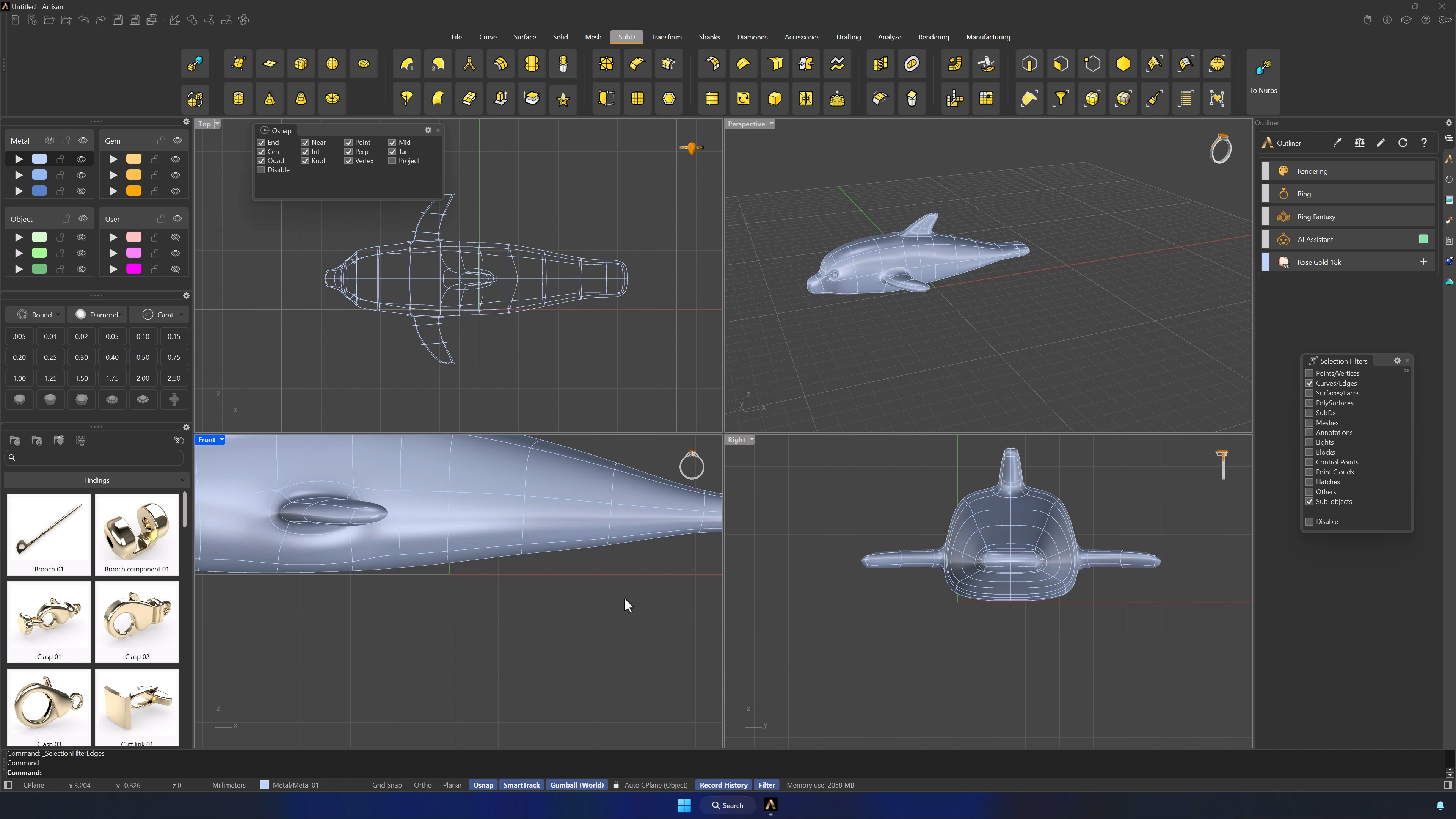
Rotate the dolphin 90°, unlock and realign the reference in Top view, and make the final passes: rounding edge loops, shifting them to refine the silhouette, and scaling both sides equally if symmetry drifted. Hide the references when it’s done.
14. Align the model to the X-axis and prepare for ring conversion
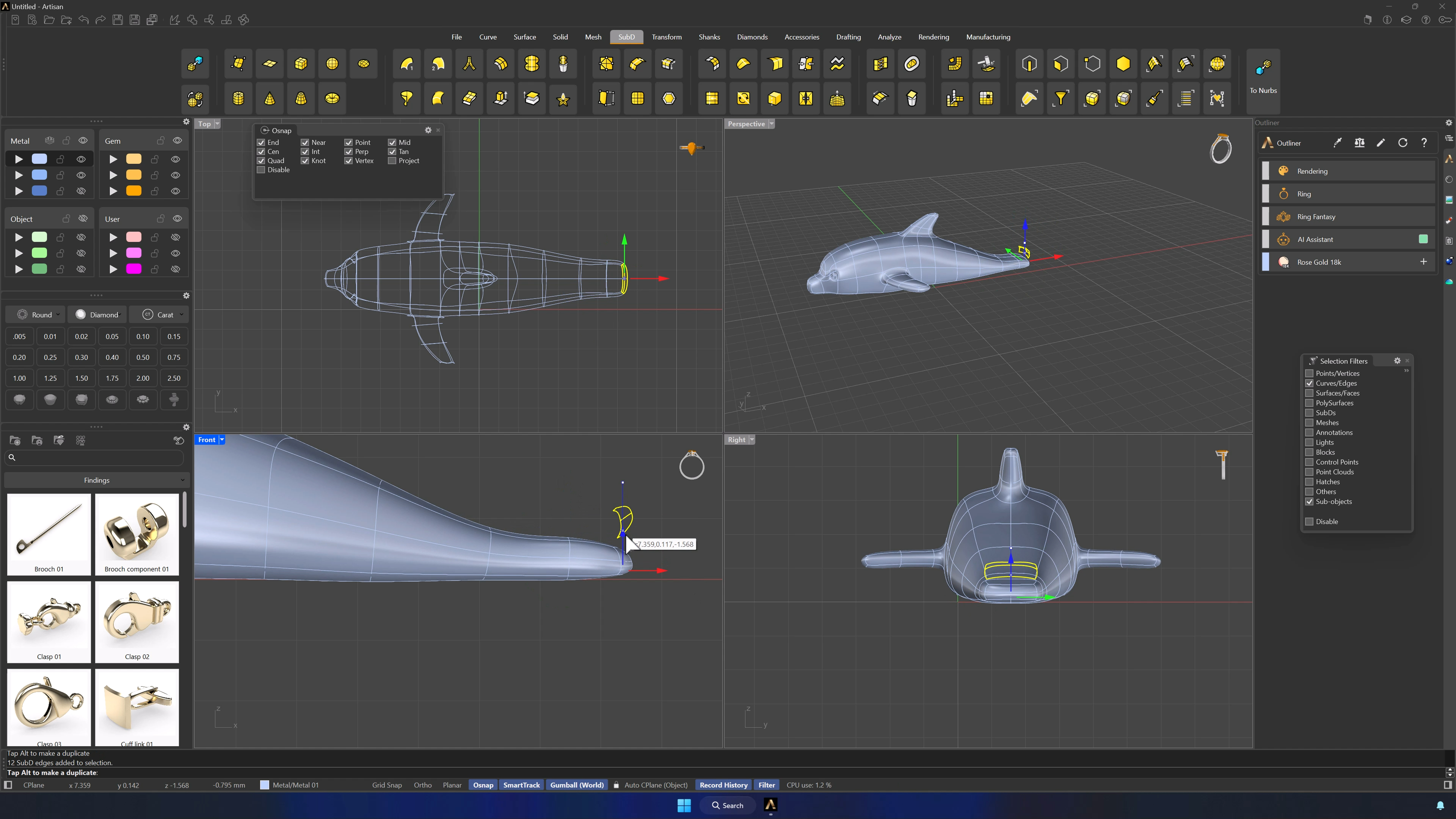
Filters off. Set the dolphin along the X axis with the tail resting on it, narrowing the tail if needed, and bring back the reference curve to check proportions one last time before the transformation.
Almost there — you still have some lessons to complete. Jump to the next one →
Impersonating — progress and reviews are disabled.
Course completed
You've completed Living Jewels: SubD Creature Sculpting 🎉
Great work. Get your certificate of completion and, if you have a minute, let other jewelers know what you thought of the course.