Turtle Pave Pendant
Lesson 15 of 29
Remesh & Gem Surface
Sign in to access this lesson
This lesson is part of Living Jewels: SubD Creature Sculpting, which can come bundled with a RhinoArtisan Commercial license subject to current promotions. Log in with your customer account, or get in touch and we'll set you up.
Customers only
Solo para clientes
This lesson is part of Living Jewels: SubD Creature Sculpting, which can be included with a RhinoArtisan Commercial license subject to current promotions. If you've already purchased and don't see it in your account, get in touch.
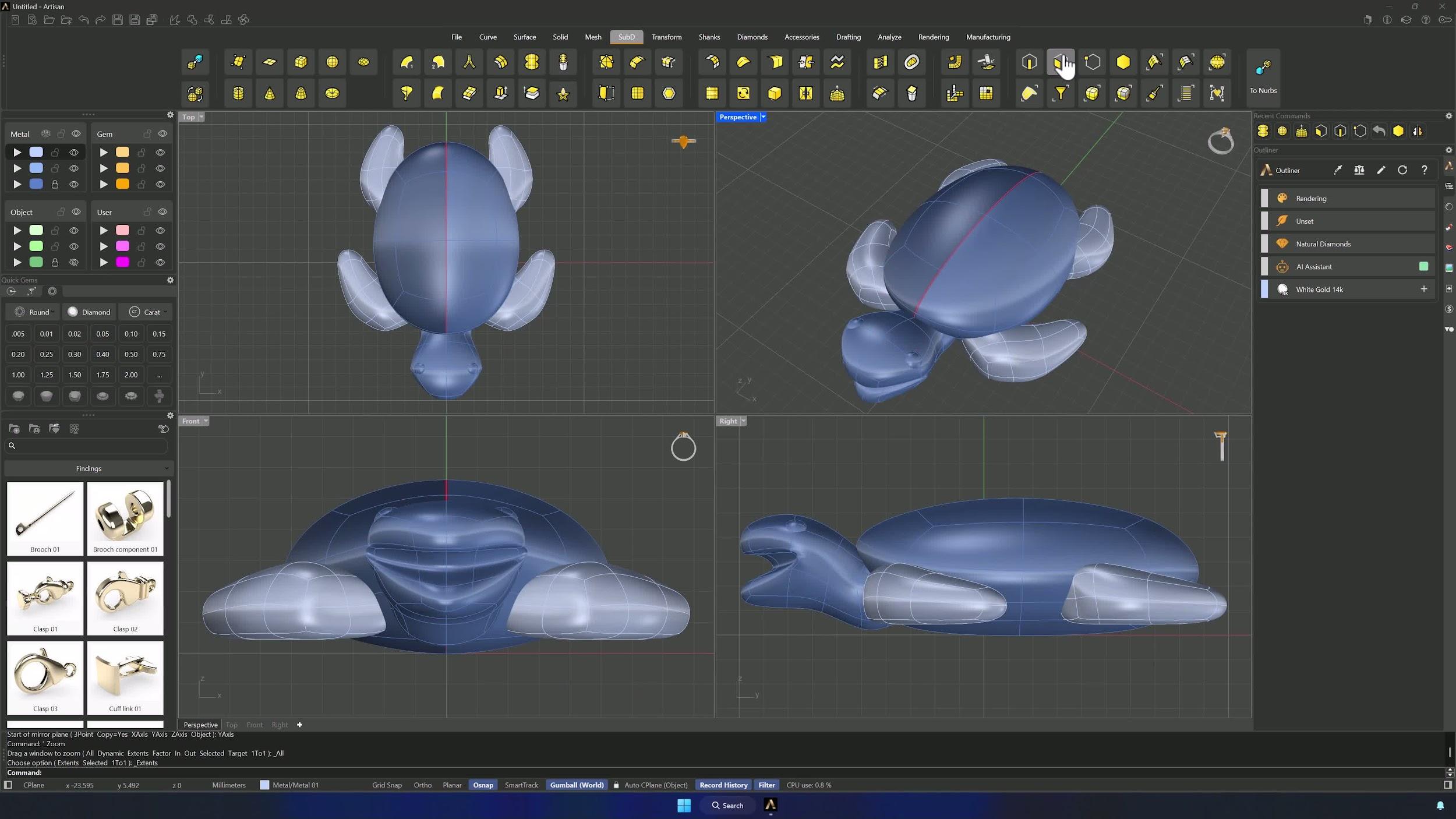
8. Convert the model for gem placement
Remove the body’s symmetry (Reflect > Remove), gather everything on one layer and Boolean Union it into a single object. Then Quad Remesh: Convert to SubD, Preview and Hide Input on, Target Edge Length at 0.5 mm with Y symmetry. One unified, clean SubD turtle.
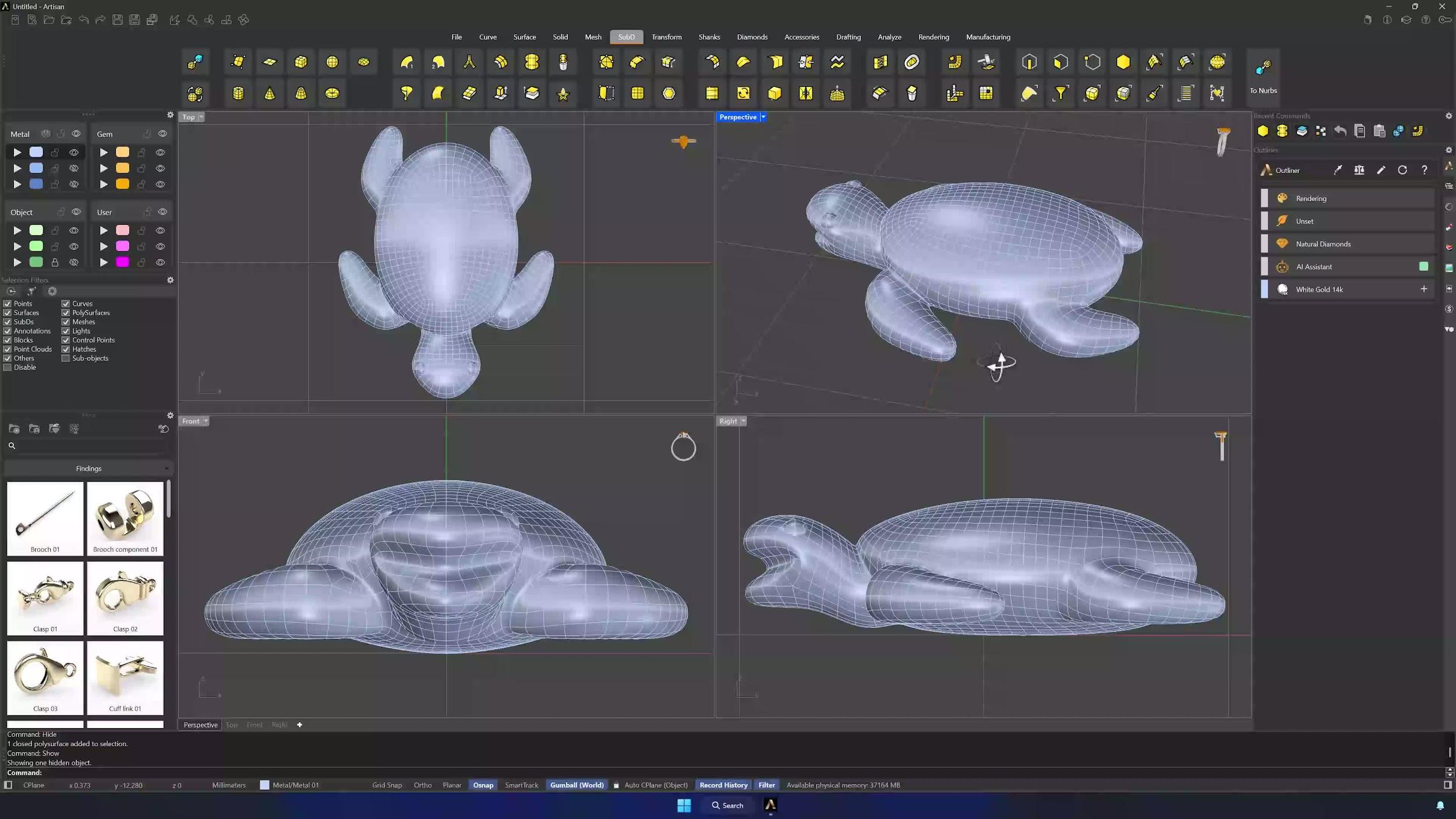
9. Extract the gem surface
Extract Surface (Copy = Yes) on the shell area that will carry the gems — take it slowly and confirm the selection from several views before pressing Enter.
Almost there — you still have some lessons to complete. Jump to the next one →
Impersonating — progress and reviews are disabled.
Course completed
You've completed Living Jewels: SubD Creature Sculpting 🎉
Great work. Get your certificate of completion and, if you have a minute, let other jewelers know what you thought of the course.