Butterfly Pendant
Lesson 29 of 34
Overview
Sign in to access this lesson
This lesson is part of Pavé Perfection: Gemstone Detailing & Setting, which can come bundled with a RhinoArtisan Commercial license subject to current promotions. Log in with your customer account, or get in touch and we'll set you up.
Customers only
Solo para clientes
This lesson is part of Pavé Perfection: Gemstone Detailing & Setting, which can be included with a RhinoArtisan Commercial license subject to current promotions. If you've already purchased and don't see it in your account, get in touch.
Downloads
A butterfly is pure organic symmetry — flowing wings that have to feel alive rather than mechanical. The surest way to capture that is to let a real drawing lead, tracing its lines rather than inventing them freehand. This closing project turns a flat 2D butterfly image into a finished 3D gemstone pendant: you’ll trace the wings over a locked reference, mirror and remesh the form into smooth SubD, and set it with gems on curves, interior pavé and a marquise center stone in a six-claw basket.
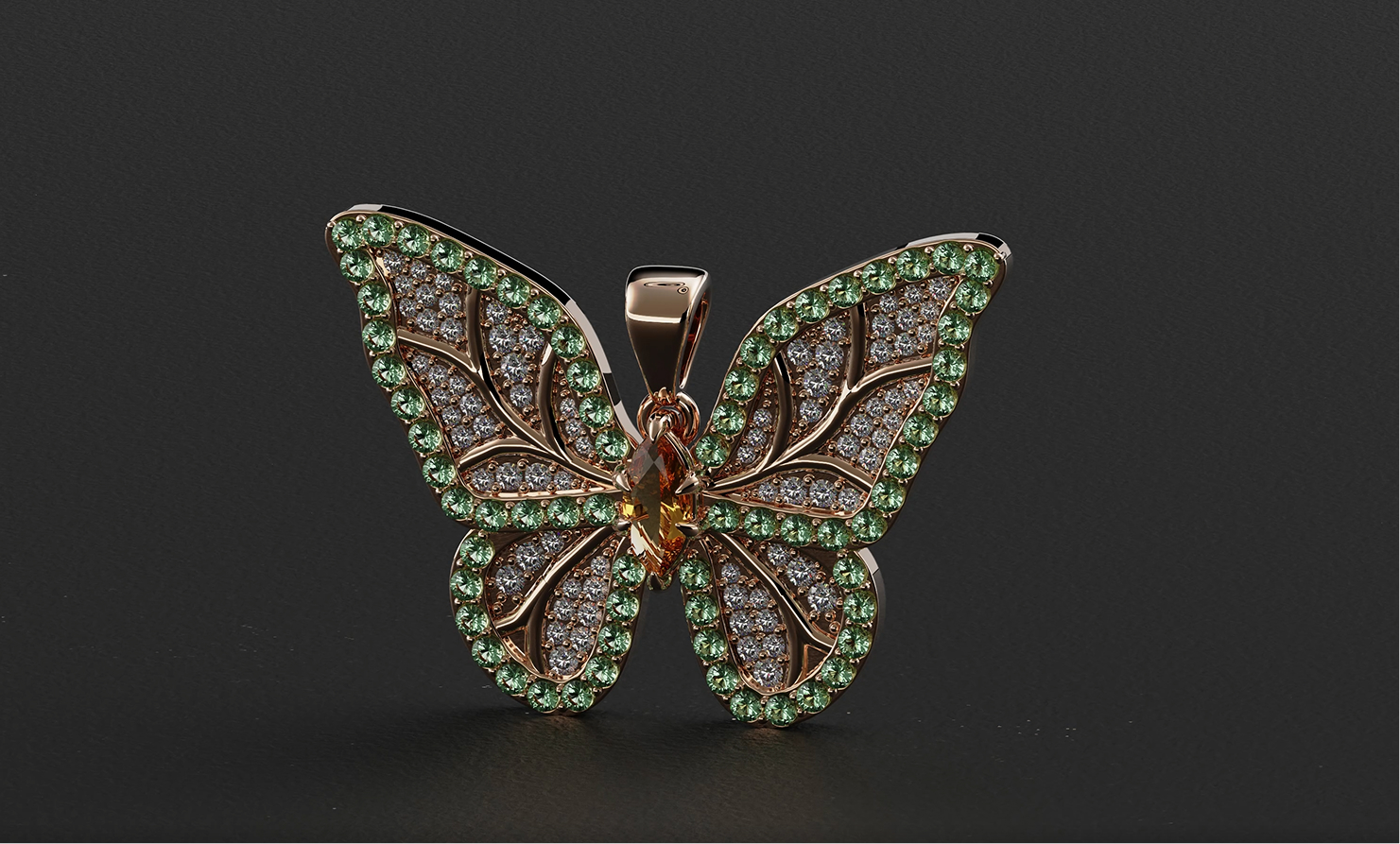
Design a butterfly pendant using RhinoArtisan.
In this tutorial you will learn how to:
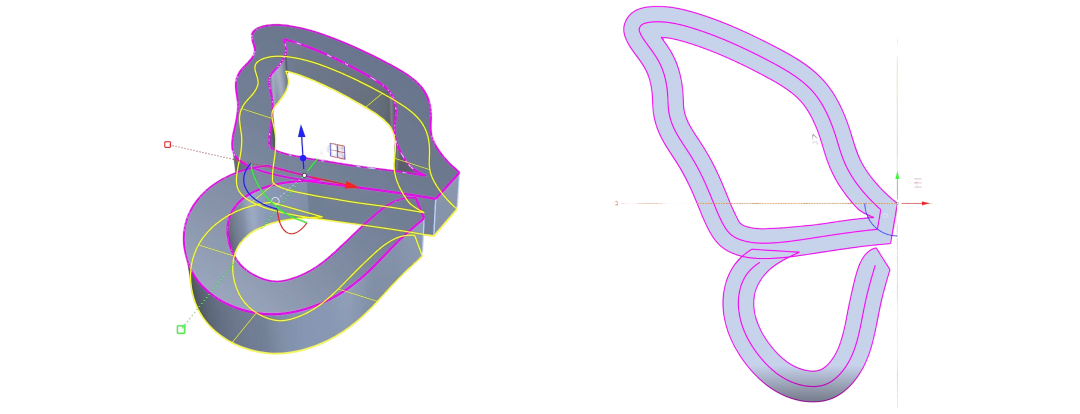
- Trace the outline over a locked reference image, close the curves, and build the first wing with From Planar Curve and an extrude.
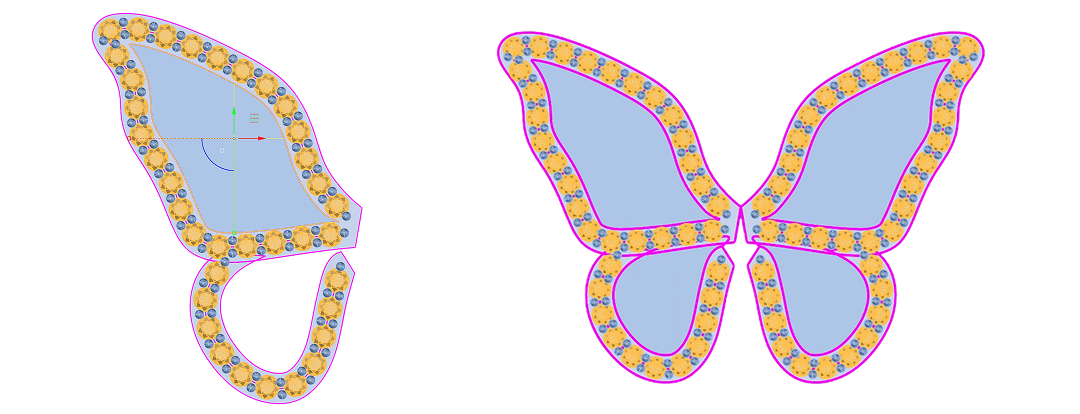
- Extract an Isocurve along the wing, set the outer gems with Gems on Curve at 1.35 mm, and Mirror the wing to the other side.
- Add the marquise center stone and secure it in a six-claw basket with Gem Studio.
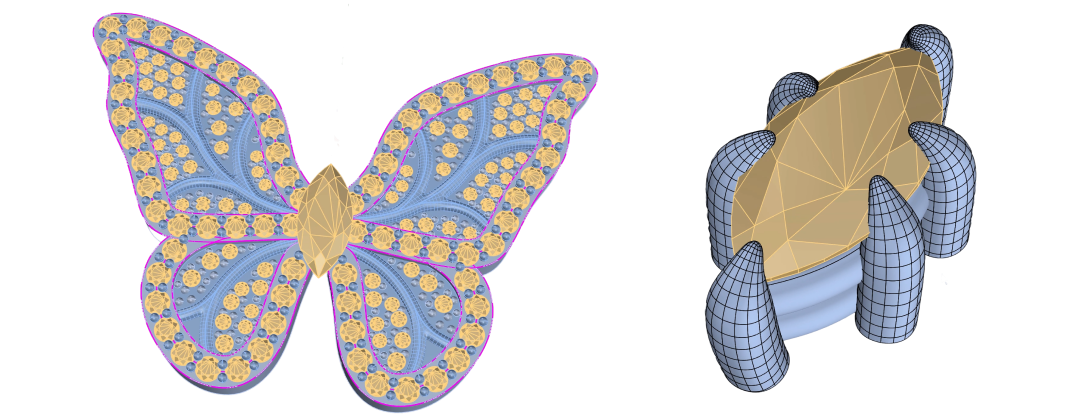
- Fill the wings with the remaining Pavé and prongs, then finish with Quad Remesh, Boolean Difference and a custom Bail.
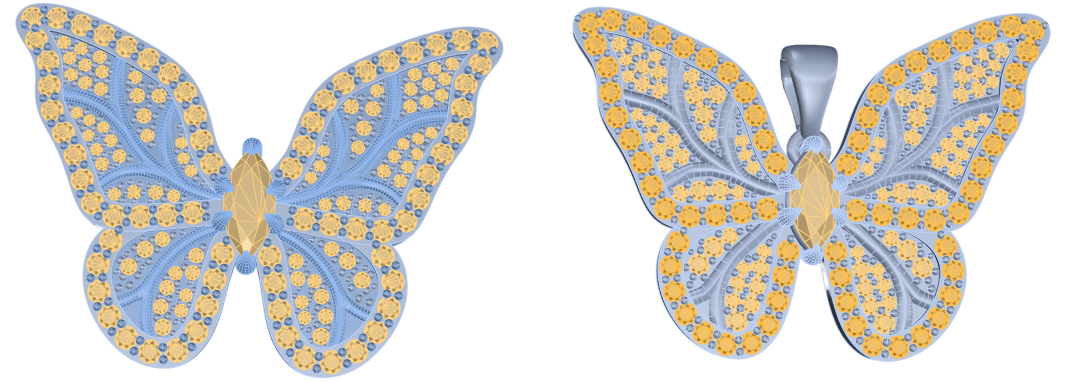
By the end of this project, you’ll have the skills to turn a 2D drawing into a fully set butterfly pendant from scratch.
Almost there — you still have some lessons to complete. Jump to the next one →
Impersonating — progress and reviews are disabled.
Course completed
You've completed Pavé Perfection: Gemstone Detailing & Setting 🎉
Great work. Get your certificate of completion and, if you have a minute, let other jewelers know what you thought of the course.