Anchor Chain Earrings
Lesson 7 of 34
Overview
Sign in to access this lesson
This lesson is part of Pavé Perfection: Gemstone Detailing & Setting, which can come bundled with a RhinoArtisan Commercial license subject to current promotions. Log in with your customer account, or get in touch and we'll set you up.
Customers only
Solo para clientes
This lesson is part of Pavé Perfection: Gemstone Detailing & Setting, which can be included with a RhinoArtisan Commercial license subject to current promotions. If you've already purchased and don't see it in your account, get in touch.
Downloads
An anchor chain link looks simple, but its smooth tapering loop hides no flat face and no straight run to measure against — every curve is judged against the reference by eye. This pair of earrings takes that organic SubD form all the way to a fully set jewel, combining QuadRemesh smoothing with two scales of pavé, a signature honeycomb cutout and a custom bail. You’ll build one link, then repeat the recipe at a smaller scale for its partner and assemble both into a paired, render-ready set.
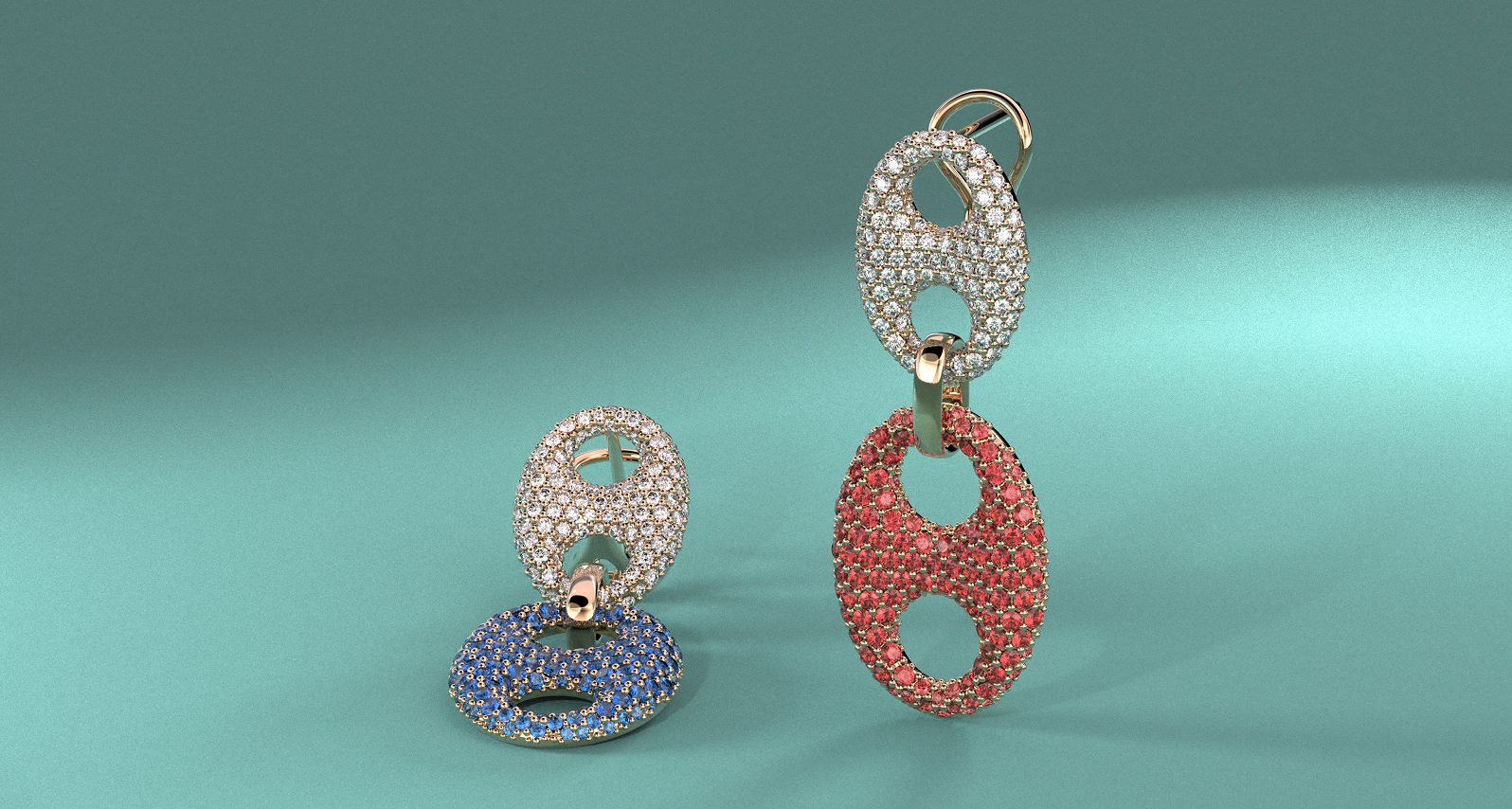
Design pavé anchor chain earrings using RhinoArtisan.
In this tutorial you will learn how to:
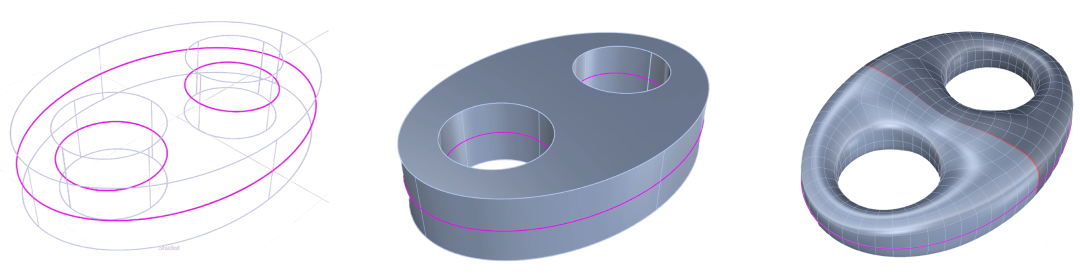
- Extrude the curves into a 2 mm solid, convert it with QuadRemesh, and refine the form using Symmetry and Soft Transform before splitting off the setting area.
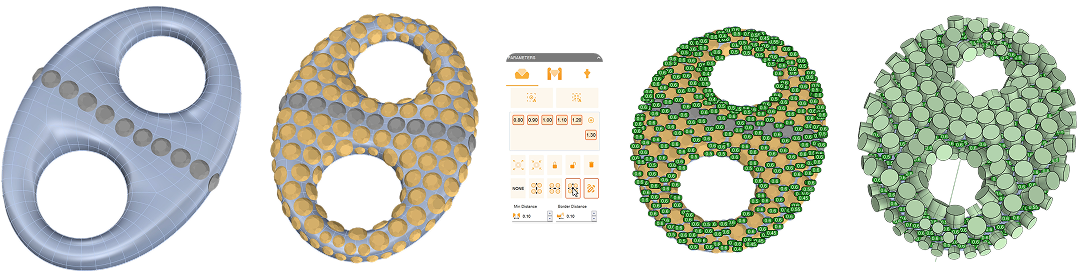
- Lay a descending Pave layout from 1.3 to 0.8 mm, generate prongs and cutters, then Offset the SubD into a solid and open the seats with Boolean Difference.
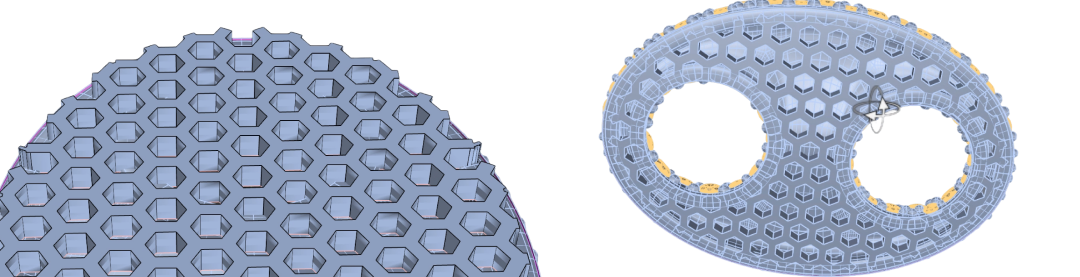
- Build a Honeycomb lattice from an offset margin curve, align it to the base, and cut the openings with an extrude and Boolean Difference.
- Repeat the workflow at a smaller scale for the second link, then join both links with a custom Bail.
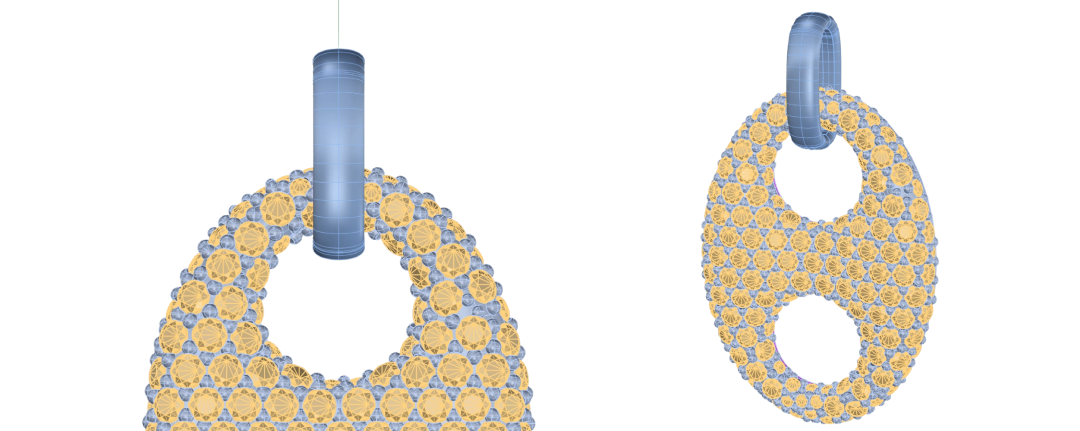
- Add an Omega clasp and post, and finish the set with Pair into a paired, render-ready set.
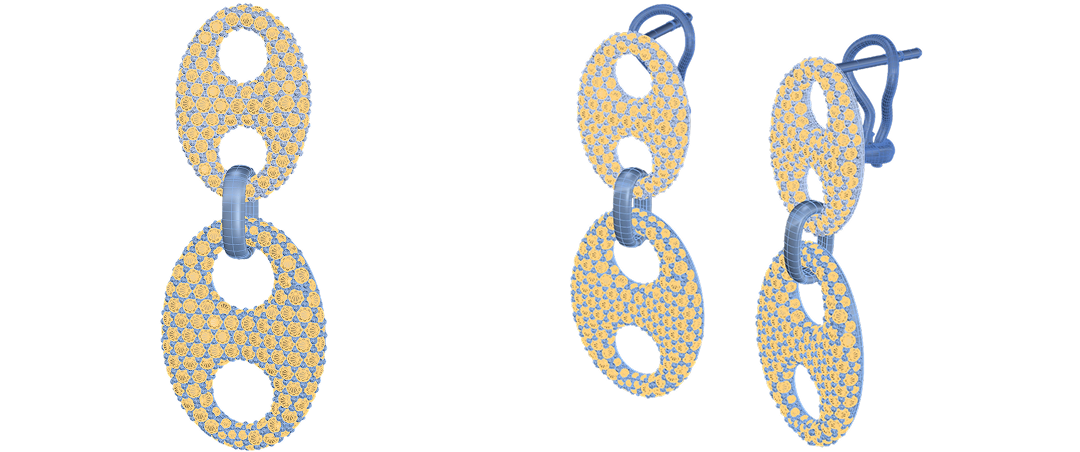
By the end of this project, you’ll have the skills to model a paired set of pavé anchor chain earrings from scratch.
Almost there — you still have some lessons to complete. Jump to the next one →
Impersonating — progress and reviews are disabled.
Course completed
You've completed Pavé Perfection: Gemstone Detailing & Setting 🎉
Great work. Get your certificate of completion and, if you have a minute, let other jewelers know what you thought of the course.