Create the Basket
Step 1: Basket Command
In the “Diamonds” tab, select the gem and choose the Basket command.

Step 2: Basket Library
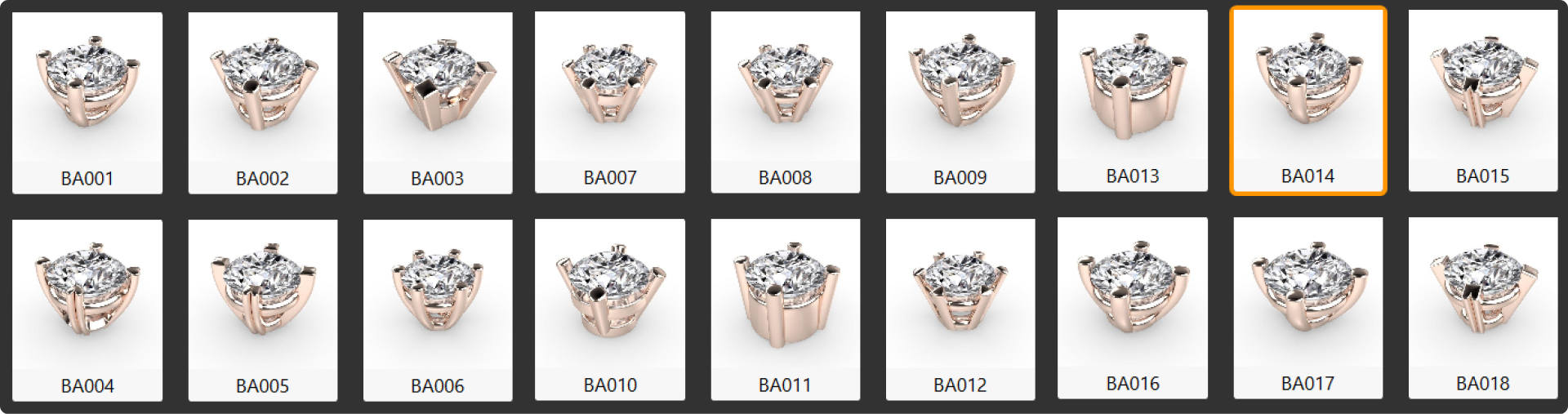
Choose the BA014 basket model and press Edit.
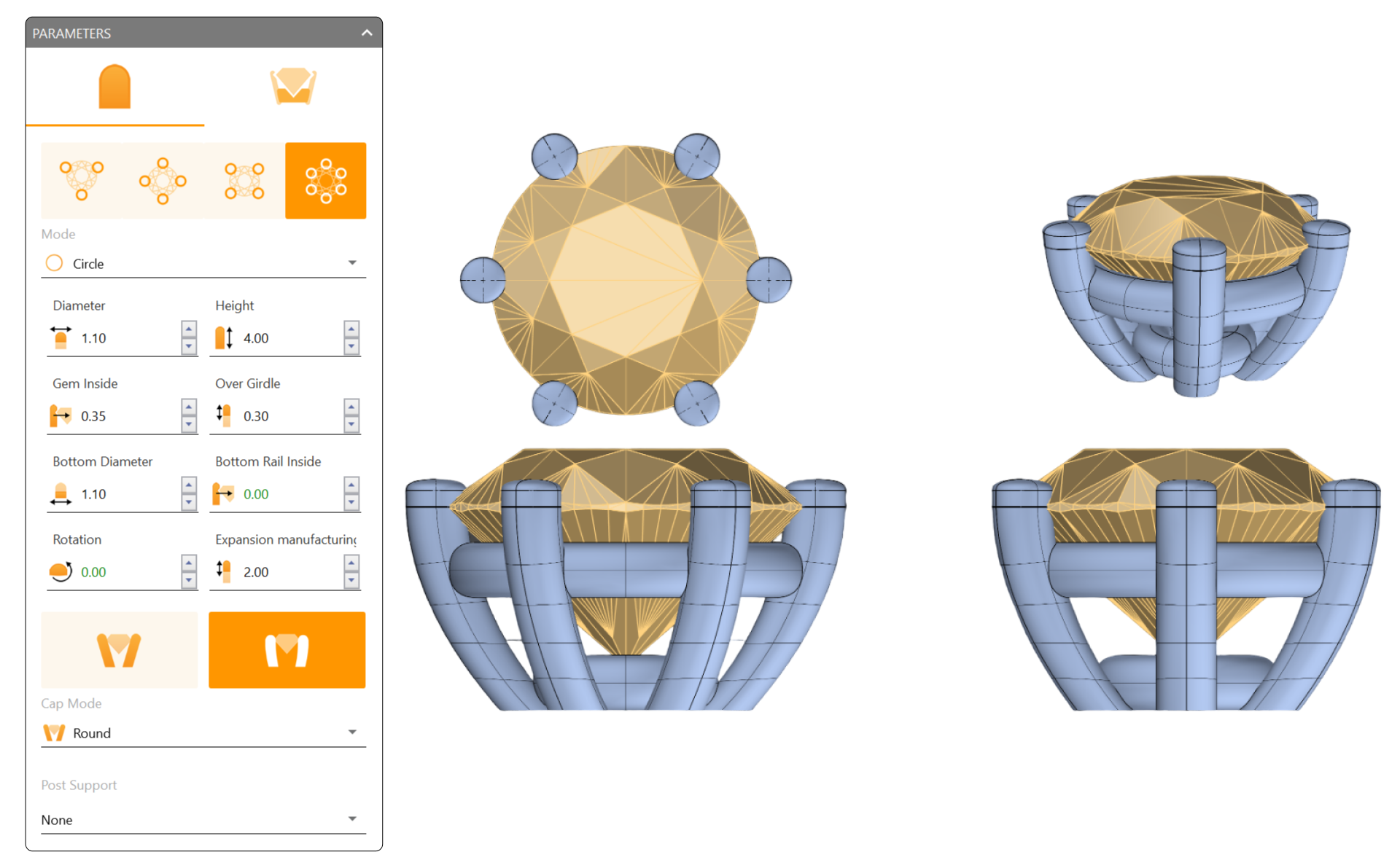
Step 3: Modify the following parameters:
- Set Prongs to 6.
- Mode: Circle
- Diameter: Leave the default at 1.10 millimeters.
- Height: 4 millimeters
- Gem Inside: 0.35 millimeters
- Over Girdle: 0.30 millimeters
- Bottom Diameter: 1.1 millimeters
Video Lesson
Next Step: Adjust the rails of the basket for stability.