Shank: Prongs Settings
Step 1: Prongs Settings
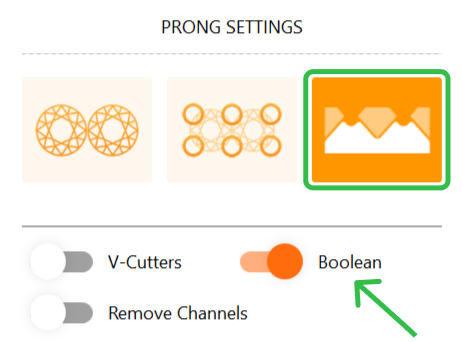
In the “Prong Settings” section, activate the third option (scalloped) and the “Boolean” mode.
Step 2: Cutters
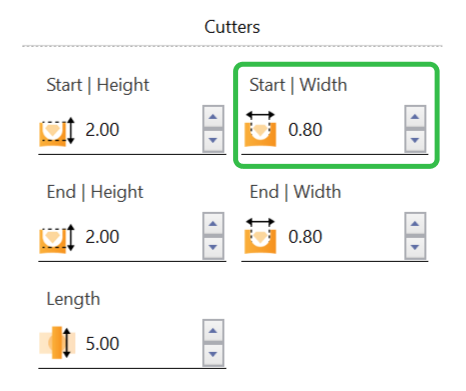
Adjust the cutter Start width to 0.8 millimeters.
Step 3: V-Cutters and Drill
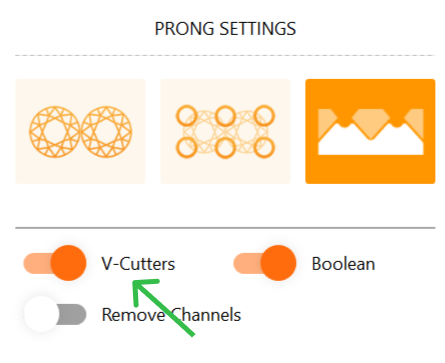
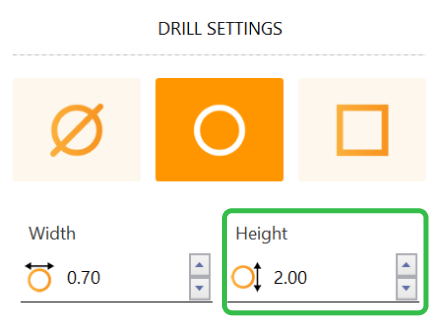
Activate the “V-Prongs” mode. In the drill options, change the width of the Drill to 2 millimeters.
Video Lesson
Next Step: Finalize the halo prongs.