Introduction to RhinoArtisan
Lesson 2 of 43
Rhino and RhinoArtisan Interface
Sign in to access this lesson
This lesson is part of Kickstart: From idea to Creation, which can come bundled with a RhinoArtisan Commercial license subject to current promotions. Log in with your customer account, or get in touch and we'll set you up.
Customers only
Solo para clientes
This lesson is part of Kickstart: From idea to Creation, which can be included with a RhinoArtisan Commercial license subject to current promotions. If you've already purchased and don't see it in your account, get in touch.
Rhino and RhinoArtisan Interface
RhinoArtisan works as a Rhinoceros plugin and has its interface. In terms of functionality, it is the same, so why have we created a different interface? The main reason is ease of use. We have created a focused interface for jewellery design by integrating RhinoArtisan’s functionalities.
_We recommend that you use the interface you are most comfortable with._😄
RhinoArtisan recommends Dark Mode, even in Rhino.
RhinoArtisan 6 works on Rhino 8, which now features a Dark Mode for reduced eye strain during extended design sessions. RhinoArtisan’s interface will automatically adjust to this mode. We recommend enabling Dark Mode if you prefer working with the Rhino interface.
Dark mode offers several advantages. It helps reduce eye strain by lowering screen brightness, making it more comfortable to use for long periods in low-light environments.
Additionally, dark mode can improve sleep quality by reducing exposure to blue light, which can interfere with sleep patterns in the evening. On OLED and AMOLED displays, the dark mode also benefits battery life, as dark pixels consume less power than bright ones. Visually, dark mode enhances aesthetics by making certain elements, such as text and buttons, stand out more prominently, aiding focus. Moreover, it minimizes screen glare in dimly lit settings, making it easier to work or read in such environments.
How to start in RhinoArtisan mode?
To run RhinoArtisan with its interface, you will find a RhinoArtisan icon on your desktop and in the Windows start menu.
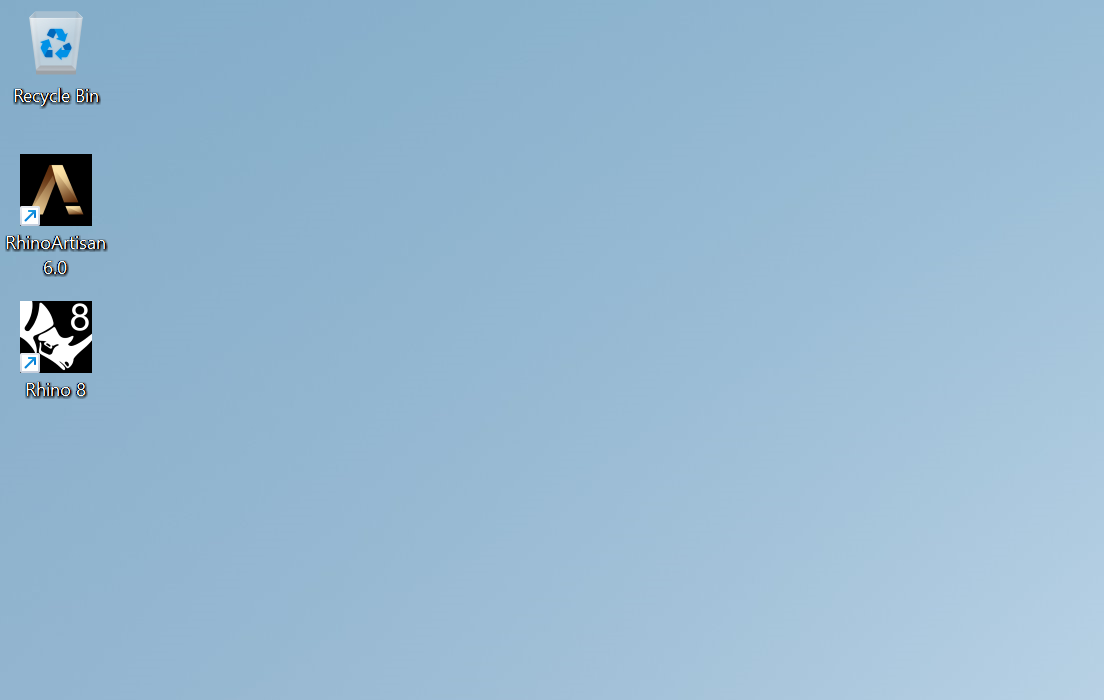
Windows 11 Desktop
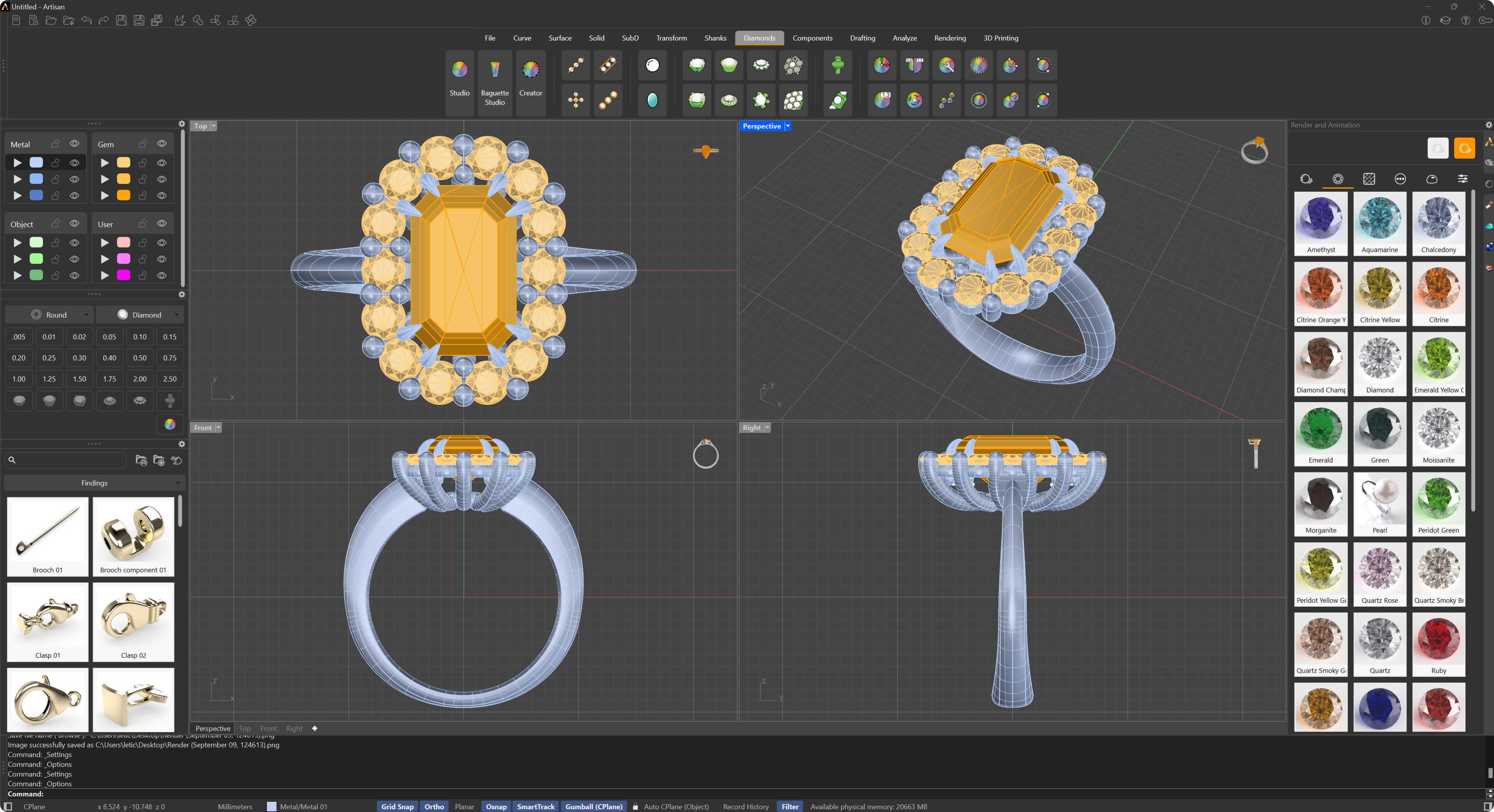
RhinoArtisan User Interface
How to start in Rhino mode?
To run it in Rhino mode, open Rhino as usual.
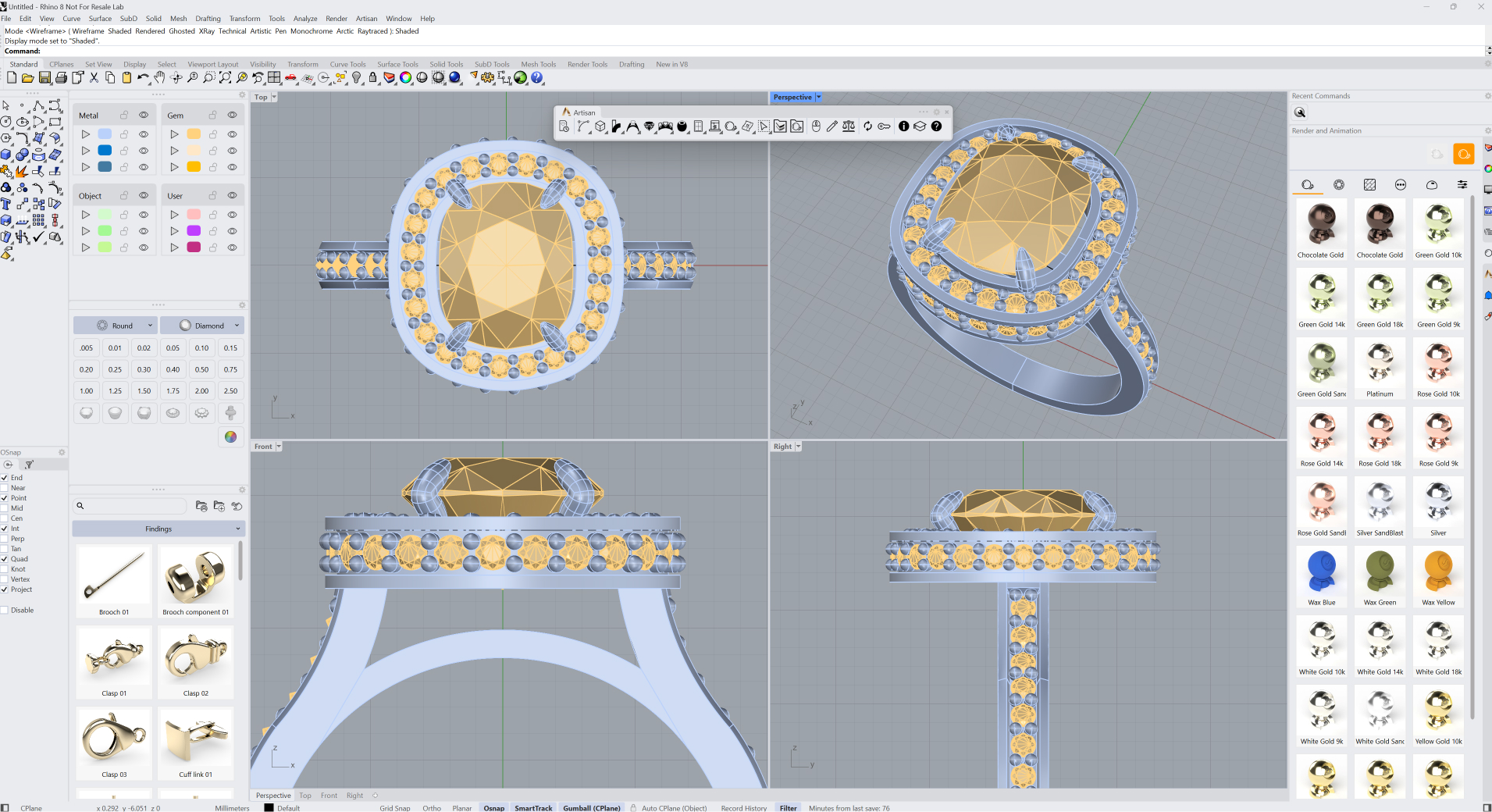
Rhino User Interface
Almost there — you still have some lessons to complete. Jump to the next one →
Impersonating — progress and reviews are disabled.
Course completed
You've completed Kickstart: From idea to Creation 🎉
Great work. Get your certificate of completion and, if you have a minute, let other jewelers know what you thought of the course.