Pricing
Lesson 17 of 18
Settings, Timing & Reports
Sign in to access this lesson
This lesson is part of Jewelry Production & Manufacturing Essentials, which can come bundled with a RhinoArtisan Commercial license subject to current promotions. Log in with your customer account, or get in touch and we'll set you up.
Customers only
Solo para clientes
This lesson is part of Jewelry Production & Manufacturing Essentials, which can be included with a RhinoArtisan Commercial license subject to current promotions. If you've already purchased and don't see it in your account, get in touch.
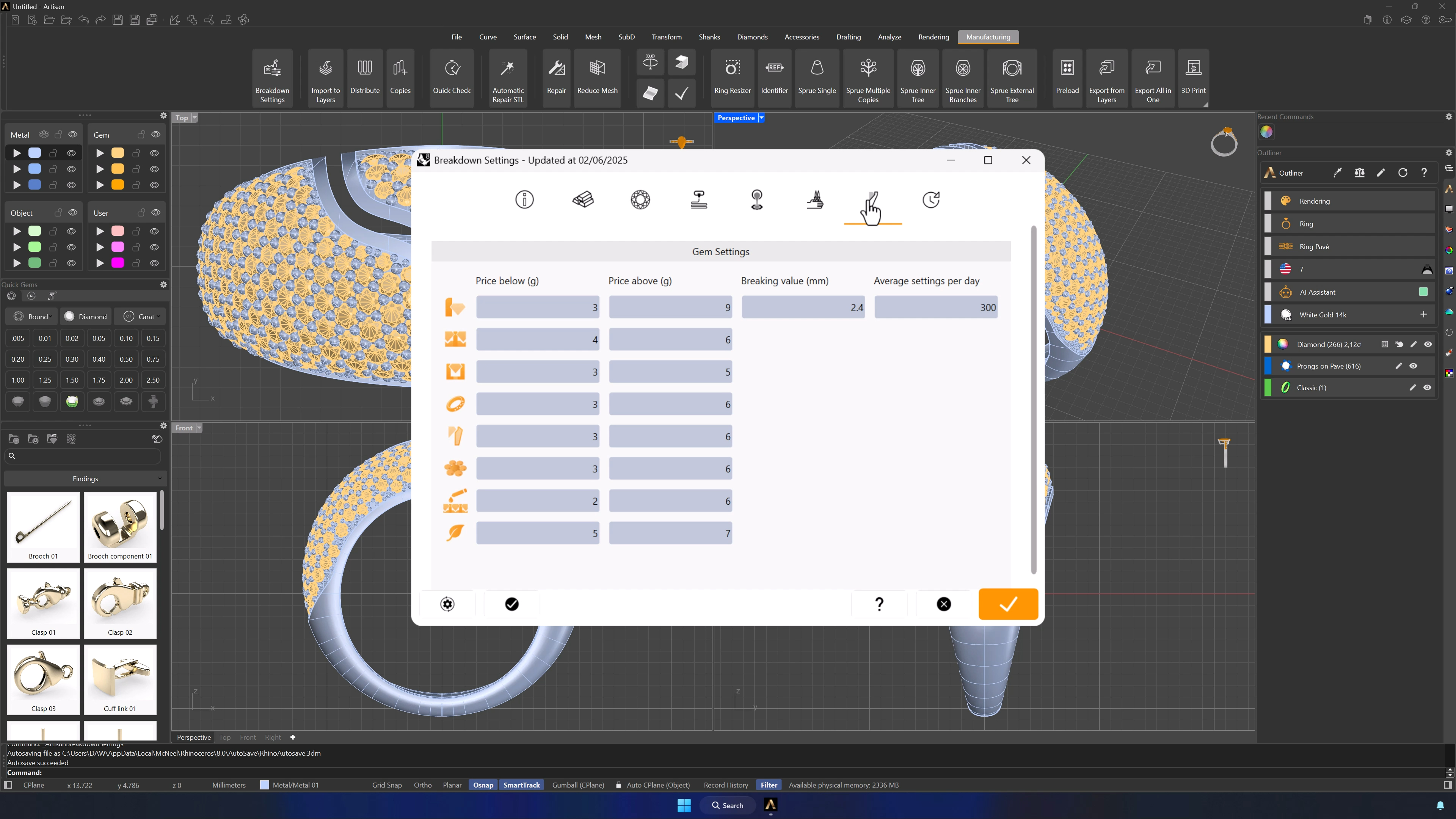
9. Configure gem setting types and daily capacity
In the Gem Settings tab, price up to eight stone setting types and set the daily setting capacity — the number that lets the system plan production, not just cost it.
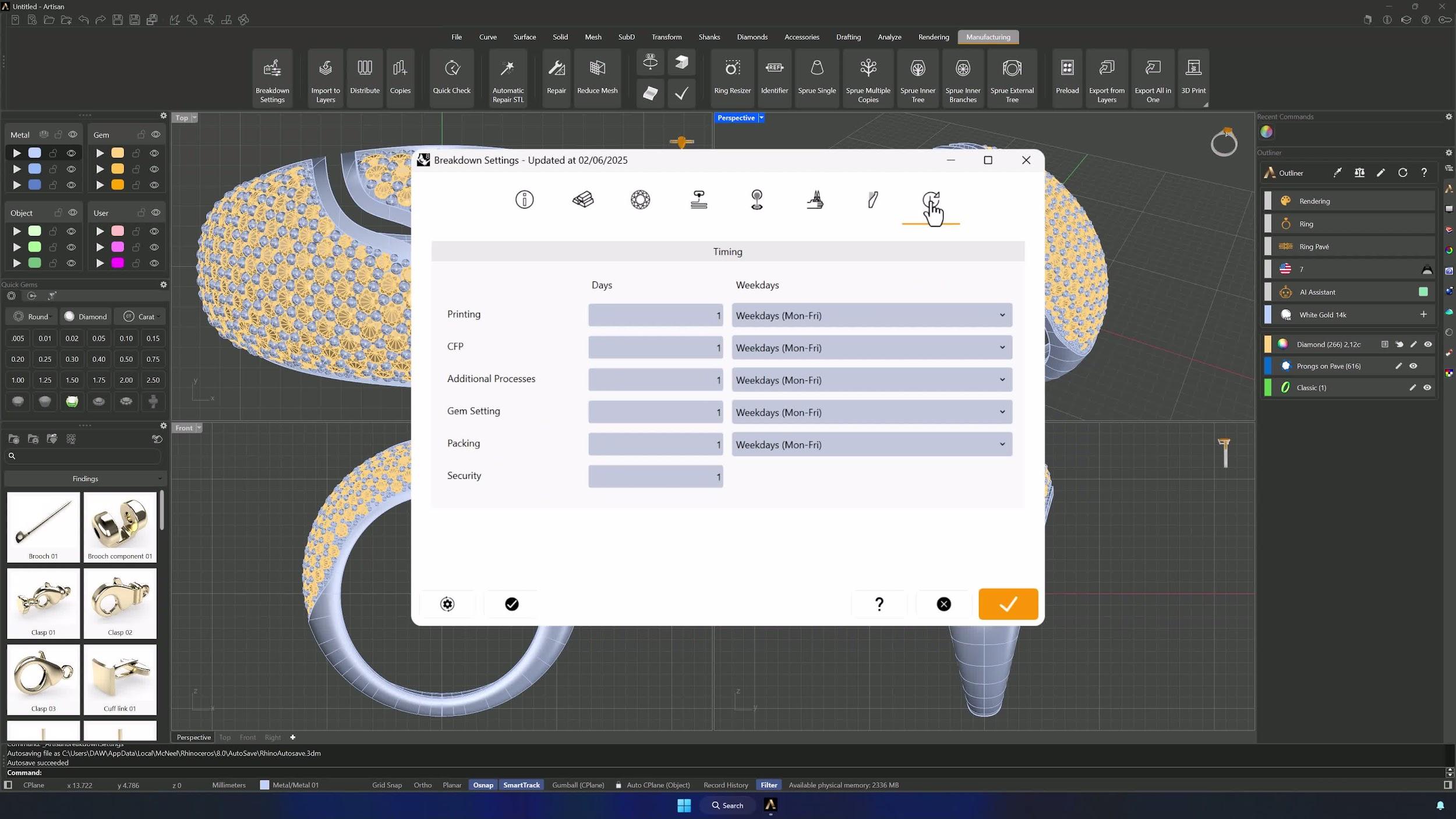
10. Set process timing and workdays
The Timing tab maps your calendar: how many workdays each process takes and which weekdays each task runs. Scheduling accuracy and delivery estimates come straight from here.
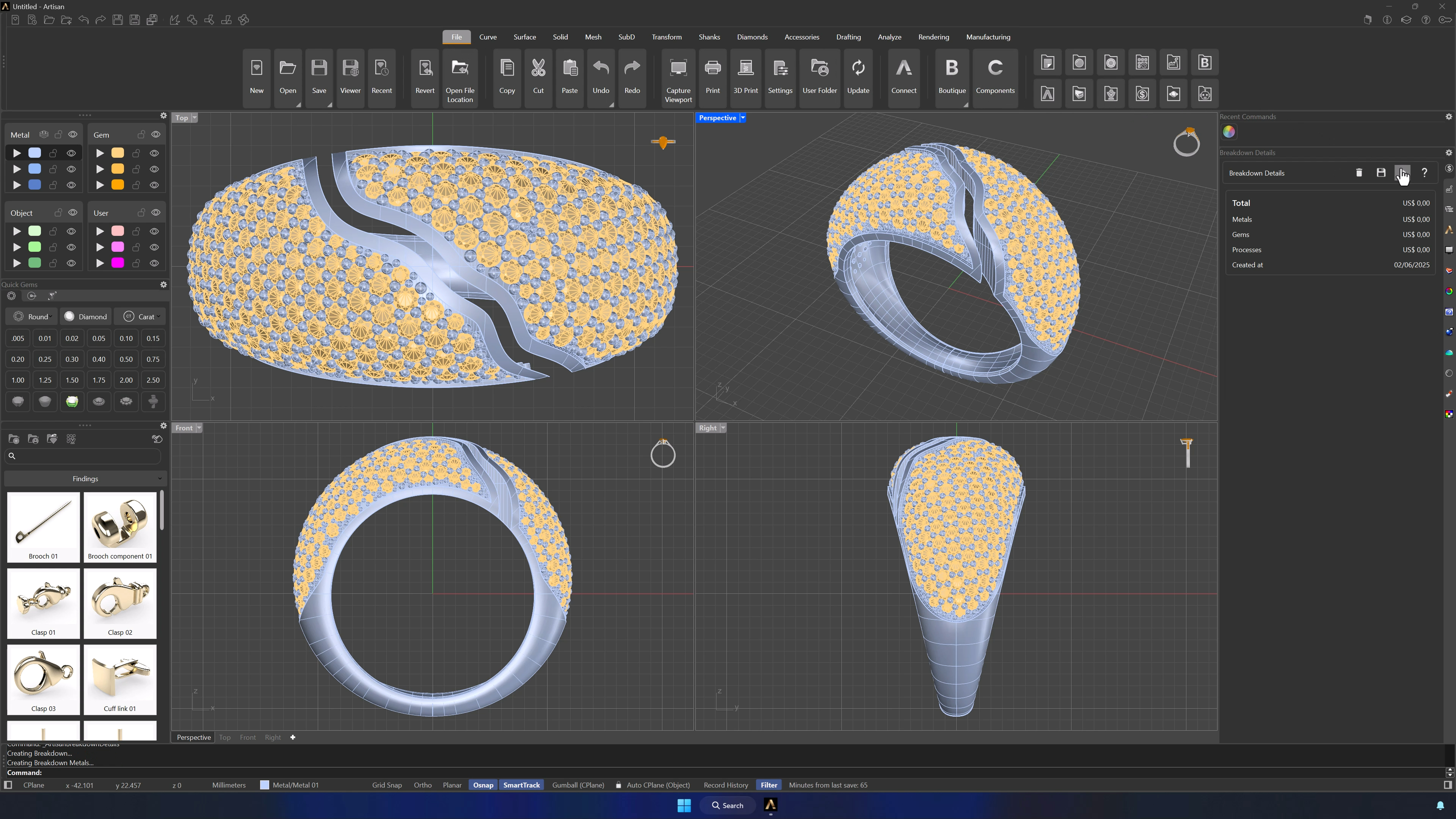
11. Generate the full pricing report from Files
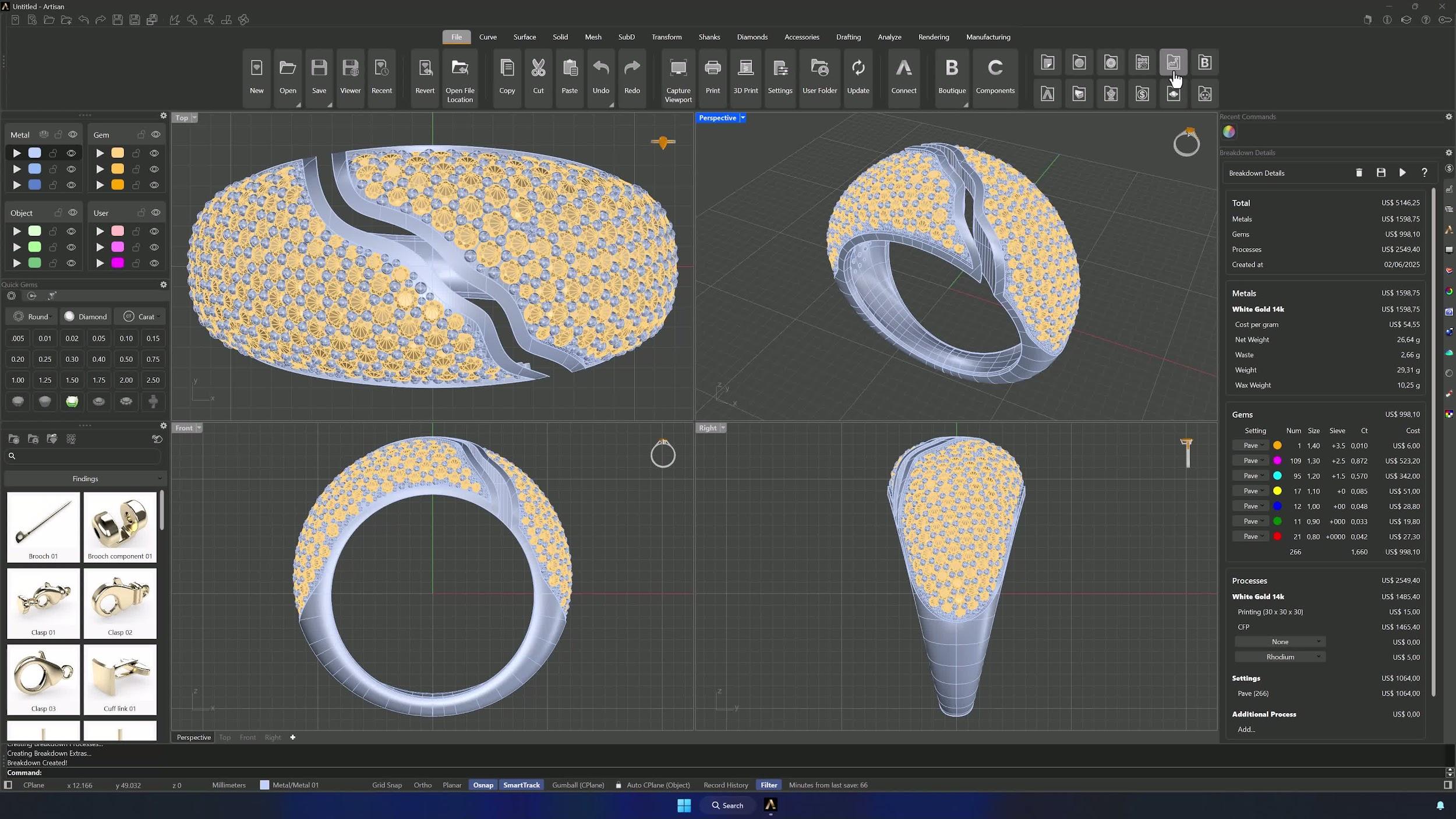
With everything configured, go to the Files tab, open Breakdown Details and press Play. The full pricing report covers total metal cost, gemstone cost and quantities by size, process costs, and the detailed structure of every production step.
12. Generate the technical report and export to Excel
The Technical Chart panel produces the same breakdown without prices — perfect for the production team — with all weights and stone quantities. From the Breakdown panel, export to Excel for analysis, documentation or your audit trail.
Tips for a clean result
- Verify live metal prices before computing — stale market data means wrong quotes.
- Watch the units: Troy ounces, fineness, weight ranges and per-carat prices are each easy to mix up.
- Don’t export reports until every tab is configured, and confirm the currency in Info first.
- Keep a reference sheet of metal prices, gem ranges and labor rates to speed up updates, and refresh market prices on a schedule.
- Consistent names for custom processes and jewelry types make maintenance painless.
- Export to Excel after each major configuration change if you want a backup.
Almost there — you still have some lessons to complete. Jump to the next one →
Impersonating — progress and reviews are disabled.
Course completed
You've completed Jewelry Production & Manufacturing Essentials 🎉
Great work. Get your certificate of completion and, if you have a minute, let other jewelers know what you thought of the course.