Print-Ready Jewelry Report
Lesson 1 of 18
Overview
Sign in to access this lesson
This lesson is part of Jewelry Production & Manufacturing Essentials, which can come bundled with a RhinoArtisan Commercial license subject to current promotions. Log in with your customer account, or get in touch and we'll set you up.
Customers only
Solo para clientes
This lesson is part of Jewelry Production & Manufacturing Essentials, which can be included with a RhinoArtisan Commercial license subject to current promotions. If you've already purchased and don't see it in your account, get in touch.
A finished model isn’t a finished job — a piece isn’t done until it’s documented. This workflow produces the document that travels with every job: a complete, print-ready report generated straight from your model, from the Manufacturing tab’s Breakdown Settings all the way to a PDF with metal details, gem breakdowns, dimensioned views and multiple metals.
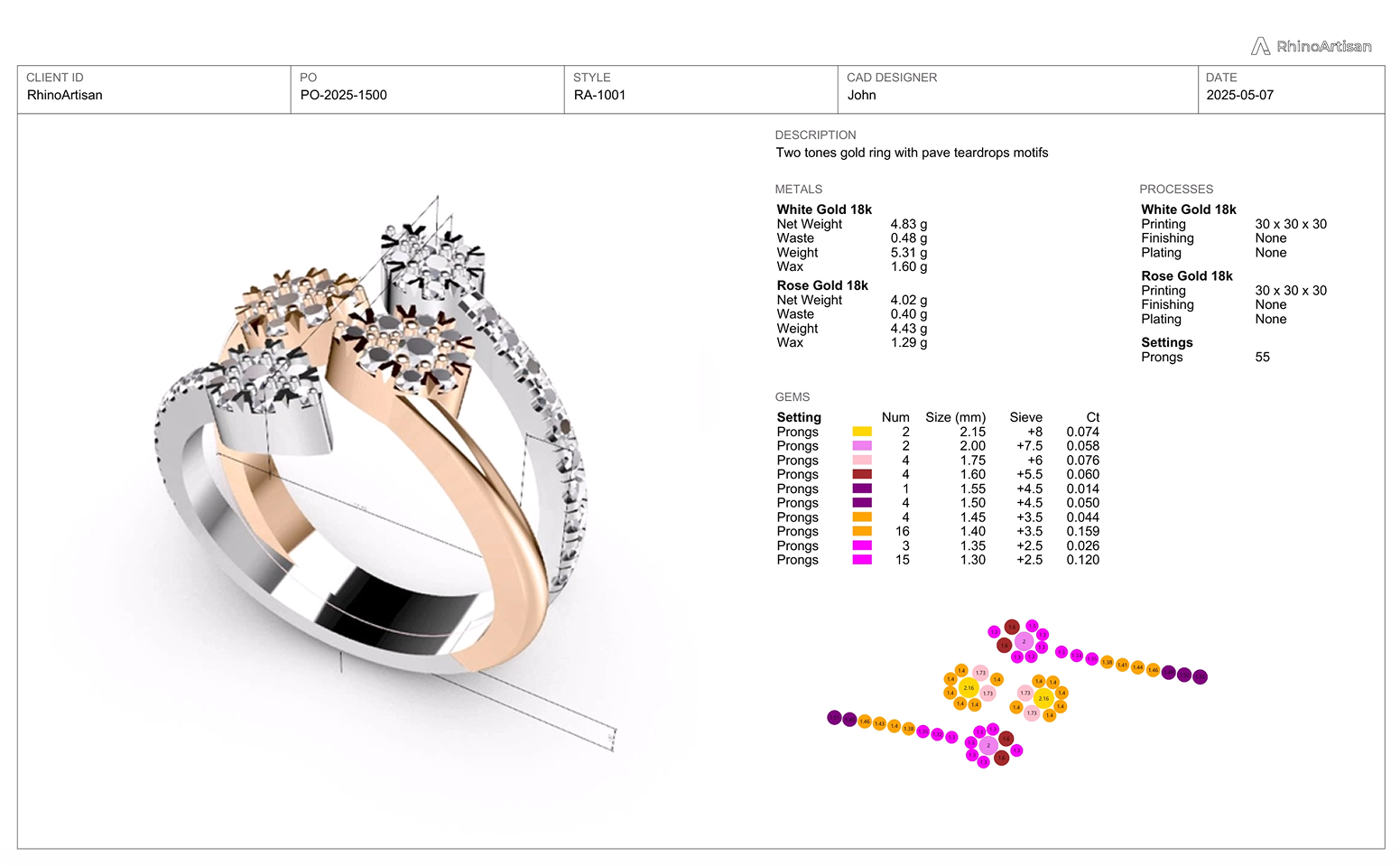
Generate a print-ready jewelry report using RhinoArtisan.
In this tutorial you will learn how to:
- Verify the Breakdown Settings, generate the model details, fill in the client and job information, and build the report from a template.
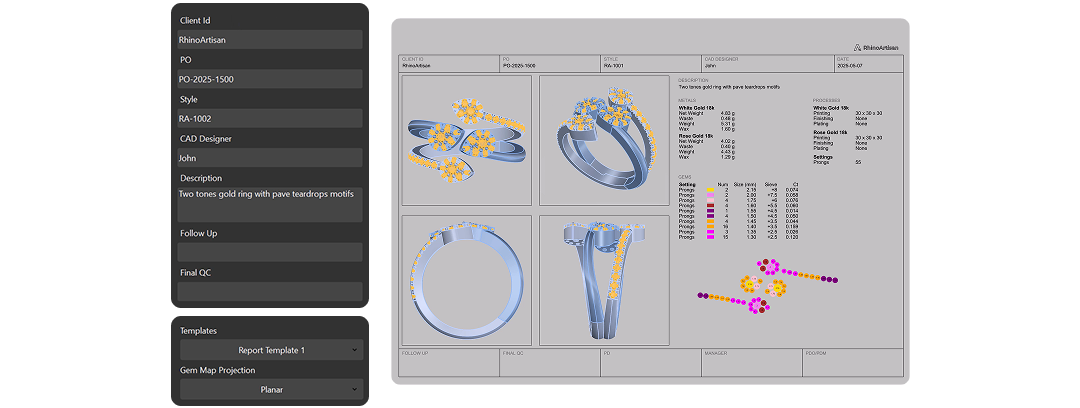
- Refine the model views, add automatic Dimensions in clean black, layer in extra metals, and export the finished PDF with 3D Print.
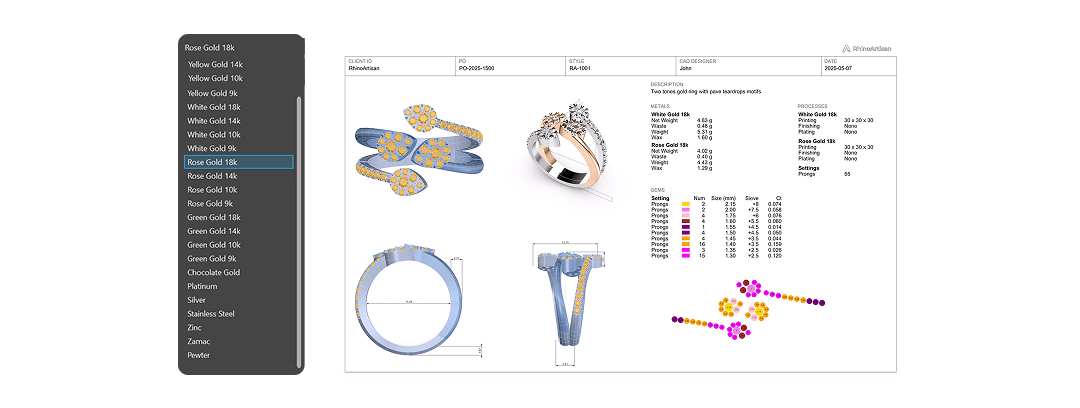
By the end of this project, you’ll have the skills to turn any finished model into a production-ready report from scratch.
Almost there — you still have some lessons to complete. Jump to the next one →
Impersonating — progress and reviews are disabled.
Course completed
You've completed Jewelry Production & Manufacturing Essentials 🎉
Great work. Get your certificate of completion and, if you have a minute, let other jewelers know what you thought of the course.