SubD Fundamentals
Lesson 2 of 16
SubD Interface
Sign in to access this lesson
This lesson is part of SubD Essentials: Organic Jewelry Design, which can come bundled with a RhinoArtisan Commercial license subject to current promotions. Log in with your customer account, or get in touch and we'll set you up.
Customers only
Solo para clientes
This lesson is part of SubD Essentials: Organic Jewelry Design, which can be included with a RhinoArtisan Commercial license subject to current promotions. If you've already purchased and don't see it in your account, get in touch.
SubD toolbar overview

SubD Options
 ToSubD: Converts a mesh, a surface or an extrusion object into a SubD object.
 Display: Switches the appearance of all SubD objects between smooth and flat modes.
 ToNurbs: Converts mesh objects and SubD objects/edges to NURBS surfaces or curves.
SubD Primitives

SubD primitives are basic shapes that Rhino provides to start modeling. Think of them as building blocks: from a cube, sphere, or cylinder, you can create any organic shape.
[embed]https://vimeo.com/1121777124\[/embed\]
Transformations

These tools allow you to manipulate, transform, and create complex SubD shapes by combining curves, surfaces, and primitives. They are essential for designing jewelry with precision and organic forms.
[embed]https://vimeo.com/1121798121\[/embed\]
Refinement Tools

These tools allow you to refine the structure of your SubD models, control topology, and add detail by manipulating vertices, edges, and faces. They are essential for creating clean, precise, and organic jewelry shapes.
[embed]https://vimeo.com/1121835273\[/embed\]
Topology Control Tools

These tools allow you to refine the surface quality, adjust topology, and control the smoothness or sharpness of your SubD models. They are essential for polishing organic jewelry shapes and preparing them for final production.
[embed]https://vimeo.com/1121868610\[/embed\]
Connection Tools

These tools are used to repair, connect, or remove parts of your SubD geometry. They are essential for maintaining clean topology and creating seamless, production-ready jewelry models.
[embed]https://vimeo.com/1121876419\[/embed\]
Optimization & Visualization Tools

These tools help optimize, repair, and visualize SubD meshes, ensuring clean topology and better control over the model’s structure. They are especially useful for preparing jewelry models for production or rendering.
Quad Remesh
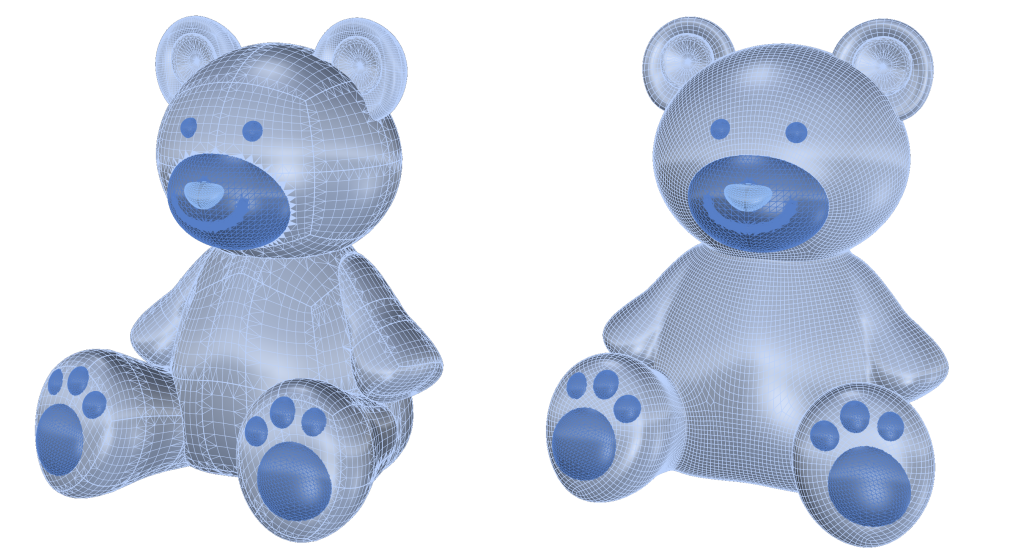
The QuadRemesh command quickly creates a quad mesh with optimized topology from existing surfaces, meshes, or SubDs. It uses a unique algorithm to generate manageable polygon meshes, ideal for rendering, animation, CFD, FEA, and reverse-engineering.
Repair SubD
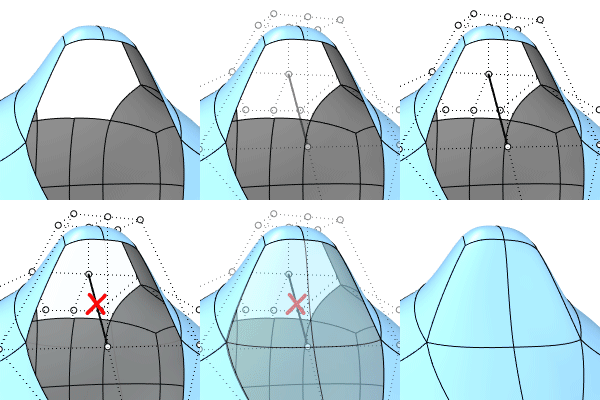
The Repair SubD command inspects and deletes damaged components, wire edges, and Non-manifold edges on SubDs.
Pack SubD Faces
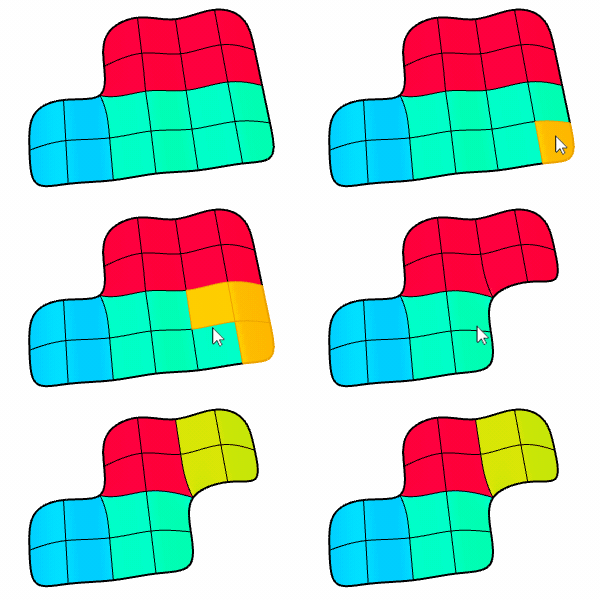
The PackSubDFaces command resets a SubD to the default face packing if adding creases or deleting faces breaks the quad grids.
Selection & Component Management
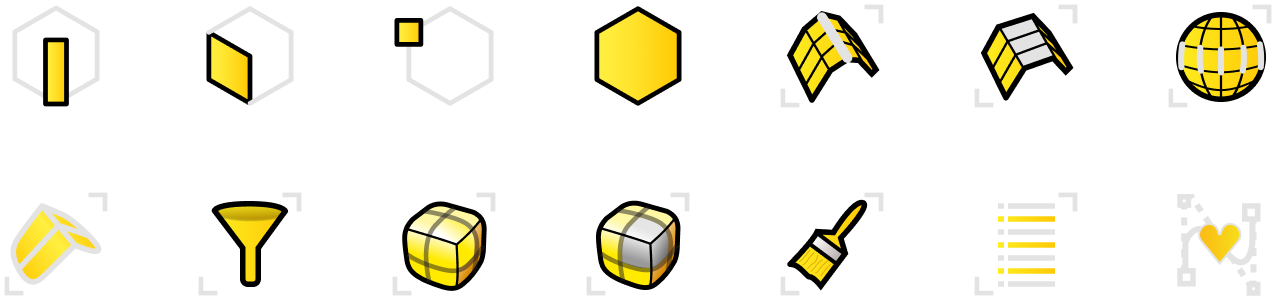
These tools allow precise control over which vertices, edges, or faces you are editing in a SubD model. They are essential for efficient modeling, making detailed adjustments, and maintaining clean topology in jewelry designs.
Almost there — you still have some lessons to complete. Jump to the next one →
Impersonating — progress and reviews are disabled.
Course completed
You've completed SubD Essentials: Organic Jewelry Design 🎉
Great work. Get your certificate of completion and, if you have a minute, let other jewelers know what you thought of the course.