★ The RhinoArtisan Blog
One Month Later. A Whole New Level of Jewelry Design.
RhinoArtisan 7.1: Realistic Gems, Rhino 9, New Jewelry Tools & a Smarter AI Assistant
Book a demo with our teamOctober 30, 2026 · RhinoArtisan · News
On September 15, we introduced RhinoArtisan 7.0, bringing a new generation of jewelry design tools, intelligent automation, and AI-powered workflows to designers and manufacturers around the world.
But innovation doesn’t stop at a major release.
With Rhino 9 approaching, we had a clear objective: make RhinoArtisan ready for the next generation of Rhino without making our users wait.
And while we were at it, we decided to go much further.
Introducing RhinoArtisan 7.1.
Native Rhino 9 compatibility is just the beginning. This release introduces realistic gemstone refraction directly in your viewport, three powerful new ring design tools, a significantly smarter AI Assistant, expanded manufacturing capabilities, and Python 3 automation.
All designed around one principle: less time managing software, more time creating exceptional jewelry.
Five reasons to get excited
- Realistic Gems. Experience gemstone refraction, light dispersion, and internal reflections directly in Rendered mode. No separate rendering required.
- Ready for Rhino 9. Native compatibility, including .NET 10, tested against Rhino 8 with identical results across our design and automation tests.
- Three new ring design tools. Pavé Shank, Twisted Shank, and Anniversary introduce entirely new possibilities for parametric ring design.
- A new generation of AI Assistant. An assistant that can understand photographs, research documentation, generate images, remember your company’s manufacturing standards, and undo its own design changes.
- Python 3 and deeper automation. A new
rhinoartisanPython package, expanded scripting capabilities, and new Grasshopper components.
And that’s only the beginning.
1. Realistic Gems: Your gemstones have never looked like this
What if you could experience the beauty of a gemstone while designing, without launching a rendering process?
With Realistic Gems, you can.
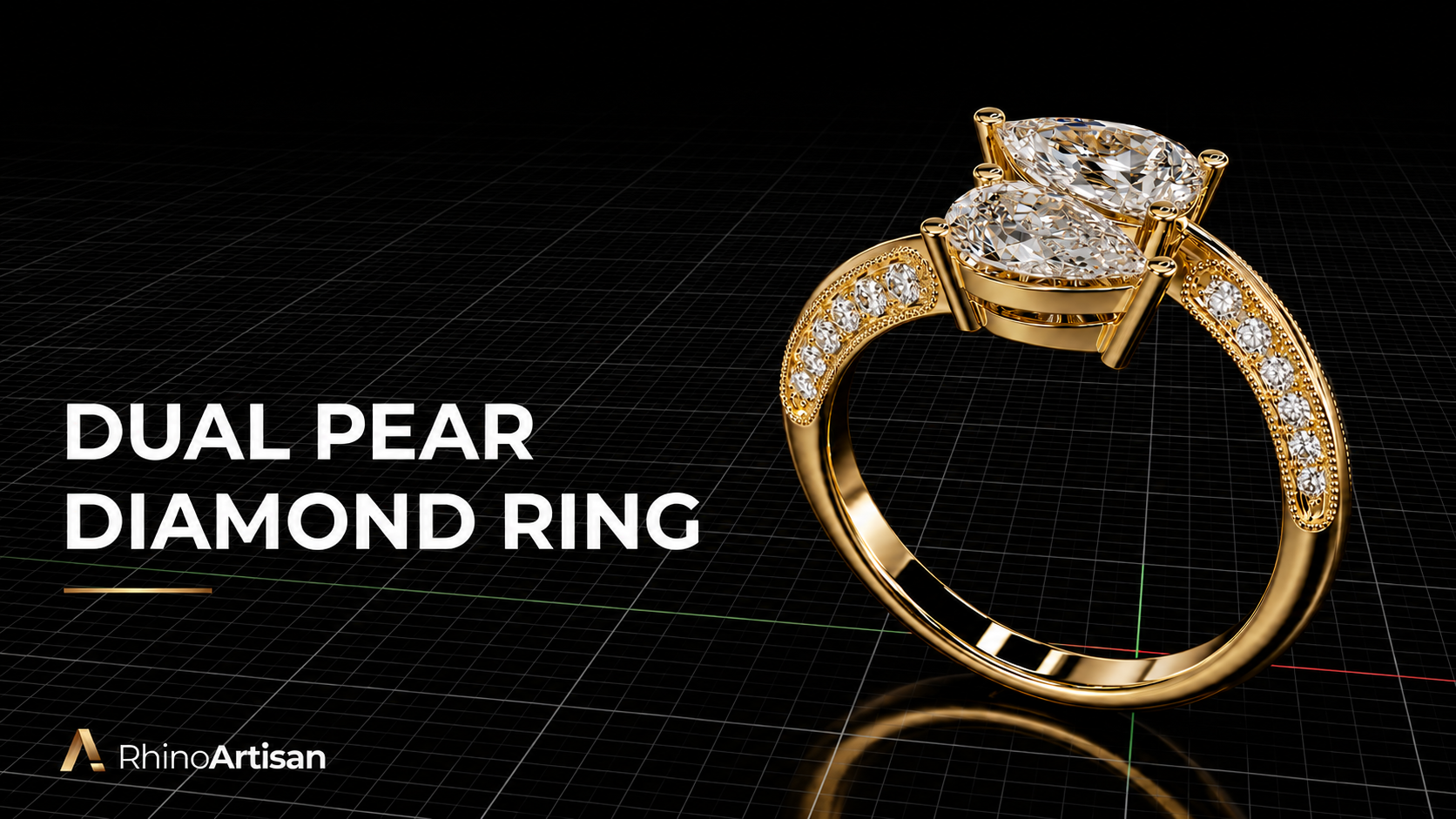
RhinoArtisan 7.1 introduces a new gemstone shader that brings realistic optical behavior directly into Rhino’s Rendered viewport.
Light travels through the gemstone, reflects internally, refracts through its facets, and interacts with the surrounding HDR environment.
The result is a far more natural representation of gemstones while you work.
The technology behind the sparkle
Realistic Gems introduces:
- Physical-style refraction: light changes direction as it passes through gemstone surfaces.
- Internal light bounces: multiple reflections within the gemstone help reproduce its optical complexity.
- Light dispersion: the separation of light into different colors produces characteristic gemstone fire.
- Fresnel reflections: the appearance of reflections changes naturally according to the viewing angle.
- HDR environment lighting: gemstones interact with their surrounding lighting conditions.
Three visual presets
Different design stages require different presentations. Realistic Gems includes three presets:
- Catalogue: a controlled, balanced appearance ideal for commercial jewelry presentation.
- Natural: a more subtle, realistic lighting response.
- Sparkle: an expressive appearance emphasizing gemstone brilliance and fire.
Realistic Gems is enabled by default, with a dedicated control in the Rendering ribbon.
Design. Rotate. Inspect. Experience the gemstone. All in your viewport.
Rhino 9 beta note: Realistic Gems currently requires GPU Technology set to OpenGL. Rhino 9 uses Direct3D by default, where this feature is not yet supported.
2. Rhino 9: Ready for the next generation
Rhino 9 represents an important step forward for the Rhino ecosystem, including its transition to .NET 10.
RhinoArtisan 7.1 has been prepared to support Rhino 9 natively, while maintaining compatibility with existing Rhino environments.
We didn’t want to simply make the plugin load. We wanted to verify that jewelry designers could continue working with confidence.
Tested against Rhino 8
We ran the same test suite in Rhino 8 and Rhino 9 beta, covering:
- All 35 Dynamic Knowledge designs.
- Python scripting API operations.
- Saving and reopening jewelry designs.
- GLB export workflows.
The result: identical outcomes across the tested workflows.
We’ve also improved how our Grasshopper plugins are installed and loaded.
If you have Rhino 8 and Rhino 9 installed on the same computer, each version now loads its corresponding Grasshopper plugin independently, avoiding the familiar “File Conflict” warning.
The objective is simple: your jewelry designs, parametric workflows, and automation should continue working as Rhino evolves.
3. Three new ring design tools. Countless new possibilities.
Great jewelry software should make sophisticated designs easier to build, easier to modify, and easier to manufacture.
RhinoArtisan 7.1 adds three new parametric ring tools to the Shanks family.
Pavé Shank: Multiple rows, one intelligent workflow
Creating multi-row pavé rings has traditionally required numerous operations and careful gemstone placement.
The new Pavé Shank simplifies that process.
Starting from a Classic band with a single profile, you can generate multiple rows of automatically distributed pavé gemstones.
The tool includes:
- Configurable number of pavé rows.
- Staggered gemstone placement, with beads centered between adjacent stones.
- Independent edge and end offsets.
- FULL and SIDE distribution layouts.
- Parametric control of the overall design.
Whether you’re creating a delicate multi-row diamond band or a more substantial pavé design, the process becomes significantly faster.
The previous Pavé Shank tool has been renamed Advanced Pavé Shank, while ArtisanPaveShank now opens the new multi-row tool.
Twisted Shank: Elegant twists, fully parametric
The new Twisted Shank creates solitaire shanks from two intertwined strands.
Instead of manually constructing complex twisted geometry, designers can define the structure through intuitive parameters.
Features include:
- Independent Top and Bottom profiles.
- Control over the twist.
- Classic opening configurations: None, Cut, and Strangle.
- Parametric editing of the resulting shank.
A sophisticated visual effect, now available through a dedicated jewelry design workflow.
Anniversary: Celebrate every stone
Anniversary bands are among the most recognizable designs in fine jewelry.
Our new Anniversary tool creates bands with a continuous row of gemstones held in touching bezel settings.
You can choose different Eternity distributions:
- Full Eternity.
- Half Eternity.
- Three-quarter Eternity.
- Fixed layouts with 5, 7, or 9 gemstones.
Additional controls include uniform or graduated gemstone sizes, five stone cuts, and elevation settings.
From classic anniversary bands to contemporary gemstone compositions, these designs remain parametric and editable.
4. Meet your new AI Assistant. It does much more than answer questions.
AI is changing how we interact with software.
With RhinoArtisan 7.1, our Assistant takes another major step toward becoming a genuine jewelry design partner.
The biggest change is not a single new command.
It’s the way the Assistant understands what you’re trying to achieve.
One Assistant. Multiple capabilities.
Instead of requiring users to choose different AI tools for different tasks, the Assistant now determines what capabilities are needed for each request.
It can combine jewelry knowledge, documentation search, visual understanding, design operations, and image generation within the same conversation.
Show it a photograph
You can now attach, drag and drop, or paste up to six images into a single message.
The Assistant can analyze jewelry photographs, identify visible design characteristics, and help you understand or develop the concept.
You can also ask the Assistant to examine the current viewport, giving it visual context about the design you’re working on.
Ask questions. Get answers with sources.
The Assistant can search RhinoArtisan documentation and provide links to the relevant pages.
Instead of manually navigating help articles, you can ask how a tool works or how to achieve a particular result.
The Assistant can find the documentation and explain it within your current workflow.
Turn ideas into images
The Assistant supports AI image generation using:
- Text descriptions.
- Reference photographs.
- Your current Rhino viewport.
This connects design exploration with visual communication, helping you develop and present concepts before moving further into production.
Your company standards. Your rules.
Every jewelry business has its own manufacturing standards.
Minimum prong diameters, gemstone-setting preferences, default ring sizes, and production guidelines can differ between workshops.
With Company Standards, you can define your rules using natural language.
For example:
“Remember that platinum prongs must be at least 1.0 mm in diameter.”
The Assistant can save and apply those standards to subsequent design operations.
This helps ensure that AI-assisted work follows the practices of your company, not just generic assumptions.
Full control over AI design changes
One of the most important additions is the ability to undo all the changes made by the Assistant in a single action.
If an AI operation modifies multiple design elements, you can reverse those changes together.
Experiment freely. Stay in control.
Even more Assistant capabilities
RhinoArtisan 7.1 also introduces:
- Parametric editing of Three Stones and Toi et Moi designs.
- Boutique integration, allowing commands such as “Insert Halo 001 in rose gold.”
- Time Tracker integration, including questions such as “How many hours have I worked this week?”
- Conversation cost tracking.
- Optional daily spending limits.
- Opus 5.5 as the default model.
- A dedicated Options > Assistant configuration page.
The Assistant is becoming an integrated part of the jewelry design workflow, from the first idea to the technical details.
5. More sophisticated gemstone settings, with fewer operations
A jewelry design isn’t defined only by the shape of its stones.
It’s defined by how those stones are held, framed, protected, and integrated into the finished piece.
That’s why RhinoArtisan 7.1 introduces extensive improvements across its setting tools.
Basket: More control over every prong
Basket settings receive several important additions.
New prong configurations include Double, Triple, and Double Claw.
V-prongs are now supported at the corners and points of fancy-shaped gemstones, including Princess, Pear, Heart, Marquise, and Trillion.
Other improvements include:
- Flush Fit for the base rail.
- A dedicated gumball to adjust prong tip height.
- Presets that scale according to the gemstone size.
These additions provide greater flexibility without sacrificing the convenience of a parametric tool.
Halo: New settings, new shapes, new flexibility
The Halo command has become more versatile.
You can now use Basket-style central prongs, including Double and Triple configurations.
A new bridge option extends the structure down to the bridge, while additional gemstone-setting options provide much greater freedom.
Available setting modes include:
- Flush.
- Channel.
- Prongs.
- Prongs + Channel.
- Scalloped.
Heart and Marquise shapes are also supported, opening up new opportunities for fancy-shaped halo designs.
Hidden Halo: More than a decorative detail
Hidden Halo now includes Basket-style prongs with Circle and Claw configurations.
These can be straight, curved, or stepped.
Additional improvements include a second channel and automatic removal of gemstones positioned underneath prongs.
This helps produce more coherent, production-oriented designs with less manual cleanup.
Bezel: Precision where it matters
Bezel settings now include a gemstone seat that follows the actual pavilion.
New Wall Angle and Bottom Width controls offer greater precision, while a section view helps designers understand the setting geometry.
And across the rest of the setting tools
- Cluster: configurable prongs for the central gemstone.
- Cutters: Fit to Gem follows the actual pavilion of fancy-shaped stones, with new gumball controls.
- Gem Studio: edit all selected gemstones simultaneously.
- Automatic Pavé: manually place gemstones with clicks and reposition the starting hexagon by dragging it.
- Render Studio: applying a gemstone material such as Ruby also updates the actual gemstone type, including its weight, gemstone lists, and Realistic Gems representation.
That last improvement is particularly important: the visual appearance and the technical identity of a gemstone now stay synchronized.
6. Shank design: A more consistent, intelligent experience
RhinoArtisan 7.1 also includes major improvements to ring shanks.
The goal is to make advanced settings easier to use, while keeping the tools consistent across different ring styles.
One unified Gem Setting experience
The Gem Setting section has been standardized across the Shanks family.
This means designers can work with a more consistent interface and set of options, regardless of the type of shank they’re building.
A new Flush setting mode is available in Halo, Classic, Cathedral, Advanced Cathedral, Bypass, and Contour Band.
Adaptive Design: Geometry that follows your gemstones
Adaptive Design is now a global option, enabled by default.
When gemstone sizes or setting configurations change, related parameters can adapt automatically.
This includes channel geometry, bright-cut settings, and prong diameters.
Instead of manually correcting every dependent element, the design responds intelligently.
Improvements across individual shanks
Classic Shank
- Mounting holes to accommodate the gemstone head.
- Split Run at Top.
- Individual drill cutters for each stone.
- Accent Gems by Number.
Cathedral Shank
- Continuous gemstone distribution at 360°, including a stone at the bottom.
- Matching diameters for shared prongs.
- Show Cutters option.
- Accent Gems by Number.
Advanced Cathedral
- Accent Gems by Number.
- New Flush setting support.
Graduated Shank
- An interior bridge below the opening.
Split Shank
- Micro-setting with beads that engage the gemstones.
- Scalloped and V-cutters.
- Drill holes.
- U, V, and square channel profiles.
Plain Band
- Scalloped options.
- Width and height gumballs.
Contour Band
- New fit modes.
- Shoulder smoothing.
- Automatic prong distance.
Wedding Rings
- Improved positioning so both rings rest on the same ground plane.
The Shanks ribbon has also been reorganized to make the growing collection of tools easier to discover.
Two familiar tools have new names
As the RhinoArtisan design system evolves, we’ve updated several command names to better reflect their purpose:
| Previous name | New name |
|---|---|
| Wedding Band | Plain Band |
| Matching Shank | Contour Band |
| Pavé Shank (previous tool) | Advanced Pavé Shank |
The new multi-row Pavé Shank takes the original Pavé Shank name.
7. From photography to relief: Introducing AI Depth Map
A photograph can be the beginning of a beautiful jewelry design.
But converting a two-dimensional image into a usable relief traditionally requires additional tools and processing.
RhinoArtisan 7.1 introduces AI Depth Map, bringing that workflow directly into the software.
Simply start with an image and generate a depth map that represents the estimated depth of the scene.
You can fine-tune the result using:
- Output resolution.
- Smoothing.
- Contrast.
- Depth inversion.
And with Create Relief, the generated result can be sent directly into the Relief tool.
This creates a practical workflow for decorative jewelry, engraved pieces, medallions, personalized pendants, and other relief-based designs.
Relief gets more powerful, too
The Relief tool now supports a Flat Base output and 16-bit TIFF heightmap export, providing additional flexibility for downstream workflows.
From image to depth. From depth to geometry. From geometry to jewelry.
8. The small improvements that make a big difference
Some innovations introduce entirely new ways to design.
Others eliminate the little frustrations that interrupt your day.
RhinoArtisan 7.1 includes both.
Select Gems: Find exactly the stones you need
The new Select Gems panel allows you to filter and select gemstones by:
- Cut.
- Size.
- Material.
Selections update in real time, simplifying operations on complex designs containing multiple gemstone types.
More capable everyday tools
Smart Isocurve now works with solids and regenerates when its source geometry changes.
Bail introduces new profiles, tension controls, and O-ring parameters. Bail geometry is now assigned to the metal layer and included in weight calculations.
Chain supports up to 1,000 copies.
Outliner allows re-editing of profiles placed along a rail, as well as print models created by Automatic Repair. Print models can also be saved as STL files.
The Asset Selector now includes searching by both asset name and description.
Generative AI Studio supports importing GLB files into Rhino 7.
Each of these improvements removes another unnecessary step between the designer and the finished piece.
9. Python 3: RhinoArtisan becomes even more programmable
For advanced users, developers, and companies building custom jewelry workflows, RhinoArtisan 7.1 introduces another significant milestone.
The RhinoArtisan Python package is now available for Python 3.
In Rhino 8 and later, you can import it directly:
import rhinoartisan as raNo additional configuration required.
The package includes documentation strings and typed errors, helping developers build more reliable scripts and integrations.
More capabilities through the Scripting API and MCP
We’ve expanded the RhinoArtisan automation ecosystem to support additional design operations.
The API and MCP tools can now:
- Create objects from Elements and apply them to existing objects.
- Edit Bails, Pendants, Bangles, Beads, Charms, Links, Milgrain, and Rope.
- Manage Elements and Assets libraries.
- Change gemstone sizes while keeping the associated settings synchronized.
These capabilities make it easier to build custom workflows, connect external systems, and allow AI agents to work with jewelry-specific operations.
Grasshopper: More parametric jewelry design
Our Grasshopper integration continues to expand.
New components include:
Jewelry design
- Pavé Shank.
- Twisted Shank.
- Anniversary.
- Hidden Halo.
- Mounting Holes.
Manufacturing
- Automatic Repair.
- Copies.
- Distribute.
- Resizer.
- Sprues.
Smaller GLB files. Better web experiences.
We’ve also improved the export of jewelry designs as separate Parts, making them easier to integrate into interactive web viewers.
A representative Eternity ring that previously produced a 34 MB GLB can now be exported at approximately 6 MB.
That’s a dramatic reduction in file size while preserving the structure needed for jewelry visualization.
For digital showrooms, online configurators, and web-based jewelry experiences, efficient 3D files are essential.
10. A smoother interface. A faster design experience.
Performance is not just about how quickly an operation finishes.
It’s about how the software feels while you design.
RhinoArtisan 7.1 introduces several improvements that make everyday interaction more fluid.
No more disappearing previews
When a command recalculates its geometry, the previous preview now remains visible until the new result is ready.
This eliminates unnecessary flickering and avoids interrupting the visual flow.
Metal previews have also been refined for a smoother appearance.
Smarter recomputation
We’ve optimized command panels so that each parameter change triggers a single recomputation.
We’ve also improved the Accept workflow to ensure that it doesn’t finalize an outdated result while a newer computation is in progress.
The result is a more predictable and responsive design experience.
An international experience
Approximately 370 new interface strings have been translated across 12 languages, bringing the latest tools and options to more designers worldwide.
11. Manufacturing, rendering, and reliability
Behind every new design capability, there is another equally important commitment: stability.
This release includes extensive work on reliability, manufacturing operations, and file management.
Stability improvements
We’ve resolved more than 20 reported crashes affecting workflows such as:
- Panels closing during selection.
- Empty profiles.
- Texture3D.
- Classic Strangle.
- Pattern.
- Scale by Weight.
- Milgrain.
- Bail.
More robust infrastructure
The Assets library can now automatically restore missing asset types.
The RhinoArtisan Launcher includes a Diagnostics & Repair option to clean the License Manager folder when needed.
Realtime Render has been updated to viewer version 1.6.7.
GLB export no longer includes hidden objects, providing cleaner output and avoiding unnecessary geometry in exported files.
These changes might not attract the same attention as Realistic Gems or a new AI capability.
But they are fundamental to the experience of using RhinoArtisan every day.
12. One month later. A major step forward.
When we introduced RhinoArtisan 7.0 on September 15, we presented our vision for a new generation of jewelry CAD.
A design environment where traditional modeling, parametric intelligence, manufacturing knowledge, and artificial intelligence work together.
RhinoArtisan 7.1 takes that vision further.
Realistic Gems changes how you experience gemstones while designing.
New ring commands make sophisticated jewelry easier to create.
Our AI Assistant becomes more visual, more knowledgeable, and more deeply integrated into real design workflows.
Python 3, MCP, and Grasshopper open new possibilities for automation.
And native Rhino 9 compatibility ensures that RhinoArtisan is prepared for the next chapter of the Rhino ecosystem.
This is more than an update for a new version of Rhino. It’s another step toward a better way to design jewelry.
One where your software understands jewelry.
One where creativity and manufacturing work together.
And one where the tools evolve as quickly as your ideas.
Welcome to RhinoArtisan 7.1.
Keep creating. Keep innovating.
Compatibility note: In Rhino 9, Realistic Gems currently requires GPU Technology to be set to OpenGL instead of the default Direct3D graphics backend.*
Design it. Manufacture it. Sell it.
Try RhinoArtisan free for 15 days
Full access to every tool. No credit card required. Works with your existing Rhino installation.
Setup takes less than 2 minutes
Talk to us
Let's talk about what you want to achieve.
Book a free 30-minute one-to-one session with a RhinoArtisan specialist. Tell us about your work, your challenges and what you would like to achieve, and we'll help you find the best way forward.